

 Come together with the global Drupal community in Rotterdam, 28 Sept – 1 Oct 2026. Sessions, contribution, connection, and Early Bird savings until 8 June.
Problem/Motivation
The view /admin/content/files shows me an incorrect file count.
- Drupal core 8.3.3
- It also exists in Drupal core 11.0.0
The issue is being addressed by preparing translations for each language, changing the translation from 1 to @count.
However, it appears more appropriate to change the original string from a fixed 1 to @count as well.
Steps to reproduce
- Install Drupal. Specify a language with plurals determined by 1 or more [plural=(n>1)].
- Ensure the language is specified in the po file description with plural=(n>1).
- After installation, attach and save an image in the article content.
- Remove the image from the previously created article content and delete any revisions where the image existed.
- When viewing /admin/content/files, the translation text equivalent to the singular "1 place" is displayed for "Used in".
- In languages treating 0 as singular, "1 place" is displayed instead of 0, which is unintended.
Proposed resolution
Change the view settings for the file list that is optionally created during installation.
To display the correct number of files in the file list, change the value of the singular form field from "1 place" to "@count place".
This change is useful in languages where the singular form is not limited to 1.
Remaining tasks
NA
User interface changes
NA
API changes
NA
Data model changes
NA
Release notes snippet
NA
| Comment | File | Size | Author |
|---|---|---|---|
| #13 | sc.jpg | 15.99 KB | Thithi32 |
| #11 | plural_format.png | 10.75 KB | handkerchief |
| #8 | installed_modules_2887988.txt | 11.17 KB | georob |
| file_usage.png | 15.43 KB | handkerchief | |
| file_overview.png | 33 KB | handkerchief |
Issue fork drupal-2887988
 Show commands
Start within a Git clone of the project using the version control instructions.
Or, if you do not have SSH keys set up on git.drupalcode.org:
- 2887988-translation-of-file-count-is-incorrect
 changes, plain diff MR !6803




Comments
Comment #2
cilefen commentedComment #3
handkerchiefComment #4
cilefen commentedIs this issue is unique among the issue family I linked above it needs a new title.
Comment #5
georob commentedDoing major issue triage w/ others at TCDrupal Camp Sprint. Aiming to reproduce this issue.
Comment #6
cilefen commentedPlease check if this is duplicating the linked issue or one of the linked issue's child issues. Thanks!
Comment #7
georob commentedI went down a different path trying to reproduce. Looking now at potential duplicates of subsequent issues I found.
Comment #8
georob commentedI tried to reproduce this issue on 8.3.4.
After @cliefen's suggestion in #6, I went and perused the issue queues and did not find any duplicates in the related issue. Looking further, to rule out a contrib module issue, I found this issue on Entity embed. They are using a core editor function to control file usage tracking. So, my steps to reproduce what should be 2 separate and or related issues.
Environment:
Acquia Dev Desktop version: 2
PHP: 5.5.38
Core: 8.3.4
OS: Mac 10.11.5
Modules: see installed_modules_2887988.txt (created with Drush pm-list > installed_modules_2887988.txt)
Steps taken to (not) reproduce:
This is 1 path of "deletion" aka erasing the embed code. A subsequent step series of more direct action:
I was not able to exactly reproduce the issue, but following what I believe to be a similar path, this was my result. Marking this as Need steps to reproduce.
Comment #9
handkerchiefOk I have also tested it with a brandnew drupal core instance (8.3.4) with the help of simpytest and I had install Media Entity (8.x-1.6) and Media Entity Image (8.x-1.2) and it works as designed. So I do not mention all the details now.
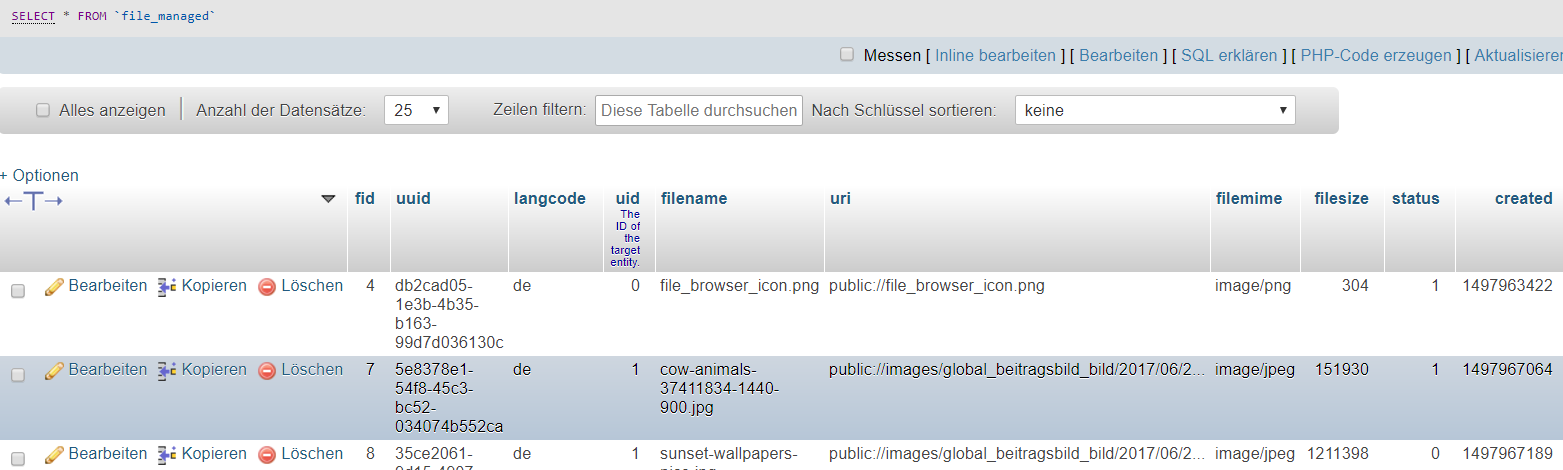
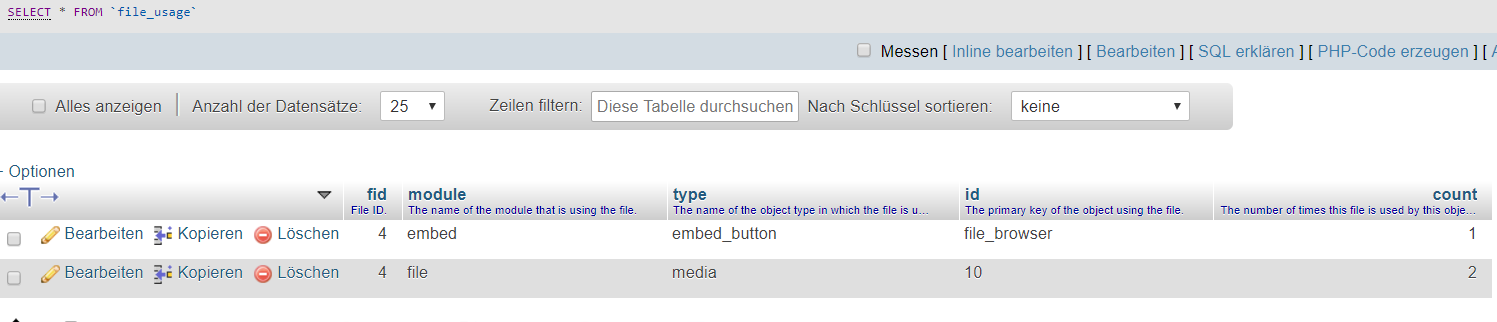
So i tested it with my real project drupal instance (also 8.3.4) from my first post in this issue. My new files changes correctly the file status after creating/deleting the entity. BUT what's not working is the fact, that the Files Overview (/admin/content/files) shows the wrong number in the column USED IN. Although the media entity was deleted and the files status was changed correcty to temporary, the USED IN column shows me always minimum "1 place". But if i click on the "1 place" link (/admin/content/files/usage/{fid}) the view is empty and that's correct.
So the problem is now, a wrong USED IN number on /admin/content/files. What can that be?
I have imported a fresh files view (from the working simplytest instance) but nothing changed.
Comment #10
handkerchiefanyone? It's a really strange effect, but what's the problem?
Comment #11
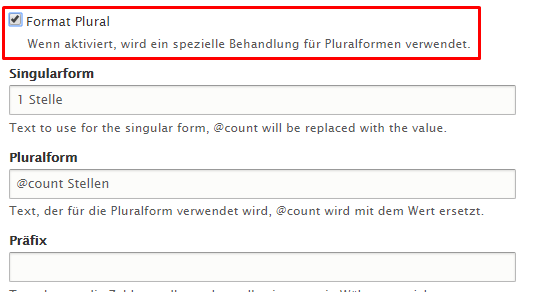
handkerchiefUpdate: If I uncheck the format plural checkbox in the file usage field configuration (view), the count of the field "file usage" is displayed correctly in the file overview view.
So if this field is checked, the view use the singular form for 0 and also for 1 file usage.
Comment #12
dawehnerThank you for reporting!
This is basically another duplicate of #2821423: Dealing with unexpected file deletion due to incorrect file usage
Comment #13
Thithi32 commentedAs @handkerchief suggested, there's a small problem in default views. Just change the singular field from '1 place' to '@count place'
Comment #14
brightboldThanks @Thithi32. Your workaround in #13 does indeed solve this problem.
Comment #15
duneblI confirm #13 is the tip, patch needed
Comment #16
pbouchereau commentedThis is not a duplicate of #2821423: Dealing with unexpected file deletion due to incorrect file usage
The file usage count itself is correct, it's just the number displayed that isn't.
As mentioned above, it could be fixed by using the "@count" token instead of "1" for singular in the "format plural" part of the "count" field's configuration in the "files" view.
This is due to the fact that unlike English, some languages (including French) don't consider 0 as plural.
So when viewing the files list in english, the plural version with the "@count" placeholder is applied to display the correct count for unused files ("0 places"). But when viewing the same list in french the singular version is applied and shows "1 place" for files that are actually not used.
This could confuse people and make them think that a "ghost" usage prevents a file to be deleted if they're not aware of the change in : Files that have no remaining usages are no longer deleted by default.
But this issue actually has no effect on the files deletion process.
Comment #17
pbouchereau commentedComment #23
kazuko.murata commentedHello.
I agree with the comment in #16. I always modify the configuration of the 'count' field in Views settings after installing Drupal and use it.
I propose the fix through https://git.drupalcode.org/project/drupal/-/merge_requests/6803
I would appreciate it if someone could review it. Thank you.
Comment #24
smustgrave commentedLeaving needs step to reproduce as those should be in the issue summary.
But noticed issue summary isn't using standard issue template with the correct sections so tagging for that.
Thanks.
Comment #25
kazuko.murata commentedComment #26
kazuko.murata commentedI've revised the summary. If you come across any typos or unclear descriptions, I'd be grateful if you could make the necessary corrections. Thanks to anyone who takes the time to review it.
Comment #27
smustgrave commentedThanks, leaving the summary tag though for the missing sections. I added them to hopefully help.
Also ran the test-only job https://git.drupalcode.org/issue/drupal-2887988/-/jobs/920335 and it did fail to show coverage.
Issue summary mentions D8 but assume this is a D10 problem too.
Looks close.
Comment #28
kazuko.murata commented@smustgrave Thank you for your review.
I understand that the job has failed.
This modification is a site configuration change, so
ConfigTranslationUiTest.phpandviews.view.files.ymlmust be modified simultaneously.I think it's natural for the test to fail as a result of Reverting non test changes.
What would be the best course of action? I would appreciate any guidance.
Comment #29
kazuko.murata commentedComment #30
smustgrave commentedTest only job on a bug should fail that’s fine.
But issue summary is still incomplete
Comment #31
kazuko.murata commentedThe summary has been updated to state that it also occurs in Drupal core 11.0.0.
I would be happy if anyone could review it again.
Comment #32
smustgrave commentedSummary still says proposed solution is TBD
Comment #33
kazuko.murata commentedComment #34
kazuko.murata commentedSummary has been updated.
Comment #35
smustgrave commentedThanks, believe this good to go.
Comment #38
catchCommitted/pushed to 11.x and cherry-picked back to 10.4.x, thanks!