
On this page
AI Assistant
Check out the Configuration Guide to learn how to setup the plugin.
Select some content and press the “AI Commands” button AI Commands in the toolbar to get access to the most common tasks such as “Improve writing” or “Summarize.”
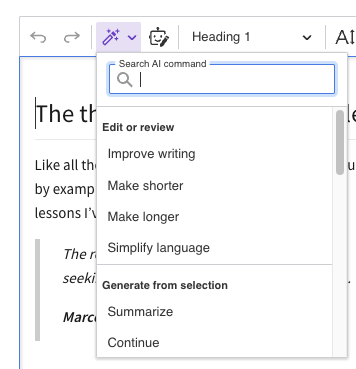
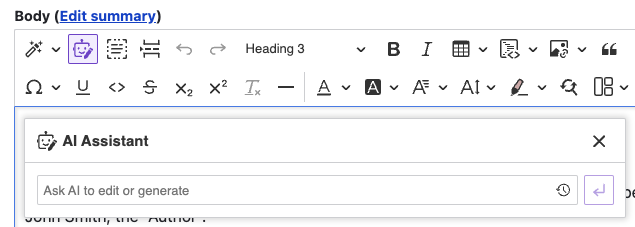
Press the “AI Assistant” button AI Assistant and provide your query for the AI. Here are a few ideas you might try:
”Write a detailed guide for a one-day walking tour of Barcelona.”
”List the top 5 keywords related to traveling.”

Query history
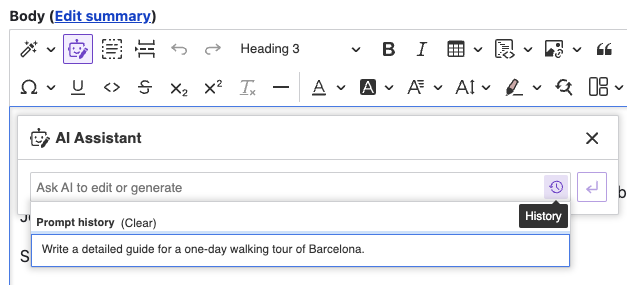
The AI Assistant’s custom query field has a dedicated history button History that gives you access to your previous queries. It displays the last 20 queries and makes it possible to reuse and improve recent queries. The history is stored in the browser’s session storage. The session storage is separate for each browser tab and the browser clears it when you close the tab.
A user can also manually clear the query history by clicking the “Clear” button in the history dropdown.
Help improve this page
You can:
- Log in, click Edit, and edit this page
- Log in, click Discuss, update the Page status value, and suggest an improvement
- Log in and create a Documentation issue with your suggestion
