
On this page
Format Painter
Last updated on
8 July 2024
First, select the text which you want to copy formatting from:
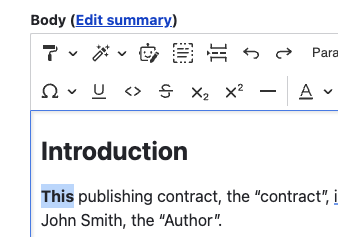
Then, click the Format Painter button in the toolbar:
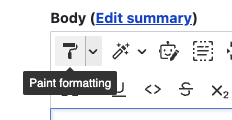
Lastly, select the text in order to apply copied formatting to it:

Continuous painting
If you want to apply formatting to multiple places in the document, you can use continuous painting setting, available in the menu next to the Format Painter button:

Help improve this page
Page status: No known problems
You can:
You can:
- Log in, click Edit, and edit this page
- Log in, click Discuss, update the Page status value, and suggest an improvement
- Log in and create a Documentation issue with your suggestion
