

 Come together with the global Drupal community in Rotterdam, 28 Sept – 1 Oct 2026. Sessions, contribution, connection, and Early Bird savings until 8 June.
Problem/Motivation
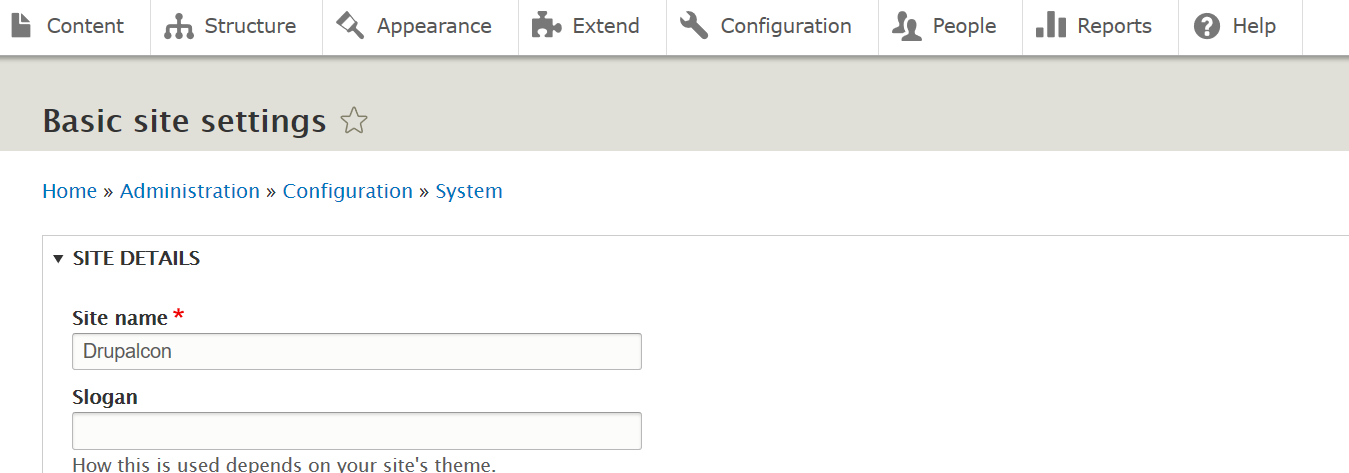
In older versions of Firefox, details elements in the Seven theme in Drupal 8.x, such as on admin/config/system/site-information , looked like this screenshot -- the summary line (which is a link to open/close the details area) showed up in blue, with a little triangle open/close icon next to it:

With current versions of Firefox, however, it isn't so nice. The summary line is black, and the open/close icon is missing:

This is a big usability problem. It's not obvious without the little arrow or the blue color that this is a link to open/close the box, at least to me.
Proposed resolution
After some debugging, the problem was traced to the normalize.css file [see original issue summary in first comment for details]. We are currently using a 3.x version of the Normalize library, and it has "summary" elements with display: block;. The current version of the Normalize library uses display: list-item; instead.
So, we need to either:
a) Update to the current version of normalize. This option was proposed in #6 and rejected by the core maintainers in comment #13, and has been moved to its own issue: #2821525: Update normalize.css to the most recent version. Also it doesn't work in IE and Edge, see comment #29.
b) Add a small bit of CSS to our normalize library to override display: block for summary elements. That is what is in the patch in #19, but it doesn't work in IE and Edge (they lose the triangles, see tests in comment #27).
c) Add the small bit of CSS but not for IE and Edge, or only for Firefox. There is now a patch that does this.
Remaining tasks
a) [done] Figure out what to do [Make a small patch to add CSS to override that one piece of the normalize library, but only for Firefox].
b) [done] Make a patch.
c) Test the latest patch on multiple browsers. Tests that have been done for the patch in #51:
- Comment #54 -- tested on IE, Edge, Firefox, Chrome, Safari, and Opera on Mac and Windows. All worked fine.
Note that the patch only restore the drop-down arrow, not the blue color for the link. Currently, with the patch in #51, Edge and IE have blue color, while Chrome, Firefox, Safari, and Opera don't.
- Add your browser test here, and mention the comment with your screenshots.
Novice task:
- Apply the latest patch on a local Drupal site. It doesn't really matter which version of Drupal you are using.
- Clear the cache.
- Visit a page like admin/config/system/site-information , using the current version of a browser that has not yet been tested (see Proposed Resolution section, above this in the issue summary).
- See if the summary lines on details elements are formatted correctly (with the drop-arrow) or not.
- Make a screenshot similar to the ones in comments #20 and #22.
- Add a comment telling which browser you tested, upload your screenshot in the Files section, and update the list above ("Tests that have been done").
User interface changes
Details elements on admin pages will again have the drop-down arrow applied to them in current versions of Firefox, without breaking them in other browsers. Right now they don't work in Firefox and it's rather confusing UI.
The blue color is not restored with this patch. Currently, with the patch in #51, Edge and IE have blue color, while Chrome, Firefox, Safari, and Opera don't.
API changes
None.
Data model changes
None.
| Comment | File | Size | Author |
|---|---|---|---|
| #65 | 2886904-65.patch | 839 bytes | andrewmacpherson |
| #65 | interdiff-2886904-59-65.txt | 310 bytes | andrewmacpherson |
| #60 | 2886904-after-patch-59-bartik-firefox.png | 16.35 KB | andrewmacpherson |
| #59 | 2886904-59.patch | 806 bytes | andrewmacpherson |
| #59 | interdiff-2886904-51-59.txt | 1.03 KB | andrewmacpherson |




Comments
Comment #2
anavarreJust wanted to confirm I'm seeing a difference indeed when using Firefox (54.0 - Ubuntu):
And with Chrome (59.0.3071.104 - Ubuntu):
Comment #4
eric heydrichWorking on triaging this issue at Drupalcon Vienna. I follow the instructions in issue #2474049. @ekl1773 is mentoring.
Comment #5
eric heydrichI've tested the summary element in different browsers and can reproduce it. Only in Firefox the arrow next to the summary is missing. The Version of Normalize currently used is 3.0.3. The error is fixed in version 5.0. See this issue for further information: https://github.com/necolas/normalize.css/issues/640. So the idea would be to update to a newer version of normalize.css to fix this error.
Comment #6
eric heydrichUpdated Normalize.css Version to 7.0.0. This fixes the error.
Comment #7
jenlamptonreviewing.
Comment #8
jenlamptonI can confirm that the details element is now properly formatted in Firefox:
Before the patch:

After the patch:

However, since the update of Normalize.css changes a bunch of other elements too, I also browsed around the rest of the interface, to make sure nothing else substantial has been changed with the update of the Normalize library. Front end pages appear completely unchanged, and every administrative interface I checked (node/add, user/1/edit, admin/content, admin/config, admin/modules, admin/reports/status, admin/structure/types/manage/article/fields, admin/config/media/image-styles/manage/thumbnail) looked fine as well.
Possibly also of use: we also included the latest version of Normalize.css into Backdrop CMS v 1.8.0 on Sept 15th, and have seen no adverse repercussions for updating the library: https://github.com/backdrop/backdrop-issues/issues/2602
Comment #9
larowlanComment #10
xjmThanks @Eric Heydrich and @jenlampton for working on this! Adding credit for the triage.
It looks like this library was last updated before release. Since this updates a vendor library several major versions, it needs to wait for 8.5.x.
The library is loaded as part of Classy, so it would count as a BC break for one of the stable base themes and we need to look at the impact vs. disruption. The alternative might be to add a more targeted fix overriding the CSS in Classy -- not sure. So +1 on leaving this one for a frontend framework manager. Leaving RTBC for their review.
Thanks!
Comment #11
xjmComment #12
jhodgdonAs noted in the issue summary, an alternative to updating the entire normalize.css is to just remove one line where it makes "summary" have display:block. If we're looking for less impact, that would at least resolve the problem.
I will also edit the issue summary to explicitly say that the other alternative is to update the normalize.css file to a more recent version, but has BC issues.
Comment #13
xjm@Cottser, @effulgentsia, and I discussed this issue today. Since this library is used in Classy, we're not sure we should pull the trigger on updating the whole library just yet. However, we also don't want to fork the existing (old) version of the library. And this is a clear bug that causes noticeable usability and possibly accessibility issues, so the impact is significant and probably even worth backporting a fix.
So, what we recommend is to add an additional stylesheet to the normalize library that overrides the problematic rule, maybe with a change record since it'd still be changing the stable base themes. Then, we can explore whether to go the rest of the way for updating
normalize.cssin #2919117: [policy, no patch] Discuss how to update 3rd party CSS libraries while still proving BC for stable themes, and look at that for a future minor release.Thanks @jhodgdon, @jenlampton, and @Eric Heydrich!
Comment #14
xjmComment #15
jhodgdonAccording to the issue linked in #5, the fix that is in the newer normalize.css file is to have summary use
display: list-item.So I think you're saying xjm that you want a new css file added to the normalize library that just contains
Plus presumably a comment explaining why we have a whole CSS file just for this one rule... maybe we should call it something like normalize-fixes.css and leave it open for adding future fixes (if any)?
Comment #17
yoroy commentedLets fix this for 8.6 :)
Comment #18
jhodgdonIf we do add a new file to the normalize library, I don't see how that will change the fact that it will not be backwards compatible with the old normalize CSS library?
Comment #19
jhodgdonAnyway, I'll make a new patch ... Here. I'm not sure if you wanted the "fixes" file in the vendor directory or not... and I'm uploading this before I have tested it... will test shortly.
Comment #20
jhodgdonOK, I have tested this fix. It works for me...
Here are without/with patch screenshots of admin/config/system/site-information from Firefox:
Comment #21
jhodgdonI guess this patch also needs to be tested in other browsers, such as:
- Chrome
- IE
- Safari or whatever is on Mac these days
- Phone browsers?
- ???
Comment #22
jhodgdonHere's Chrome on Ubuntu with the patch, looks fine:

Comment #23
andrewmacpherson commentedComment #24
jhodgdonI'm adding a Novice task here to test the latest patch on other browsers.
Also tightening up the issue summary.
Comment #25
adriancidWorking fine on Mac with Safari
Comment #26
adriancidUpdating the browsers where the patch was tested.
Comment #27
hosef commentedI have a Linux machine with Firefox, and the patch worked the same way as reported above.
I also have a VM with Windows and tested the patch with IE 11 and Edge.
On both of them, the site information page looked correct before the patch. After I applied the patch, there was a small dot on the page next to each field group.
I tried putting a
list-style: none;in the new css file next to the other line, and that fixed the issue on IE 11 and Edge, but it removed the triangle again on Firefox.Comment #28
jhodgdon@hosef -- Thank you *very* much for testing! So that minimal approach will not work.
Can you do us a favor and test the patch in #6, which is a more drastic patch that updates normalize.css to a completely new version? Thanks!
Comment #29
hosef commentedI tested the patch from #6, and it had the same effect on the collapsible field groups in IE 11 and Edge.
We might have to do something to selectively apply styles in IE and Edge, but I don't know how to do that.
Comment #30
jhodgdonWell, that's interesting. It seems like the maintainers of the normalize CSS library need a bug report saying that their 7.x release is not working as expected in IE and Edge.
Plus, we need to figure out a style that would work for all/most browsers. Hm....
So, there are quite a few options for the display CSS property, listed here:
https://www.w3.org/TR/css-display-3/#propdef-display
We've eliminated block (doesn't work in Firefox) and list-item (doesn't work in IE/Edge).
So, I tested these others in Firefox, using the "Inspect" facility to change the CSS quickly. The following did not work in Firefox to get the down arrow things:
flex
flow-root
inline
inline-block
inline-flex
inline-grid
inline-table
inline list-item
ruby
ruby-base
ruby-base-container
ruby-text
ruby-text-container
Basically, only display: list-item works in Firefox.
And apparently, only display: block (what is in normalize.css that we have in Drupal now) works in IE and Edge.
That's not good... I am not a CSS whiz, but maybe someone who is can figure out how to do the right thing for this situation? And maybe we should file an issue in the normalize project about IE and Edge not working with their latest Normalize?
By the way, can you confirm you are using a recent version of both of these? (I have not heard of Edge...)
Comment #31
jhodgdonI created an issue in the normalize project:
https://github.com/necolas/normalize.css/issues/740
And also in that issue, referenced two older closed issues I found about the project. It doesn't look like anyone tested IE when they made the change...
https://github.com/necolas/normalize.css/issues/604
https://github.com/necolas/normalize.css/issues/640
Comment #32
andrewmacpherson commentedUpdating my attribution. Somehow a bunch of issues I commented on recently have acquired a customer. Didn't intend that.
Comment #39
alexpottCrediting everyone who worked on the duplicate issue #2873390: No arrow on details blocks with Firefox
Comment #40
Utkarsh_Mishra commentedOk, so I tested patch in #19 and before applying that I was having the issue only in firefox, chrome and safari were fine. After applying that patch all the browsers were fine. Also in the extend menu and then module description, I couldn't see the drop-down arrows before in Firefox, now I'm able to see those too, I'm using Mac.


Chrome:
Firefox:
Safari:
Comment #41
Utkarsh_Mishra commentedBefore adding the patch #19 my extend section of firefox and site-info section was as follows:


the extend section after patch:

Comment #42
jhodgdonThanks @Utkarsh_Mishra -- however, all of these browsers were previously tested.
Updating summary and removing Novice tag for now.
Anyway... It seems like what we need to do is have a patch like #19, but make it only update the CSS in Firefox, not in other browsers... Anyone know how to do that in a Drupal library?
Comment #43
jhodgdonHmmm... There is not a lot of documentation on this subject. On this page
https://www.drupal.org/docs/8/theming-drupal-8/adding-stylesheets-css-an...
down near the bottom, it shows in a library how you can add a browsers section:
And in D7, all you can have is IE and !IE components there, as you can see in this function that processes it:
https://api.drupal.org/api/drupal/includes%21common.inc/function/drupal_...
Ah, via Grep I found the equivalent in D8:
https://api.drupal.org/api/drupal/core%21lib%21Drupal%21Core%21Render%21...
So yes, it looks like all you can do is say "Only in some IE versions" or "Not in IE".
I suppose probably Edge follows the "IE" directives, as it replaces IE?
OK. Here's a new patch, and I'm restoring the Novice tag so please, test this in various browsers! I tested quickly in Firefox and it seems to be OK...
Comment #44
jhodgdonForgot interdiff.
Comment #45
steveaylwin commentedI'd suggest the following to scope the patch to Firefox:
I understand 'display: list-item' can cause problems for IE/Edge, which is why we should only target Firefox.
Comment #46
jhodgdonSure, we could do that... If you'd like to make a new patch, feel free! I would have had no idea how to do that. :)
Comment #47
jhodgdonAs a note, the current patch in #43 excludes IE in the libraries.yml file. So if you instead change the CSS in normalize-fixes.css so it only targets Firefox:
- The "exclude IE" code in core.libraries.yml should be taken out.
- The comment at the top of normalize-fixes.css should be changed.
Comment #48
benjifisherComment #49
volkerk commentedRe rolled patch targeting firefox only.
Comment #50
jhodgdonThanks for the new patch! One more line needs a quick update -- the last line in this bit:
Actually I think what we should do is change it to say just " Fixes for normalize.css since version 3.", and take out the "for browsers..." part. Then maybe add a comment before the one change that is in there now, saying it is to restore the drop-down arrows in summary lines in details elements for Firefox.
Meanwhile, I'll leave this at Needs Review because changes to comments should not stop people from testing this patch. I'll update the issue summary to suggest testing the patch in #49 for now; if you add another patch, please update the summary where it says which patch to test. Thanks!
Comment #51
volkerk commentedComment #52
jhodgdonLooks good. We should now get this tested in as many browsers as possible. Thanks!
Comment #53
benjifisherI am adding the "Needs manual testing" tag in order to make this issue easier to find.
Comment #54
Vidushi Mehta commentedI've tested #51 on my local and also did the manual testing on Windows and Mac. Tested on all browsers and it looks fine to me. Adding screenshots of all the browsers I tested on.
Comment #55
jhodgdonWow, thanks! I think those tests pretty much cover desktop browsers. I'll update the summary, and I think we can probably mark this RTBC.
Comment #56
andrewmacpherson commented+1 to commit the patch from #51, which corrects the missing triangle in Firefox. That's the main usability bug here, and I think it would be good to limit the scope of this issue to fixing the triangle.
What the patch in #51 doesn't do is address the part about the summary being blue, or black. The screenshots in #54 show that IE and Edge have a blue summary text, while Firefox, Chrome, Safari, and Opera all have black summary text. This is because IE and Edge are the only browsers that haven't implemented details/summary behaviour yet, so they get the
collapse.jspolyfill. The blue colour comes from this polyfill, which adds an<a>element inside the summary. The summary text therefore picks up the blue colour of links in general. Firefox gained support for details/summary in version 49, and prior to that it used thecollapse.jspolyfill, and got the blue link colour.Chrome, Opera, and Safari have supported details/summary for much longer, and haven't been using the polyfill since before D8.0.0 was released. The old styleguide proposal for Seven shows blue text for the summary, but these browsers have had black summary text ever since D8 was released.
Given that (a) Chrome is the most-used browser, and has shown black summary text since D8.0.0, and (b) there's a plan to modernize Seven in #2957457: Proposal: Modernize the look/feel of the Seven admin theme, can we say that resolving this blue vs. black issue doesn't have to be dealt with here? We could have a follow-up issue to make the colour consistent, which ever one we want (IE/Edge being the odd one out).
Fixing the arrows is something we can benefit from straight away, and might be cherry-picked back to D8.5.x.
Comment #57
alexpottThe thing that is confusing here is that this is in the vendor space but it is not vendor code. It's our code. A problem is that I'm not sure where else we could put it.
Comment #58
jhodgdonRE #56, yes I think we can ignore the blue issue. I'll update the issue summary with a note.
Regarding #57 -- where to put the code... I guess all of our non-vendor JS files are in the core/misc directory. Would this be better there?
Comment #59
andrewmacpherson commentedHere's a update which puts the normalize fixes in core/misc
Comment #60
andrewmacpherson commentedA firefox screenshot to confirm the fix works in Bartik too.
Comment #61
jhodgdonGreat! I think it might make sense to change the @file comment in the normalize-fixes file, so it points out where the normalize.css file is that it's fixing?
Comment #62
alexpottcore/misc - nice dumping ground! Mich better than core/assets/vendor
Comment #63
andrewmacpherson commentedre #61 - Good point. Is a @see tag right for this? Can't roll a patch just now, reading issues on a phone.
Comment #64
jhodgdonNo, it's in the @file.
I would just change that line to say core/assets/vendor/normalize-css//normalize.css instead of just normalize.css so it gives the location. Hopefully that will fit in the 80-character limit. Otherwise, skip a line and add a new line saying where the file is. Standards for @file:
https://www.drupal.org/docs/develop/coding-standards/api-documentation-a...
Comment #65
andrewmacpherson commentedFixes #61, changes only to docblock.
Comment #66
jhodgdonExcellent. I think this is ready for Core now. The last manual tests should still be valid, since only comments have changed since then.
Comment #68
lauriiiVery nice that the approach taken on the patch targets only Firefox which makes testing much easier. I tested this manually and made sure that the CSS file gets loaded in the right place. Committed 37059c8 and pushed to 8.6.x. Thanks!
Comment #69
rjjakes commentedComment #70
yoroy commentedHooray, thanks everybody for seeing this through!
Comment #71
andypostNow what to do with update & maintenance of the lib #2821525: Update normalize.css to the most recent version
Comment #72
andrewmacpherson commentedCan this be cherry-picked to 8.5.x please? I don't know how we mark an issue for that.
It's a UX bug fix we can benefit from straight away.
Queued an 8.5.x test for patch #65.
Comment #74
hanoiiCould it be that this issue is back, but now on chrome as well - or it's just me? I am seeing this on a D8.9.13 site with Seven.
Comment #75
jhodgdonThis issue was closed 3 years ago. Could you please create a new issue, and provide screenshots and information about your Drupal version, Chrome version, etc? If you do that, please add another comment here to link to your new issue. Thanks!
Comment #76
mel-miller commented@hanoii - Did you end up creating a new issue? This is definitely happening again.
Comment #77
dave reidI think I'm seeing this as well in latest D9, we should really get a new ticket filed.
Comment #79
xjmAdded missing mentoring credit.