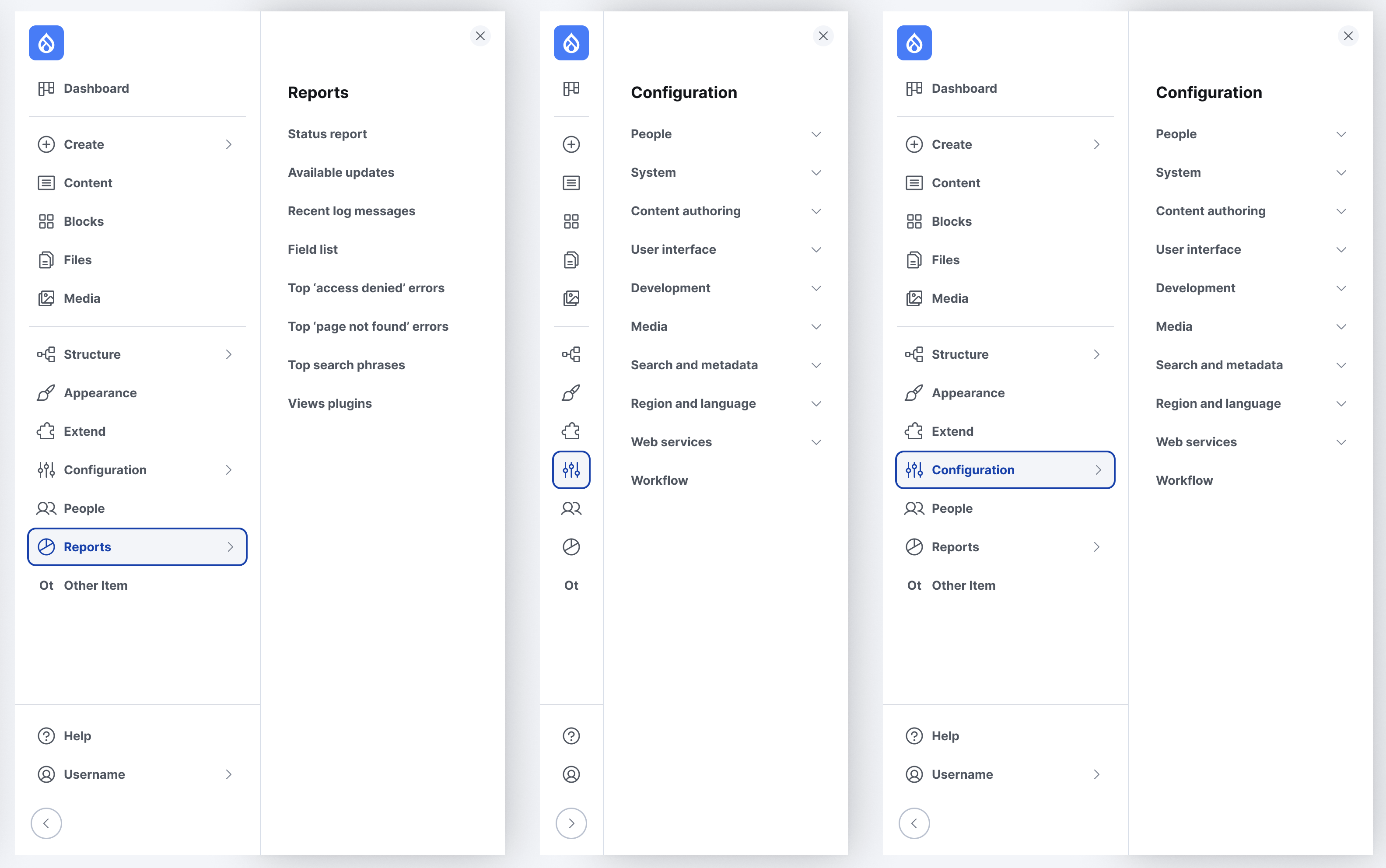
The Navigation module provides the administration UI. The default content creation and management menu is designed for quick access to content-related tasks.
Customization options are also available. Such as, changing the default logo or adding new custom menus. And site builders can easily add and reorder menu blocks using the UI to customize site administration.
Navigation uses a left-aligned, collapsible, vertical sidebar for navigating the administration tasks.
This module gives non developers ability to show or hide features created & deployed by developers.
From Wikipedia
A feature toggle, (also feature switch, feature flag, feature flipper, conditional feature, etc.) is a technique in software development that attempts to provide an alternative to maintaining multiple source-code branches (known as feature branches).
Monitor and manage all your Drupal sites (version 8,7 and 6 supported) from one central place without any third party or tool being required
Drupal agencies, freelancers, site builders and even Drupal site owners do need DRD (Drupal Remote Dashboard) because it is the one and only solution that provides a non-intrusive insight into any number of remote Drupal sites without the need of any third party service.
No matter where the Drupal sites are hosted and regardless of any configuration or deployment specifics, DRD is able to monitor and manage them all at once. The dashboard is build for Drupal 8, the monitored remote sites are supported on Drupal 6, 7 and 8.
Though the download for the htmLawed module also includes the htmLawed library, one can use the Libraries contributed Drupal module to load the htmLawed library for use by the htmLawed module (in Drupal 7+). This allows for easier, independent maintenance of the htmLawed module and htmLawed library, and also allows for use of the same htmLawed library by modules other than htmLawed.