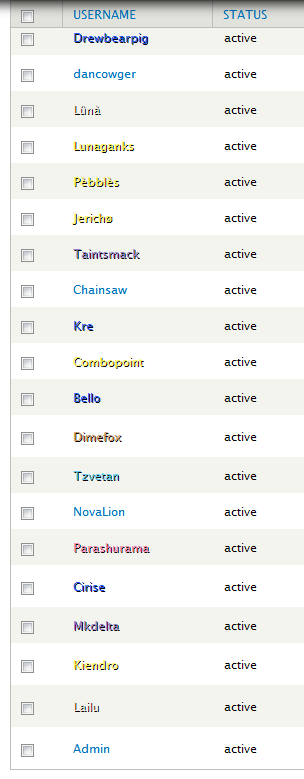
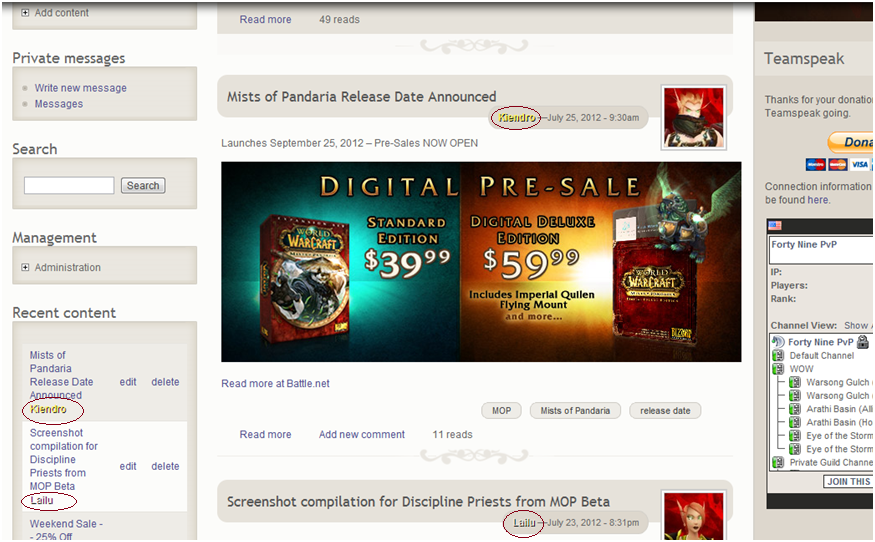
With my Drupal Theme which is primarily a white background I have to turn off shadows and Class Colors in the CSS because it looks horrible.
I would like Class Colors but it just doesn't look good when you have lighter colors or white on white. Think Priest Color(White), Rogue Color (Yellow), and Heirloom items are the main culprits on this front.
The problem that I run into is that everytime you have an update which fixes bugs and implements new features.. YAY. I have to redo the CSS changes.
Your module is very important to me and my WOW related site.
Do you think you could include settings within the wowguild module to save these settings so that they override the CSS.
So my main issues are:
- light colors not readable on a white background.
- css shadows generally looks horrible.
- have to update css manually every update.
Alternately if you can suggest a better way to implement class colors on my site without having to fix it everytime :)


Comments
Comment #1
JoshuaF commentedAttaching sample screenshot
Comment #2
JoshuaF commentedAttaching example screenshot 2
Comment #3
ytwater commentedFairly easy fix.
Modify the CSS in your theme to override my CSS. So for example place the following in your theme's CSS file:
One important note is that Drupal doesn't handle overriding very well so my CSS might override your CSS (poor design I think), so you can try:
If that doesn't work, CSS IDs always override generic classes. So place an ID tag in your or somewhere above all your content and:
Want to make priests have a black text?
Let me know if that works for you.
Comment #4
JoshuaF commentedSorry it took so long but the changes you had me implement fixed everything except when I go to the people view for admins where it shows a list of all users. (http:///drupal/#overlay=admin/people)
On this page it is ignoring any of the !important tags in my style.css for the theme and instead using the css from wowguild.css. If I make the change in the wowguild.css file it works all across the board.
Thanks again for your help.
Comment #5
t6vanprooyen commentedThe overlay typically uses a different theme. So if that is the case CSS would have to be set for that theme for the admin overlay.
Comment #6
JoshuaF commentedYou were absolutely right, forgot the Admin theme was different.
Thanks!
Comment #7
JoshuaF commentedClosing Issue.