I cannot find the options to use this module. The README.txt file says:
***Important update*** Options for this module are now under the "Conditional Rules" fieldset.
When I edit fieldsets on the webform form components page, I do not see any options to modify "conditional rules." I can get the regular Webform "Conditional Rules" options to appear when modifying a fieldset after adding a pagebreak on the form components page, but there are no additional options added by the Webform Conditional module and I cannot get the desired behavior.
I've tried both Webform Conditional 6.x-1.x-dev (2011-Feb-07) and Webform Conditional 6.x-1.0-beta5. I've tried clearing my cache, running cron, and checking my user permissions.
I am using Webform 6.x-3.6 and PHP 5.2.15.





Comments
Comment #1
tedbowstevetron5k,
I made some changes to the readme file to hopefully make it more clear.
This module just adds components to the exisiting "Component" dropdown under the existing "Conditional Rules" fieldset.
It will only add "select options" components that appear above the component your are editing and on the same page as the component you are editing.
If you have no "select options" components that fit the above criteria then it will not add any components and if there are also no components from a previous page the "Conditional Rules" fieldset will not be there at all.
I hope this helps.
Comment #2
adam_b commentedSubscribe... I'm having what I think is the same problem. The webform_conditional module doesn't seem to be making any difference - whether or not it's installed, I only see the Conditional fieldset if it's after a page break.
Comment #3
drupalsteve commentedI still cannot locate conditional rules options for this module. I've tried editing select-components on the same page (i.e., not separated by a pagebreak component), but no options appear.
Conditional rules options appear for the latter of two select-components if I separate them with a pagebreak component, but options do not appear for the first select-component. The purpose of the module is to avoid using pagebreak components so I presume these are not the correct options. I've tried fiddling with these options anyhow, but I cannot produce the module's intended behavior (components that appear on the same page based upon which option you select in a select component).
Comment #4
tedbowI am not sure why this would not be working. I have just tested this module again with a fresh install of Drupal. It worked as intended for me.
For testing purposes I have created a very simple Webform and exported using Node export.
I have attached the text file with the export code to this comment. Please use the Node export module to import this node. Let me know if the Webform works for you.
The webform should like this.
1. you see a select box.
2. you select "1"
3. a text box appears.
Comment #5
ab2211 commentedSame problem. Yesterday I made a new form and it worked. Then I duplicated an existing form and it worked. But then, suddenly the functionality and the "conditional rules" option is gone...
Any ideas?
Comment #6
drupalsteve commentedtedbow - I imported the Webform you provided but the Webform did not behave as you described. I still could not find any "conditional rules" options.
Comment #7
dsrikanth commentedIs your first select component inside a 'fieldset' component? I vaguely remember facing this issue with the latest beta. I had to take that component out of the fieldset.
But when I set all the required conditions, I could then move the select component inside the fieldset again without losing the functionality.
Comment #8
dsrikanth commentedI did import the webform that tedbow put up and it is working as desired to me --> http://drupaldemo.econsultancyservices.com/?q=node/5
However, when I modify the first select to be inside a 'Fieldset' and edit the textbox, I don't see any 'select' field in the 'conditional rules(same page)' option and hence the textbox always appears -- http://drupaldemo.econsultancyservices.com/?q=node/4
Thats the only issue that I am seeing, otherwise the conditional rules are working just fine for me..
Comment #9
drupalsteve commentedI tested again and tedbow's test webform works for me. I am also now able to create my own conditional webforms using the Webform Conditional module. It's mysterious to me why this did not work before but works now. The only thing I can think of is that I somehow accidentally disabled the module without realizing.
I noticed dsrikanth's issue with fieldsets. If you first set up conditional rules for components and then add the fieldsets, the component will conditionally appear within the already visible fieldset. It would be a great if the entire fieldset could be conditional.
Comment #10
akshita commentedPlease help
Comment #11
akshita commentedNot an issue any more.
Comment #12
tedbow@Akshita What's
Comment #13
akshita commented@tedbow
I have no issue in setting up the conditional Rules on the fields.
My new Issue:
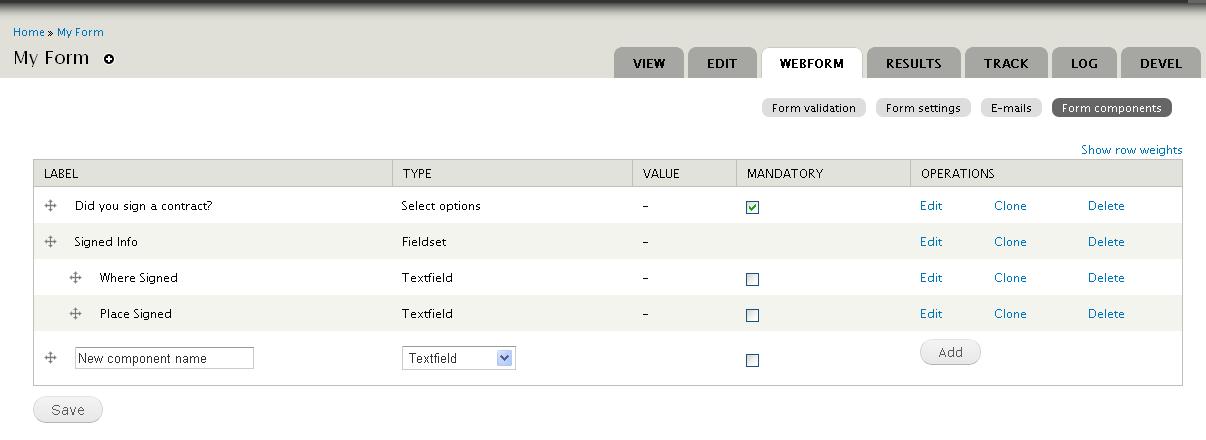
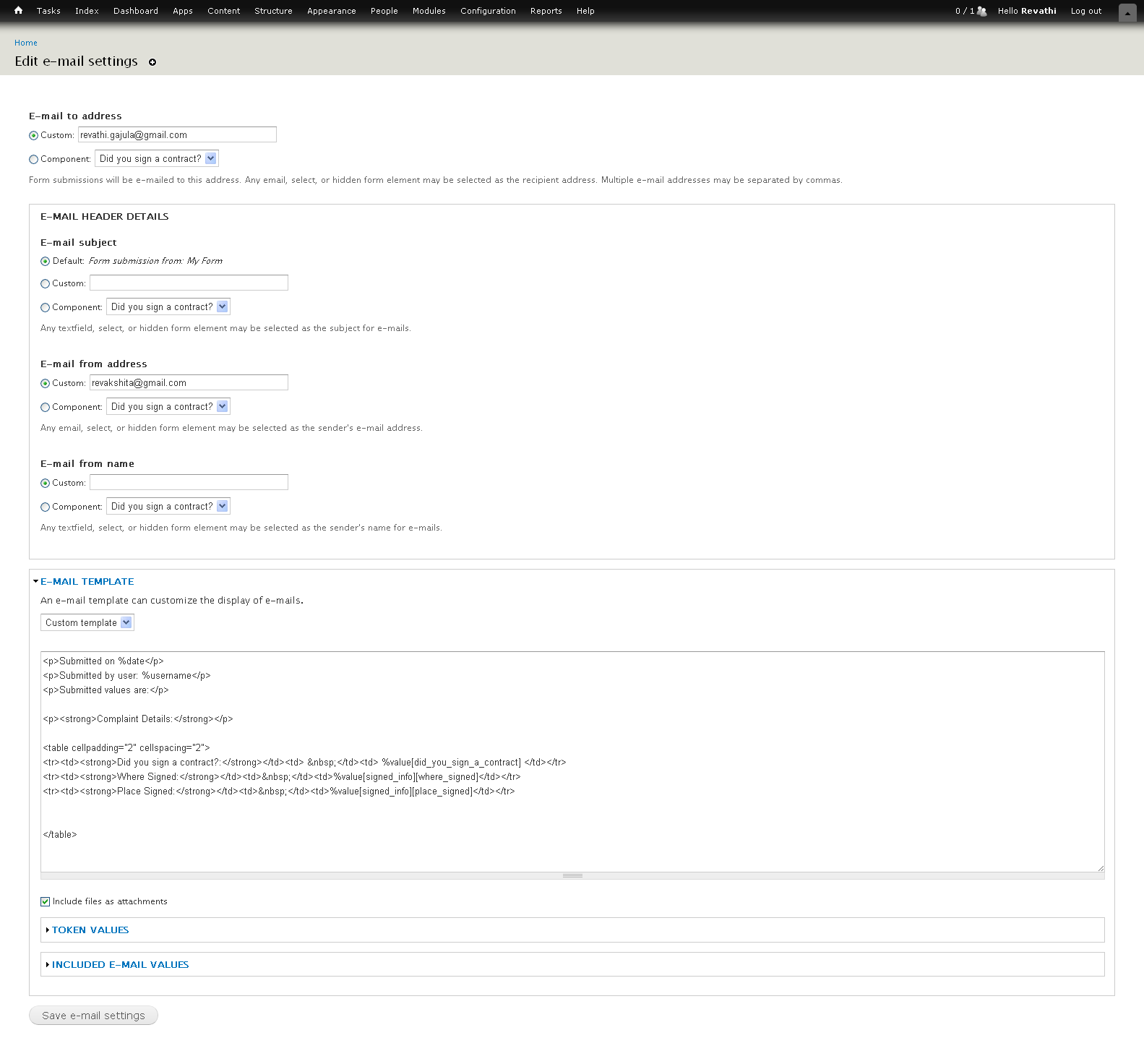
I am customizing the email content using %value[key] - Please see attached
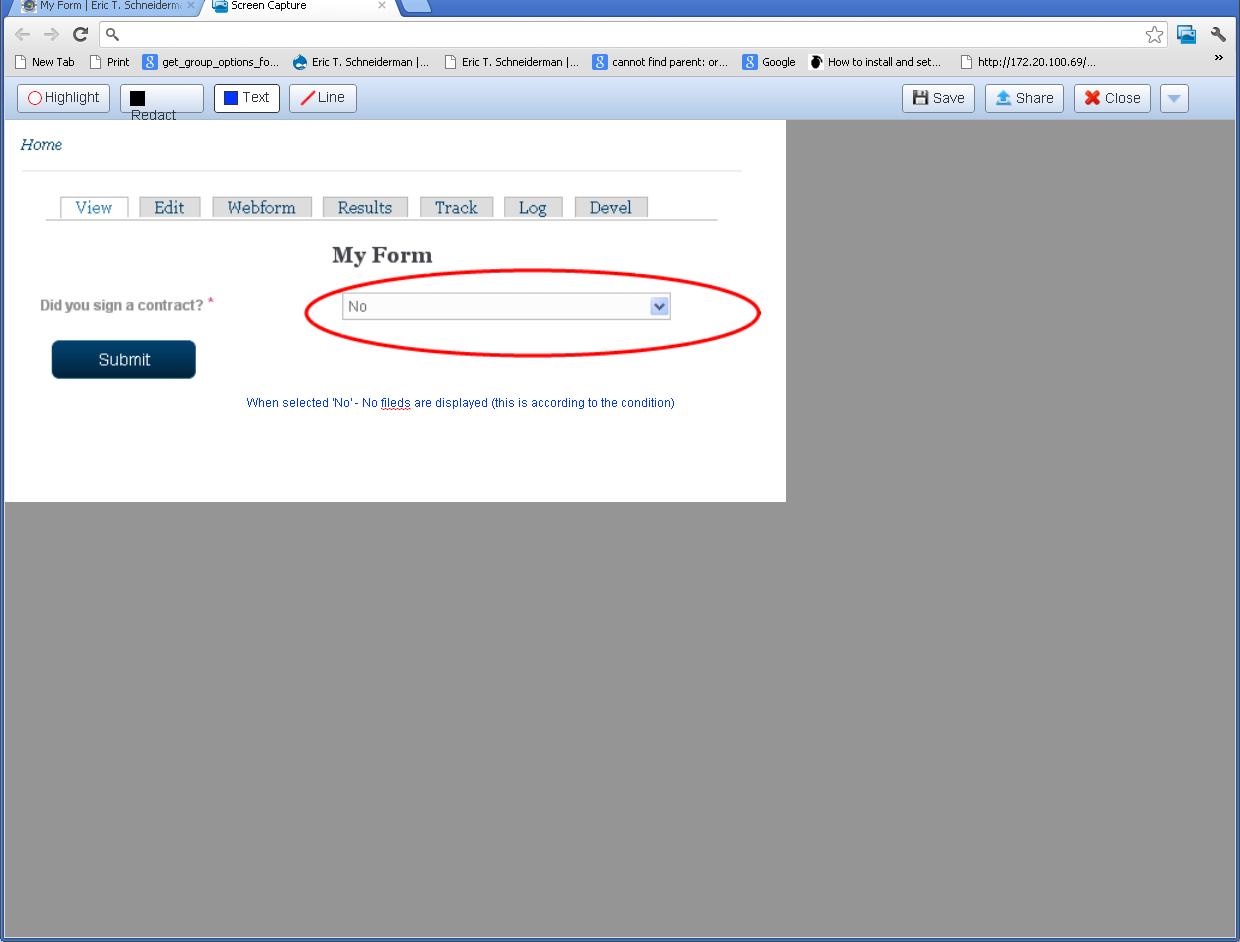
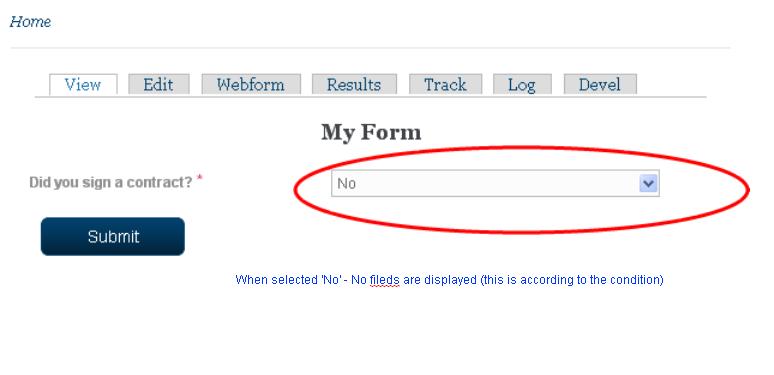
If I select 'No' (field on which conditional rule was applied) ,it is displaying the fieldset which I conditionally set to display only when the selected value is "yes"
please see attached - Is there a way to conditionally display the fielset only when the value is 'yes' else display none .
Comment #14
densolis commented@Akshita,
I am helping Tedbow with this module and will be talking with him in the new few days. I will bring this to his attention. Either Tedbow or I will follow up.
Dennis
Comment #15
akshita commentedThank You Dennis.
Looking forward to hear from you soon with the solution to my issue.
Comment #16
akshita commentedHi Srikanth
Are you facing this issue notified at #13? Any solution to resolve this?
Any help is appreciated.
Thanks in advance
Comment #17
densolis commentedAkshita,
I've re-read your comment 13 and I'm having trouble figuring out what you have done. My best guess is you have some field (I don' t know which field) that has a yes / no answer. On you form, I see three or four fields with a yes / no answer, but I don't know to which you are referring.
Secondly, from what you posted, I'm not sure which fields are in the field set. I'm going to guess the Has this matter been submitted...." is the yes / no question. The name, address, phone number, and e-mail address are in the field set.
I just finished re-writing the documentation for this module. In processes, I created the a test case similar to what you described above. I have no problem creating a Yes / No question and having the field set appear and disappear based upon my answer. Unfortunately, I was not able to duplicate your problem.
Don't despair, we will try to figure this out. But I will need some help from you. Can you please export your webform node and attach it to your next comment, I can then upload it into my test environment and test it. Hopefully I will be able to duplicate the problem and figure out the issue and a solution.
The instructions for exporting the node are on this page: http://drupal.org/node/add/project-issue/webform_conditional.
The link for the node export module is http://drupal.org/project/node_export
If you need help with exporting the node, please let me know.
Dennis
Comment #18
akshita commentedHi Dennis
Much appreciated for your response.
My problem is not with conditional fields. They are displaying properly only. According to m,y requirement I have to customize the email template (please see attached).
Dis you sign a contract ? if yes the following 2 fields from the fieldset will be displayed and the user will enter the values for those fields -till here it works fine without any issue.
The problem is for Did you sign a contract? if the user selects "NO" (No doubt the 2 fields will not be displayed ) and the user submits the form. BUt the email contains the following (please see attached)
If I am not clear with my explanation please let me know. I don't want to give up until this problem is resolved.
Thanks in advance
Comment #19
akshita commentedDennis
Per you request -I am attaching the node exporter code. Mine is a very complicated form so in the previous threads I just used 1 component to explain you my problem.
Main focus is on email template please.
Comment #20
tedbow@Akshita
I think your problem might be related to this issue and this comment
http://drupal.org/node/1458140#comment-5912804
Basically I think the problem is in the tokens you are using for fields inside a fieldset.
Also can you turn off webform condtionals do you still get a problem shown in email-received.JPG
If any of this solves your problems please report back here.
Thanks
Comment #21
akshita commented@tedbow - Your patch on http://drupal.org/node/991024 may resolve my issue (not tried yet- I will in next few mins)
--- If I turn off webform conditionals then how do I apply conditions on my components ??????????????
- If this the case then how I am getting the values of conditional fields when the option is selected as "yes" ???????????
Can you please help me how to apply the patch -I know how to apply the patch on the whole module but not a particular file in the module.
Do you still suggest me to apply that patch from http://drupal.org/node/991024 ????
Pardon me if I am not clear in explaining the actual problem or caused any confusion to you.
Please do the needful.
Thanks
Comment #22
densolis commentedAkshita,
Please do not apply the patch from http://drupal.org/node/991024 at that is a 6.x patch an you are on 7.x.
I think was tedbow was trying to tell you was change yout conditional test from the following format:
This does not work = %value[fieldset_1][text1]
to a format like:
This is the new way, which does work = [submission:value:text1:nolabel]
I think.
Tedbow, can you please comment.
Dennis
Comment #23
akshita commentedDennis
This is the problem only when the option is selected "NO" as result no conditional fields will be displayed and the end user have no chnace of entering the values so in the customized email it should display blank value for those fileds as I have hardcoded everything in the email.
The version of my webform is :7.x-3.18 and Webform Conditional is 7.x-1.0-beta1
Please let me know whether I have to upgrade the webform module and use the new way [submission:value:text1:nolabel] ?
Comment #24
akshita commentedHi Dennis
Just upgraded the webform and the email looks weird-please see attached.
Comment #25
densolis commentedAkshita,
I am working on this and will try to have an answer as so as I can. I will be talking to tedbow on Thursday morning and if I have not figured it out by then, I will talk to him about it at that time.
Dennis
Comment #26
densolis commentedAkshita,
I'm sorry, but I'm just not understanding your issue. So, let my try to explain what I don't understand.
You said: My problem is not with conditional fields. They are displaying properly only.
You said: According to my requirement I have to customize the email template (please see attached).
My question. You have four different attachments in comment # 18, so I don't know which attachment is for this comment.
I looked at the attachments, but I don't understand what you are trying to tell me with the information that is in the attachments.
You said: The problem is for Did you sign a contract? if the user selects "NO" (No doubt the 2 fields will not be displayed ).
I don't understand what you mean by "no doubt the 2 fields will not be displayed". I'm guess you are say that if the user select "NO' for "Did you sign a contract?", the field set will not be displayed. Is this right or did I misunderstand you.
You said : But the email contains the following (please see attached).
Again, there are four attachments and I don't know which attachment goes with this comment. I'm guessing the Yes.jpg and No.jgp are associated with this comment. However, when I look at the .jpg files, I seen screen shots and not e-mails. So I don't understand what the screen shots have to do with the e-mails.
Or are you saying that you have fields that the user needs to fill in on the e-mails? The no.jpg has the question a screen show that shows what happens when you answer No to "did you sign the contract". The Yes.jpg show the screen shot if you answer "Yes" to the "Did you sign the contract" question.
Here is my confusion. You stated that this was not your issue. If this is not the issue, then why are you sending screen shots.
Don't worry. I am trying to help you, but I need to understand the issue first. And I'm just having a hard time understand it. So what I'm trying to do is tell you what I don't understand so you help me understand.
Dennis
Dennis
Comment #27
akshita commentedThanks and sorry Dennis -may be I am confusing you.
I will start the new thread here and explain you clearly what my problem is :
I am attaching all the screen shots as images (step by step).
Please do the needful.
Thanks in advance.
Comment #28
akshita commented@dennis
View when selected Option -Yes (1.JPG) -this is the correct screen shot.-please ignore the last one.
Comment #29
densolis commentedAkshita,
Ok, now I think I understand your issue.
What you are trying to say when is you select "No" for "Did you sign a contract?", the Where Signed and Place Signed do NOT get asked. Therefore, the value for "where_signed" and "place_signed" are never set.
The problem occurs when the system generates the e-mail. I'm guessing that you are expecting the field values of "Where Signed" and "Place Signed" to be blank in the e-mail. Is that correct?
What you might do as a quick fix is to set the default value of "Where Signed" and "Place Signed" to a single space. I don't know if this will cause a problem when you try to enter data if the user chooses "Yes" for "Did you sign a contract".
Are you expecting to values for "Where Signed" and "Place Signed" to be blank on the e-mail if the user has chosen "No" for "Did you sign a contract"?
If this is your problem, please let me know.
Thanks,
Dennis
Comment #30
akshita commentedHi Dennis
------- Correct
----- Correct
-------Tested No issue for 'yes' when set the default value to 'single space'
----------- Yes
I tried setting the default value to "single space" - but I am receiving the same email as attached yesterday (This is for the option 'NO') -no blank spaces are displayed.
Thanks again
Comment #31
densolis commentedHi Akshita,
I'm working on it. I will get back to you tomorrow.
Dennis
Comment #32
densolis commentedHi Akshita,
I figured out your issue. It is a webform issue, not a webform conditional issue, and has been fixed in the latest 7.x-4.x version of webform. I saw that you asked this question in the Webform Issue queue item %value[fieldset][field] does not work in email templates for conditional fields
As I understand the answer posted to the above Webform issue, this fix is NOT available in the 7.x-3.x version of webform. Therefore, it you want to get this fix, you will need to upgrade to version 7.x-4.x of webform.
To verify that this is not a webform conditional issue, I:
I am closing this issue as webform conditional works as designed.
Dennis
Comment #33
densolis commentedClosed this issue since this is webform issue and not a webform conditional issue.