

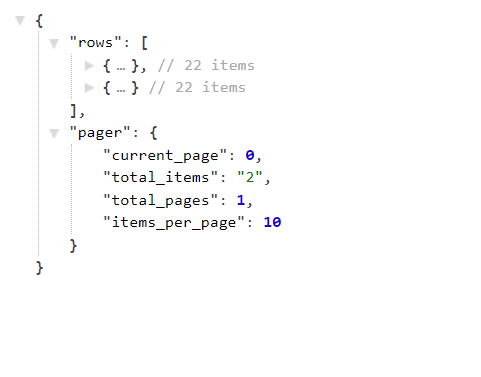
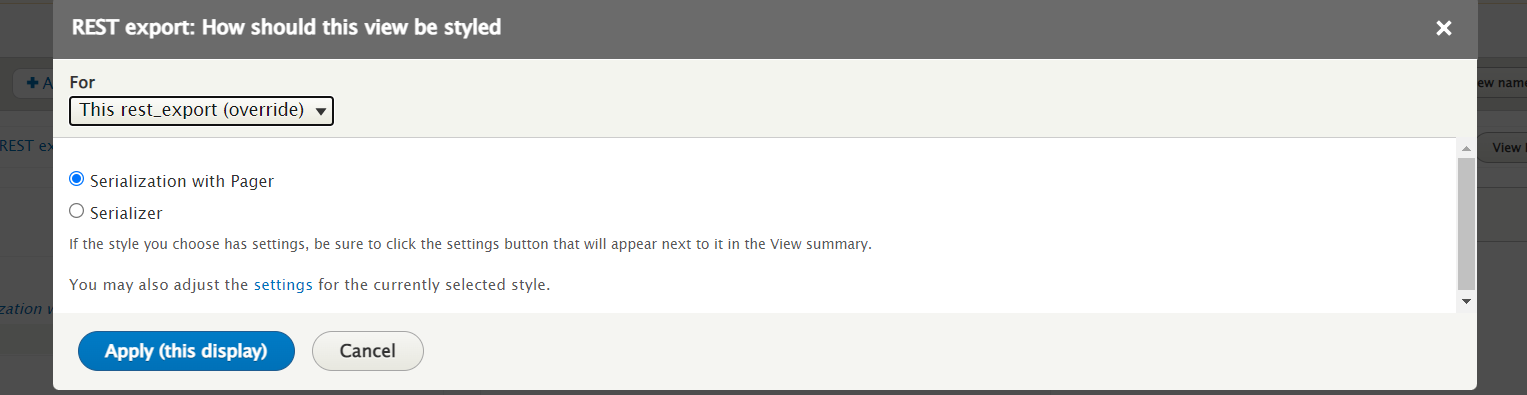
The Views Serialization Pager module allows the user to configure a "Pagination" display of a serialization view.
REQUIREMENTS
------------
This module requires no modules outside of Drupal core.
INSTALLATION
------------
* Install as you would normally install a contributed Drupal module. Visit
[Installing Modules](https://www.drupal.org/docs/extending-drupal/installing-modules) for further information.
CONFIGURATION
-------------
To use:
1. Navigate to Administration > Extend and enable the module and its
dependencies.
2. Navigate to Administration > Structure > Views > Add view and create a
new view of REST EXPORT.
3. In the Format field set, select the 'Serialization with Pager' style.
4. On the style settings, provide the Accepted request formats to use.
5. In the Pager field set, select the 'Full', item to display
6. Save the settings and view the result.
Supporting organizations:
Project information
 Maintenance fixes only
Considered feature-complete by its maintainers.- Project categories: Content editing experience, Content display, Import and export
- Ecosystem: View
 481 sites report using this module
- Created by manpreet_singh on , updated
 Stable releases for this project are covered by the security advisory policy.
Look for the shield icon below.


