Closed (fixed)
Project:
Twitter
Version:
7.x-4.1
Component:
User interface
Priority:
Major
Category:
Support request
Assigned:
Unassigned
Reporter:
Created:
19 Dec 2012 at 02:12 UTC
Updated:
20 Dec 2012 at 11:25 UTC


1. Enable views_ui and twitter modules.
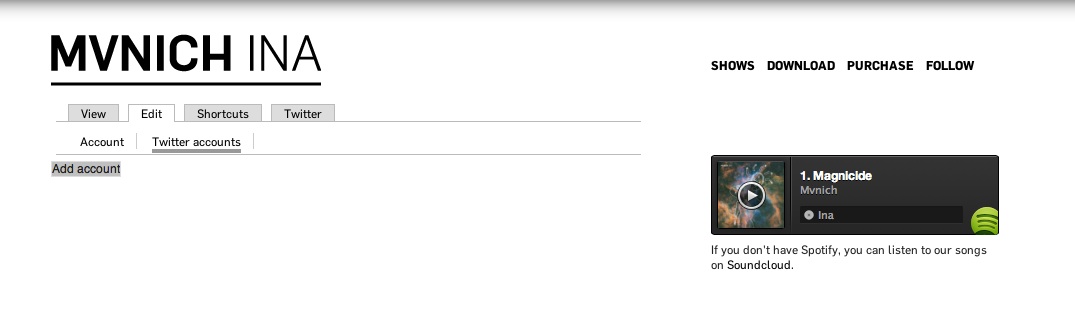
2. As the admin user, go to "My account" > Edit > Twitter accounts.
3. At "Twitter user name", type the Twitter user which you want its tweets to be listed (ie: drupal). Hit "Add account" and you should see that the account gets listed and the account image and description are visible.
There's no "Twitter user name". I've been using this module for months and I always could seen that input. But now in my new site is missing and I can't add my twitter account. Here talk about this problem and its solution, but I enabled all submodules and and there was no change.
| Comment | File | Size | Author |
|---|---|---|---|
| "My account" > Edit > Twitter account | 39.71 KB | mellamoanton |

Comments
Comment #1
mellamoanton commentedHe had a backup before I deleted my account, so it is fixed (although I would like to know why the field to re-enter my account was missing).
Comment #2
mellamoanton commentedI answered myself: http://drupal.org/node/1346738