I have tried using Taxonomy CSV Import/ Export and its great. Many thnx for building it and maintaining it.
I am having a small issue and I'm hoping you may be able to help me out.
In short, after I import using the module, I try to go to the "list term" page and it is blank white.
In detail:
I tried importing a csv with custom fields into a a taxonomy vocabulary called Topics.
In step 1 , I have Custom Field selecting in the dropdown and this in the input below it:
name, field_grade, field_subject
In step 2, I upload a csv file called resource_load.csv
In step 3, I used the defaults
In step 4, I have selected Import into Selected Vocabulary then I choose Topics below
In 5 I have this radio selected: Ignore existing terms (quicker, but duplicates may be created)
After the upload takes place, I checked phpmyadmin and the new records are in the taxonomy_term_data table
One thing I did notice was that NULL was found in the description field and format field for each new record that had recently been imported by using the module.
So I then deleted the records and redid this process with this in step 1
name, description, format, field_grade, field_subject
Still same blank white result though
Any help or guidance you could provide me would be very much appreciated.
Thnx in advance.


Comments
Comment #1
Daniel_KM commentedHi,
I have no problem when I import items with your process.
In the first process, a NULL for description field and for format field is normal, because you don't provide anything for them. In the second process, there is a blank, because you choose to provide them and because in your input file, you have set a "" (nothing). For Drupal, a NULL and a "" are the same things here.
Note that the "format" field in taxonomy_term_data table is used to set the filter format of the description (do you allow html tags or not in description), and nothing else. Special fields you choose to attach to terms (field_grade, field_subject) aren't saved in taxonomy_term_data table, but in new tables field_data_field_grade and field_data_field_subject.
So I don't understand what you want : import a description and a format, or something else? Could you give me two or three lines of your input files?
Sincerely,
Daniel Berthereau
Infodoc & Knowledge management
Comment #2
Daniel_KM commentedComment #3
jdube commentedI may be experiencing a similar problem. CSV file import appears to work perfectly, all terms in nice hierarchical order - and display properly both in Taxonomy Manager and Views output.
For other vocabularies, e.g. Tags, if I click on "List Terms" - at /admin/structure/taxonomy/tags I see: List - Edit - Manage fields - Manage display - RDF Mappings AND the list of terms displayed below in another table.
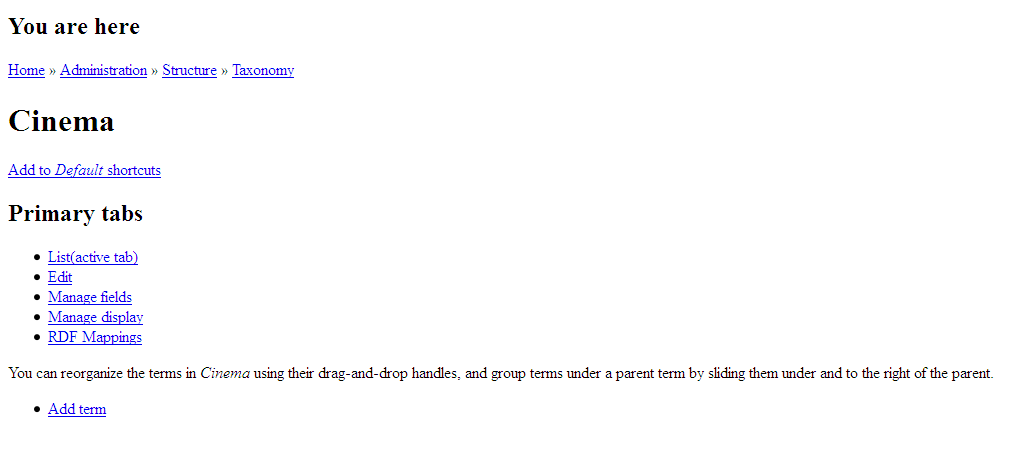
However, for my csv imported vocabulary, at /admin/structure/taxonomy/taxonomy_for_dru96300 I see (as per attached) no terms listed, no apparent css formatting, etc.
I'm using Drupal 7.10, Taxonomy CSV import/export 7.x-5.7, Taxonomy Manager 7.x-1.0-beta1, and Views 7.x-3.0.
Comment #4
Daniel_KM commentedHi,
Thanks for your report.
I can't reproduce your bug.
If I understand, your terms are imported twice, one time in your own vocabulary and a second time in the Tags vocabulary ?
Which format do you use for your terms, html or plain text? Could you give me one or two lines of your input file and the list of options?
I continue to seek in the code if vocabularies can be mixed somewhere.
Sincerely,
Daniel Berthereau
Infodoc & Knowledge manager
Comment #5
jdube commentedThank you for looking into this. Note: I tried again 3 times with same result. One time I set up a vocabulary first and imported csv into it. I saved one of the process reports (see example, attached)
No, the terms were imported only once - from csv file (which was created in Excel).
The terms in my csv file are plain text.
Cinema
(blank cell) Cinema_Culture
(blank cell)(blank cell) Cinema_Aesthetic
...
List of options:
1. What do you want to import?: "hierarchical tree structure or one term by line structure"; (checked) "Keep order of terms"
2. Where are items to import?: "in a local file" (Browse: "taxonomy-for-drupal.csv")
3. How is your source formatted?(active tab): default settings (comma-delimited, etc.)
4. Which vocabulary do you want to import into?: "Autocreate a new vocabulary"
5. When a term exists, what to do with it?: "Update (replace) existing term and items if exist else create"
6. Informations on process: default settings
I don't understand you here.
I have one idea: do I need to enter a special character into each BLANK cell of Excel spreadsheet, before saving to csv?
Thanks for your help.
Comment #6
Daniel_KM commentedThe report indicates that your import is good. Notice on empty items means that your csv is like that:
and not lilke that:
or
or
or
The first format can be used (without comma), but you need to set a space as a custom delimiter.
The trailing commas are ignored (but terms before them are imported).
Do you see these terms when you use this csv format and delimiter?
You can use the dev release, because it's a cleaned release of 7.x.5.7 with all new patchs (see here). 7.x.5.8 release will be published in some days.
Sincerely,
Daniel Berthereau
Infodoc & Knowledge management
Comment #7
jdube commentedThank you for helping me to understand the report better. I hope that some of this problem-solving will help others as well.
I updated to 7.x-5.x-dev.
You suggested:
I was not quite certain what you meant by "first format", but I as usual selected "Hierarchical tree structure..." and tried 3 imports:
1) I tried setting the CSV value delimiter to "Custom delimiter" and then I set Custom delimiter (which allows only one character to be entered) to " " (pressing the spacebar)
2) I tried setting the CSV value delimiter to "Custom delimiter" and then I set Custom delimiter to "" (no character entered)
3) I also tried setting the CSV value delimiter to the "<>" selection
When I click on Taxonomy List, settings 1, 2, and 3 there IS a list of terms. It looks like this:
Cinema,,,,,,,,
,Cinema_Culture,,,,,,,
,,Cinema_Aesthetic,,,,,,
,,Cinema_As_Communication,,,,,,
...
However in Taxonomy Manager, the vocabulary output by 1, 2, and 3 is displayed as a FLAT list, and is NOT collapsible as a hierarchy, and the "Select all children" function is not available.
Obviously, I must still be doing something incorrectly. I hope you can see what it is? If not, thanks very much for your help, and I will use the imported vocabulary that works in Taxonomy Manager.
Comment #8
Daniel_KM commentedIn your input, delimiter is a comma:
So, you can reset options (default delimiter is a comma), choose "Hierarchical tree" and it will import fine as you see in first picture.
If your input has only spaces for separation of values, you need to specify that custom delimiter is a space:
It works fine too.
It's normal that if you choose a space delimiter with first input, the vocabulary will be flat and items will have commas in their name (see second picture), and vice-versa, if you choose comma delimiter with second input, the vocabulary will be flat too, but items will be good (names are trimmed).
Sincerely,
Daniel Berthereau
Infodoc & Knowledge management
Comment #9
DanielJohnston commentedI have the same issue with a recent import on 6.x-5.10. I can see the terms using Taxonomy Manager, and the log entry claimed the import was successful, but the results page from the import produced an http 500 error, and viewing the taxonomy list using core at /admin/content/taxonomy/16 also gives an http 500 error.
I would be fine with this as I can work around it, *BUT* it also breaks node creation or editing for any nodes using the imported taxonomy with an http 500 error as well.
If I replace the core taxonomy selection with Hierarchical Select then the node creation form displays, but the list of terms is always empty and creating a new term doesn't add anything to the empty list. In short, there appears to be something about the imported taxonomy that breaks Drupal, but which is invisible to me as a site administrator.
I may have misunderstood the previous discussion on this issue, but I can't see the resolution anywhere in the responses so far, and it appears to be a similar problem. I've included the actual CSV below for information, which was imported with polyhierarchy but is a simple tree in actual structure. Apologies for length!
Comment #10
DanielJohnston commentedOK, found the source of the problem. There's a subcategory called 'Cleaning Products' within the category 'Cleaning Products', and polyhierarchical import assigns the category to be its own parent in consequence, creating a regression that zaps taxonomy handling.