

Closed (fixed)
Project:
Simple Contest
Version:
7.x-1.x-dev
Component:
User interface
Priority:
Major
Category:
Task
Assigned:
Unassigned
Reporter:
Created:
16 Aug 2016 at 22:58 UTC
Updated:
23 Aug 2016 at 12:29 UTC
Jump to comment: Most recent

Comments
Comment #2
DezignsNow commentedComment #3
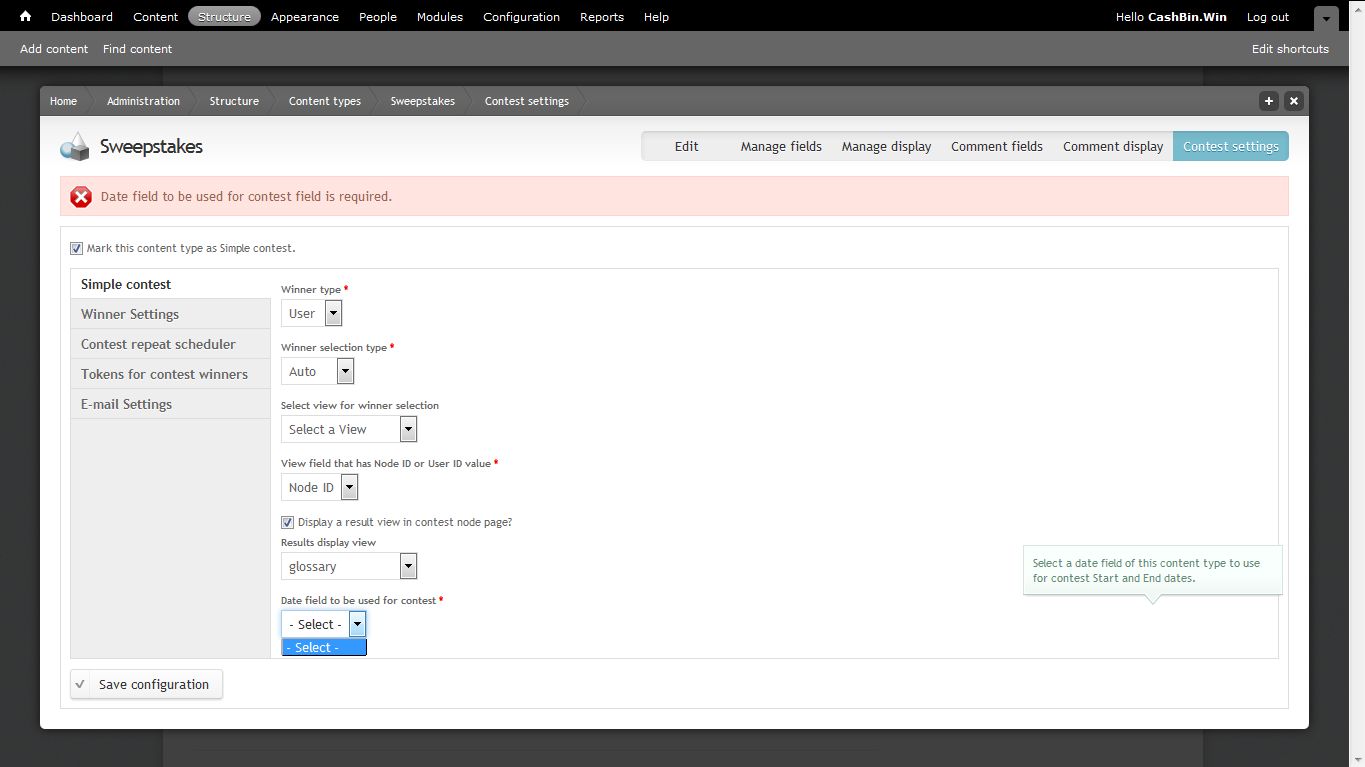
DezignsNow commentedI figured it out, there was nothing in the drop down because I needed to look at the next step:
Add a Date field to this content type. This field will be used for contest start and end date time. so please enable date "To" option for this field.
After I added a Date field to this content type it appeared as an option on that page and I am now able to launch my first contest.