

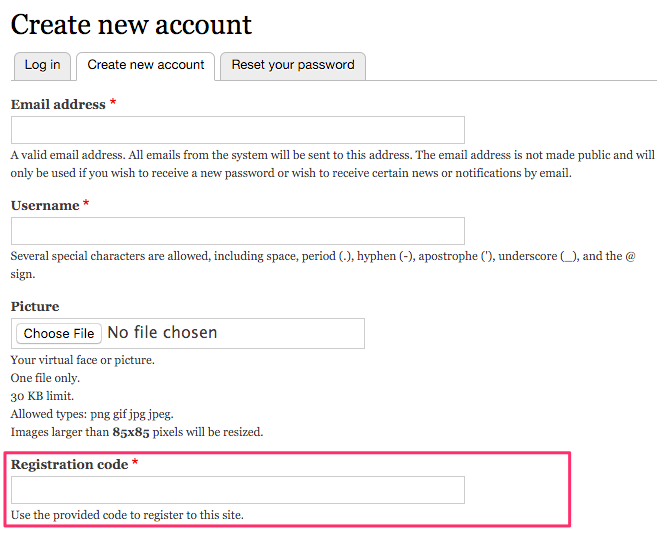
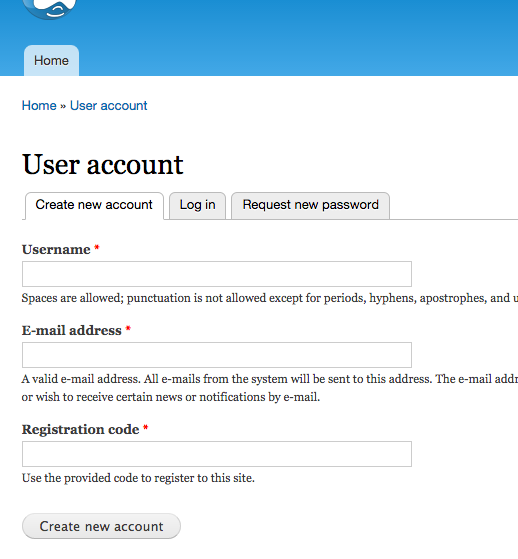
Registration code (simple) -module gives site administrators means to limit registering users to users with a known password ("registration key"). When a registration code ise set, registering users must provide a valid password during the registration along with other normal registration information.
Password types
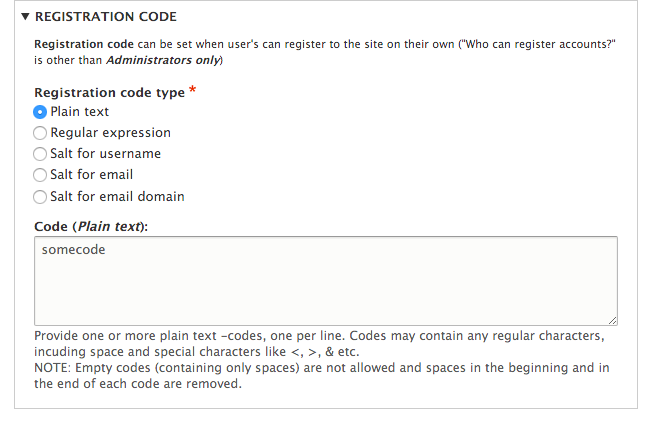
For the password validation (and complexity) logic following options are available. These can be configured on the Account settings (admin/config/people/accounts) -page.
Password types and behavior
Plain text
Administrators may set one or more valid passwords, thus new Registration codes can be added as needed. However, managing a huge amount of individual codes may be cumbersome and is also error prone.
Regular expression
Administrator may set one regular expression and any Registration code matching this regular expression is valid. This allows more or less infinite amounts of passwords to be created, but obviously a simple regular expression matches an infinite amount of other codes as well. Be careful.
Salt for username
Administrator may set a salt, that will be used when calculating a hash (see PHP mkd5() -function) from username + salt. Using this method allows an infinite amount of individual registration codes.
Salt for user's email
Administrator may set a salt, that will be used when calculating a hash (see PHP mkd5() -function) from user's email address + salt. Using this method allows an infinite amount of individual registration codes.
Salt for user's email domain
Administrator may set a salt, that will be used when calculating a hash (see PHP mkd5() -function) from user's email address domain + salt. Using this method allows one password for for example a single company email domain - might work as an intranet registration guard without administrators needing to accept all user accounts individually.
Warning
Code change has an immediate effect. So if you have provided for example a Salt for a user's email domain, sent a hash code to users and then change the salt or code type altogether, old codes won't work anymore.
More flexibility with Registration codes -module
For individual registration code -tokens Registration codes -module may be helpful for example for "personal code" -scenarios.
Installation
* Install as you would normally install a contributed Drupal module. See: https://www.drupal.org/docs/8/extending-drupal-8/installing-drupal-8-mod... for further information.
Configuration
- Go to the code in Account settings -page: Administration » People » Permissions » Account settings (
admin/config/people/accounts) - Select registration code type
- provide codes, regex or salt as applicable
- save and test user registration page
After the code is set User registration form will require users to use code to allow registrations to the site.
Disabling
Drupal 8 and Drupal 9: Uninstall the module to remove code requirement from User registration -page.
Drupal 7: Either remove the code in Account settings -page or disable the module.
Drupal 9
Release 8.x-1.4 is compatible with Drupal 9 (and Drupal 8).
Drupal 7 limitations
Drupal 7 -version has only one option for the password; one plaintext registration code.
Contributions and testing
This module has Functional PHPUnit -tests. In case of new contributions (new kinds of codes or alike) include also new tests with the patches, thank you.
Project information
- Project categories: Access control
 98 sites report using this module
- Created by rpsu on , updated
 Stable releases for this project are covered by the security advisory policy.
Look for the shield icon below.

