

This project is not covered by Drupal’s security advisory policy.
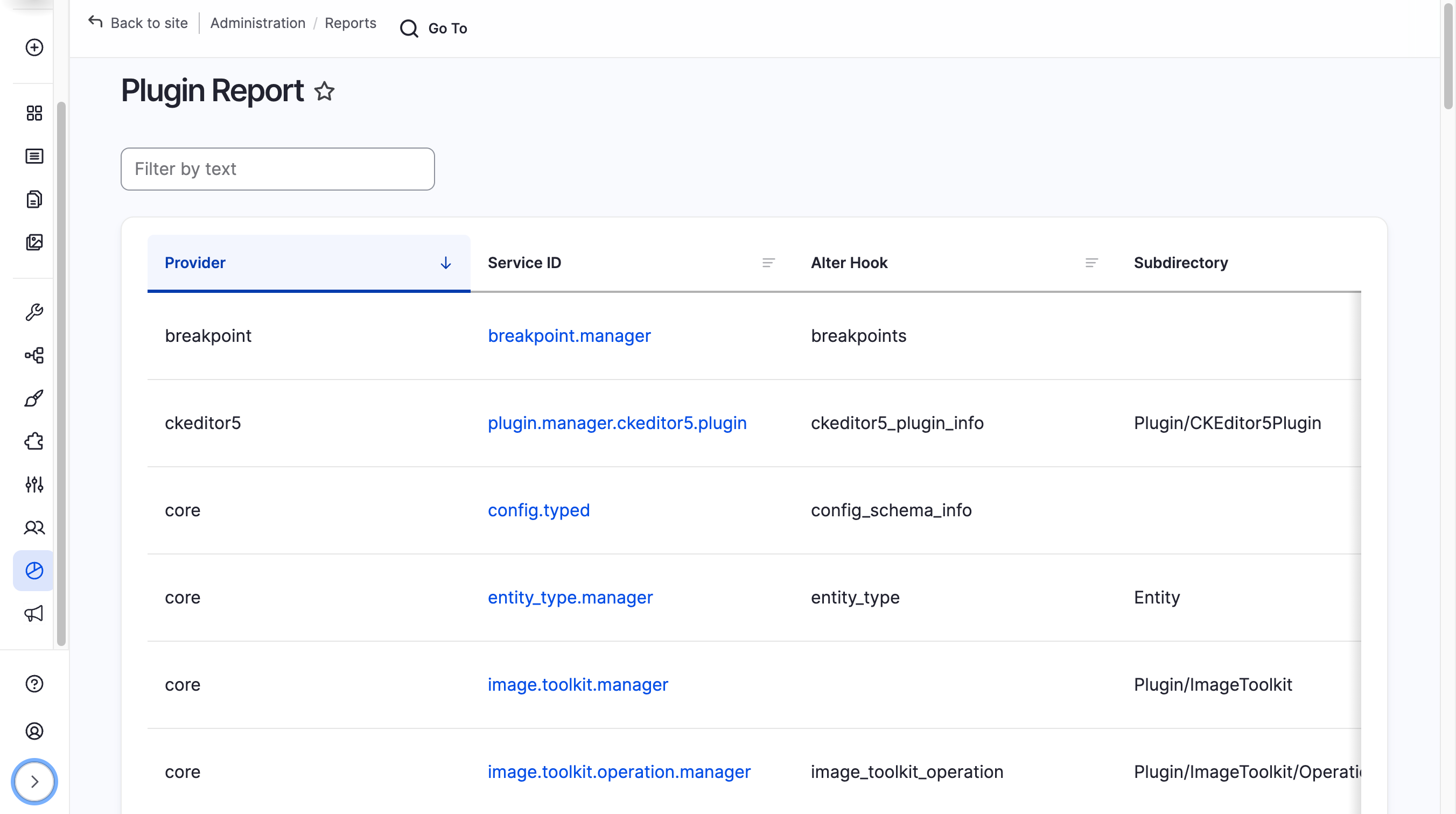
Plugin Report gives Drupal developers a built-in Reports page and a set of Drush commands for introspecting every DefaultPluginManager service registered in the container — and all the plugins each one exposes. Stop grepping source files to understand the plugin system; browse it live instead.
▶ Watch an introduction to Plugin Report
Features
Browse, filter, and export every plugin manager and plugin registered in your Drupal site — directly from the admin UI or the terminal.
Admin UI
- Plugin managers list — all
DefaultPluginManagerservices, sortable by service ID, provider, alter hook, subdirectory, discovery mechanism, plugin interface, and class - Plugins list — drill into any manager to browse its registered plugins and their definition attributes
- Plugin detail — view the full definition, default configuration, element info, and every PHP interface a plugin implements
- Client-side filter — narrow any table in real time without a page reload
Drush commands
drush plugin-report:managers— list all plugin managersdrush plugin-report:plugins {manager};— list plugins for a managerplugin-report:plugin {manager} {plugin};— show full detail for one plugin- Output as table, JSON, YAML, or CSV; filter by any field
Usage
- Install via Composer:
composer require drupal/plugin_report drush en plugin_report - Navigate to Administration → Reports → Plugins.
- Click a plugin manager's Service ID to view its plugins.
- Click a plugin's ID to view its full detail.
Permissions
Grant the access site reports permission to any role that should view Plugin Report pages.
🤖 A note on AI-assisted development
This module was created using AI and understood by humans. The maintainer reviewed, tested, and takes responsibility for every line of code — consistent with the philosophy described in Never submit code you do not understand by Dries Buytaert.
Project information
 Minimally maintained
Maintainers monitor issues, but fast responses are not guaranteed.- Project categories: Administration tools, Developer tools
- Created by jrockowitz on , updated
 This project is not covered by the security advisory policy.
Use at your own risk! It may have publicly disclosed vulnerabilities.
Releases
Development version: 1.0.x-dev updated 9 Apr 2026 at 20:43 UTC

