

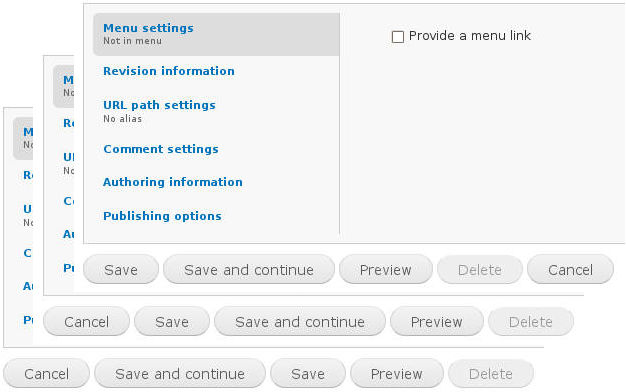
The More node buttons module allow to add an "Cancel", an "Save and continue" and an "Save and create new" button to node edit forms.
Furthermore, can be used a "Create new" tab.
Usage
- The additional buttons and the tab can be activated per content type.
- The additional buttons and the tab can be activated individually.
- The Cancel button can used with a referer redirection. This feature allows the redirection to the page was started the action to create or edit a node if this action is canceled. This is configurable per content type.
- There are various possible positions of the additional buttons.
- The values of the additonal buttons and the name of the tab are editable.
- The additional buttons and the tab can directly managed by the content types or with a central interface.
Internationalization
Other module translations are welcome.
Version 6
Please read the notes.
Version 7
The version 6 is not developed to the version 7. In Drupal 7, the More Buttons module represent the evolution of the More node buttons module.
Usage example
The module Galley Assist is a good example for the usage of More node buttons.
At the initial creation of a gallery, it is necessary to save the node before it can be insert images. This is a "two steps" process - technically and visually. With the button Save and continue can the first time creation of a gallery reduced to a "one step" process - visually.
Project information
 10 sites report using this module
- Created by quiptime on , updated
 Stable releases for this project are covered by the security advisory policy.
There are currently no supported stable releases.

