

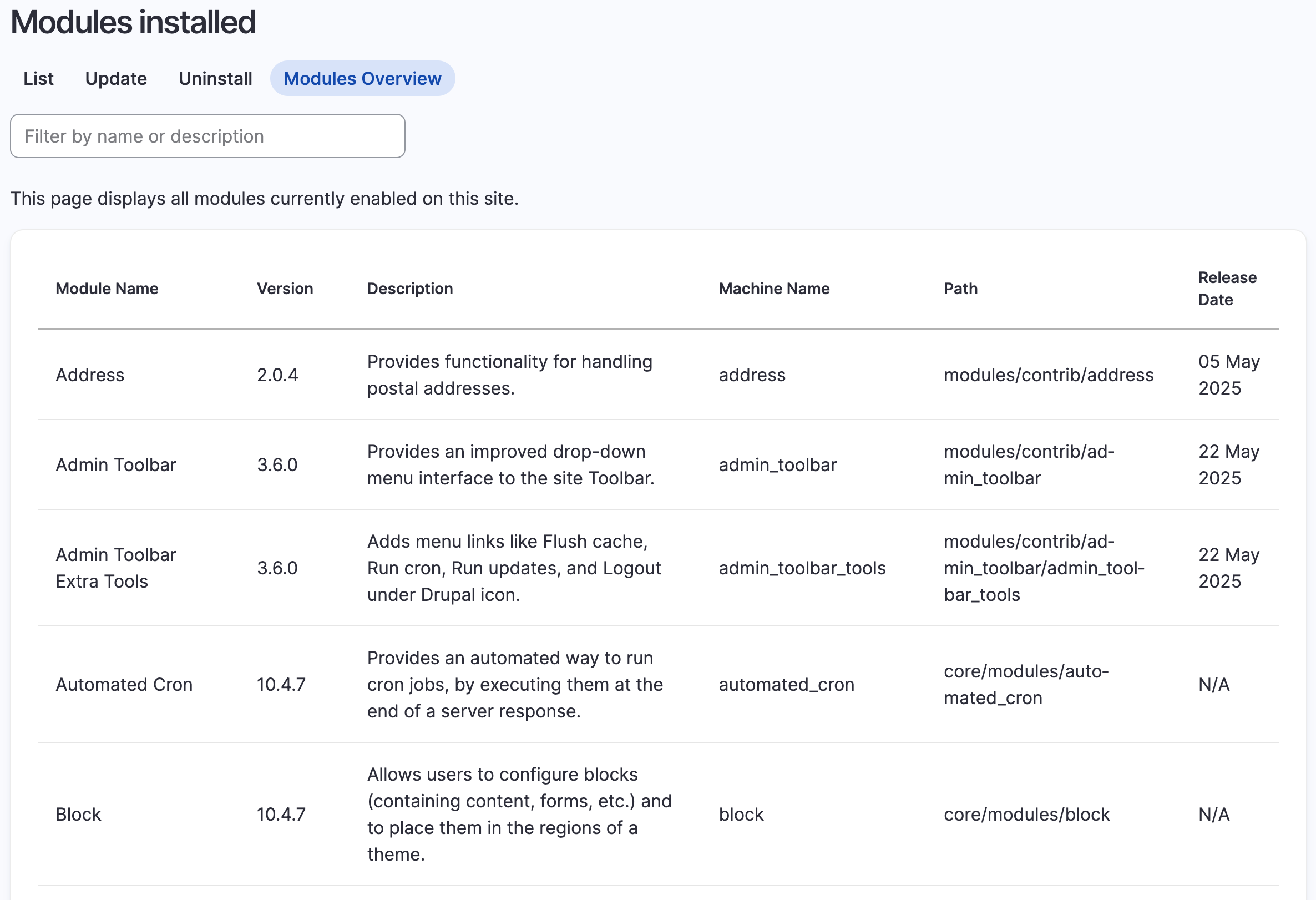
This module provides a comprehensive overview of all installed modules on your Drupal site with detailed information including version numbers, release dates, and file paths.
Features
- Displays all enabled modules in a filterable table
- Shows module name, version, description, machine name, path and release date
- Filter modules by name, description or machine name
- JSON endpoint for programmatic access to module information
- Tab integration with the core modules page
Installation
- Install as you would normally install a contributed Drupal module
- Enable the module
- Access the module list at
/admin/modules/overview - Access the JSON data at
/admin/modules/overview/json
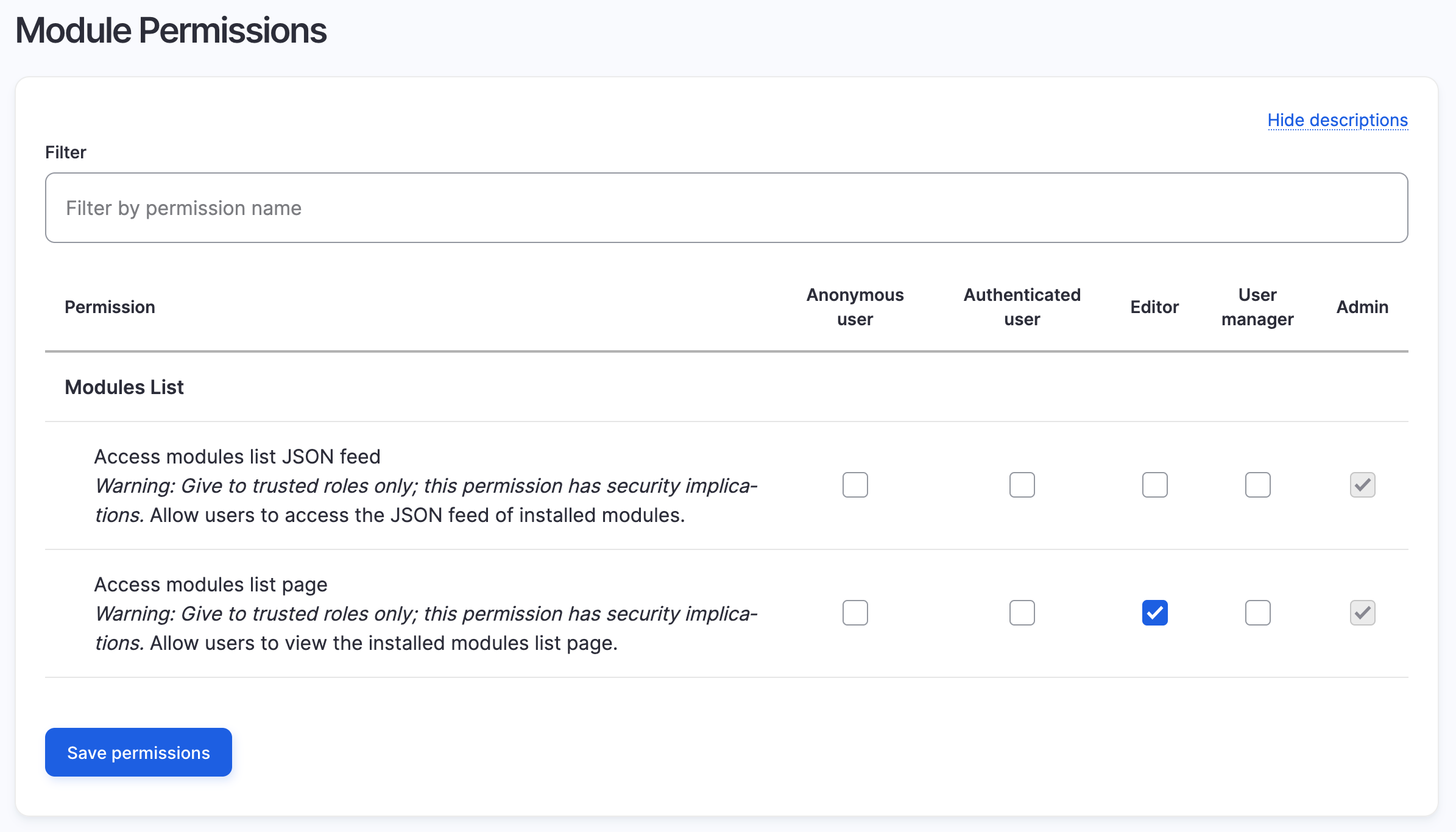
Permissions
The module provides two permissions:
- Access modules list page: Allows users to view the modules overview page
- Access modules list JSON feed: Allows users to access the JSON endpoint
MAINTAINERS
Current maintainers:
- Mark Conroy (markconroy) - https://www.drupal.org/u/markconroy
Supporting organizations:
Provided paid time
Provided paid time
Provided use case and testing
Project information
- Project categories: Administration tools
 26 sites report using this module
- Created by markconroy on , updated
 Stable releases for this project are covered by the security advisory policy.
Look for the shield icon below.

