

 Come together with the global Drupal community in Rotterdam, 28 Sept – 1 Oct 2026. Sessions, contribution, connection, and Early Bird savings until 8 June.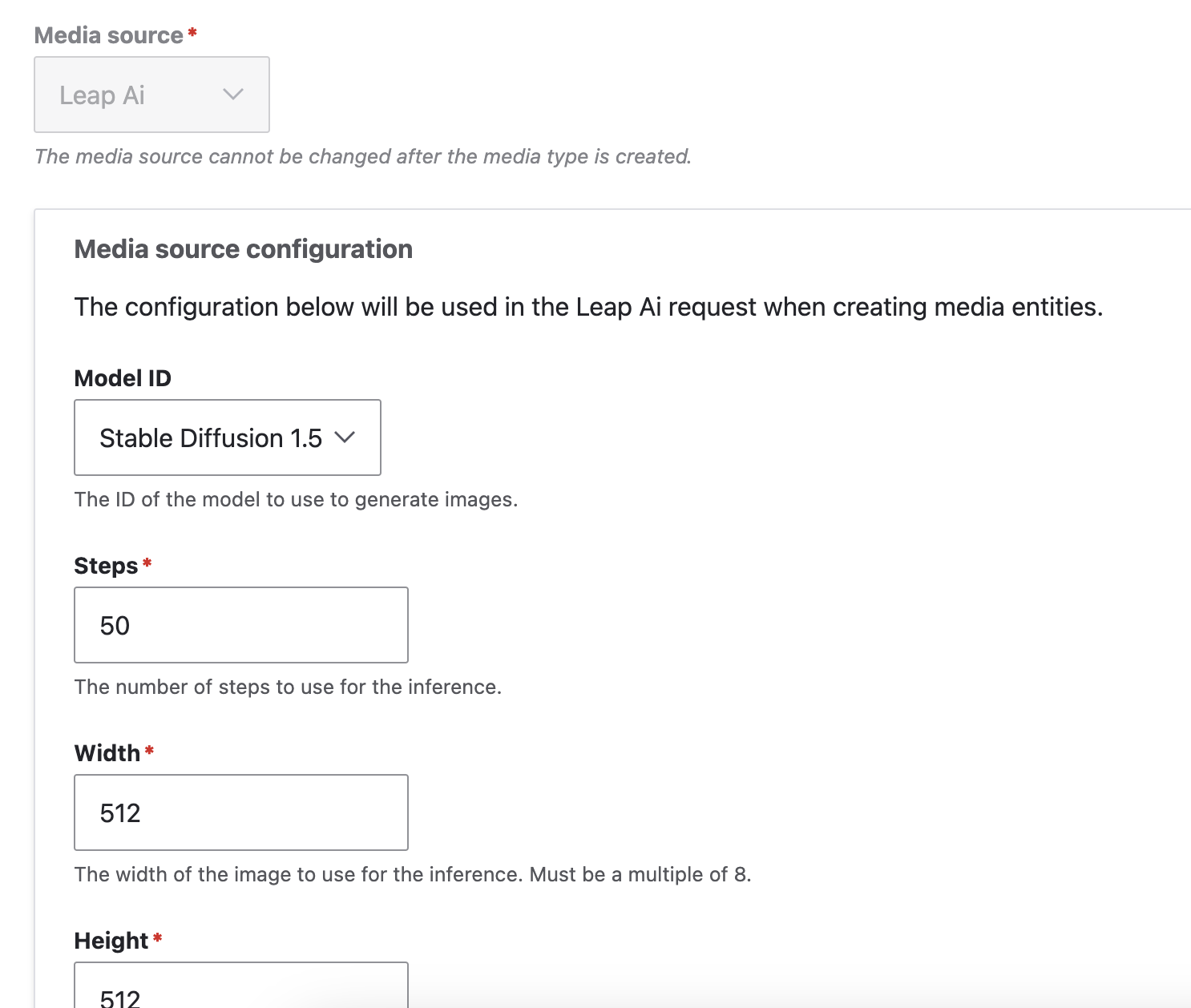


This project is not covered by Drupal’s security advisory policy.
This Drupal module, Leap AI, enables the generation of remote images via the Leap AI (https://tryleap.ai/). It provides a media source plugin that allows users to create, configure, and manage AI-generated images directly within their Drupal site. Ideal for users seeking dynamic and customizable visual content.
Features
Media source plugin: It extends Drupal's media capabilities by introducing a new media type plugin specifically for AI-generated images. When a new media is added, a prompt form is shown to the user to specify what image should be generated. When the user submits the form the Leap API call happens and the media is set to queued.
Update the status manually or via cron job.
Manage multiple generated images: After generating remote files are done, all of them get saved into the media type, and can be edited which one is used as media source image.
Configurable Parameters: Users can specify various parameters such as the model ID, steps, width, height, number of images, and prompt strength, among others, to influence the image generation process through.
Post-Installation
Once you've installed the Leap AI Drupal module, you'll need to configure it to start generating images. Here's an overview of the process:
First, create an account and log in to Leap AI and generate an API key on the top right corner.
1. Create a new media type: Choose "Leap AI" source plugin
2. Set Parameters: On the configuration form, set the API key and other parameters. Each parameter influences globally the media type images that the Leap AI API generates.
3. Generate Images: Once the media type is added, add new media entity of the Leap AI type. Specify the prompt and other parameters for the image generation and save the media entity.
4. Check the image: Run cron or hit the refresh button manually to see generated images on the media type form.
Additional Requirements
Leap AI Account: The module interacts with the Leap AI API to generate images. Make sure to check the API's documentation.
HTTP Requests: The module makes outbound HTTP requests to the Leap AI API. Your server must be configured to allow these requests.
Drupal Media Module: Ensure that the Media module is installed and enabled, as the Leap AI module extends its functionality.
Similar projects
openAI images: https://www.drupal.org/project/openai_images
Artificial Intelligence Images Generator: https://www.drupal.org/project/ai_image
Developer docs
Setting the API key in settings.local.php:
$config['leap_ai.settings']['api_key'] = 'YOUR_API_KEY';
AI Models:
Each request must specify an image generator model to use. This may include public Leap models or unique ones.
The list of models can be extended in the leap_ai.settings.yml config file under the public_models key:
public_models:
  8b1b897c-d66d-45a6-b8d7-8e32421d02cf:
    uuid: 8b1b897c-d66d-45a6-b8d7-8e32421d02cf
    name: 'Stable Diffusion 1.5'
    sample: 'A red bird'
Supporting organizations:
Paid development time
Project information
- Project categories: Media
- Created by bpstr on , updated
 This project is not covered by the security advisory policy.
Use at your own risk! It may have publicly disclosed vulnerabilities.

