

Closed (fixed)
Project:
Lightweight Directory Access Protocol
Version:
7.x-1.x-dev
Component:
Code
Priority:
Major
Category:
Bug report
Assigned:
Reporter:
Created:
21 Jan 2011 at 02:23 UTC
Updated:
30 May 2011 at 03:51 UTC
Jump to comment: Most recent file

Comments
Comment #1
johnbarclay commentedYeah. I see the issue. When you disable the mapping, you should get an option to remove all the users' roles that it mapped. Is this what you are getting at?
Comment #2
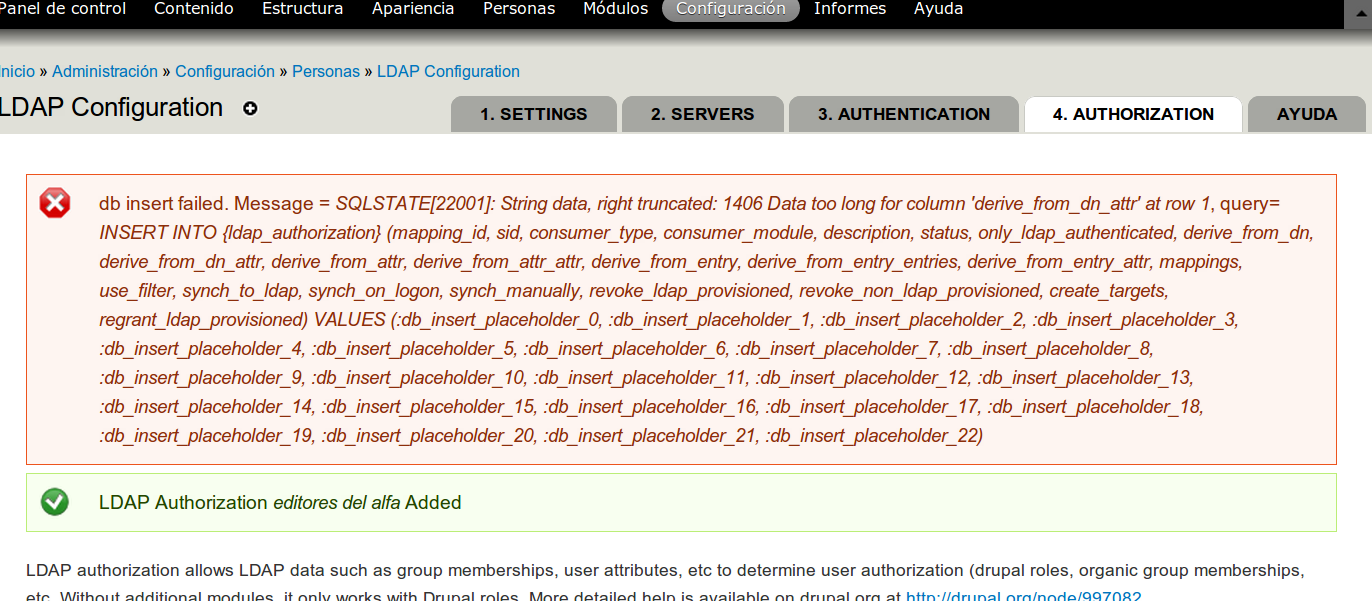
lupa18 commentedHere similar problem. It tries to write to db but has some error (see attach)
Comment #3
johnbarclay commentedComment #4
johnbarclay commentedsorry I misunderstood this one. Its fixed now.
Comment #5
micahw156Schema changes were implemented in 7.x-1.0-unstable6 (commit 64e2ff0).
Please note, there are schema changes but not updates in this build. You will need to disable and uninstall the earlier build before upgrading in order to test this.
@wernercd and @lupa18: does the latest build fix your problems?
Comment #6
johnbarclay commented