

 The 2026 Drupal Business Survey is open. Your response will help shape the future of the Drupal business ecosystem.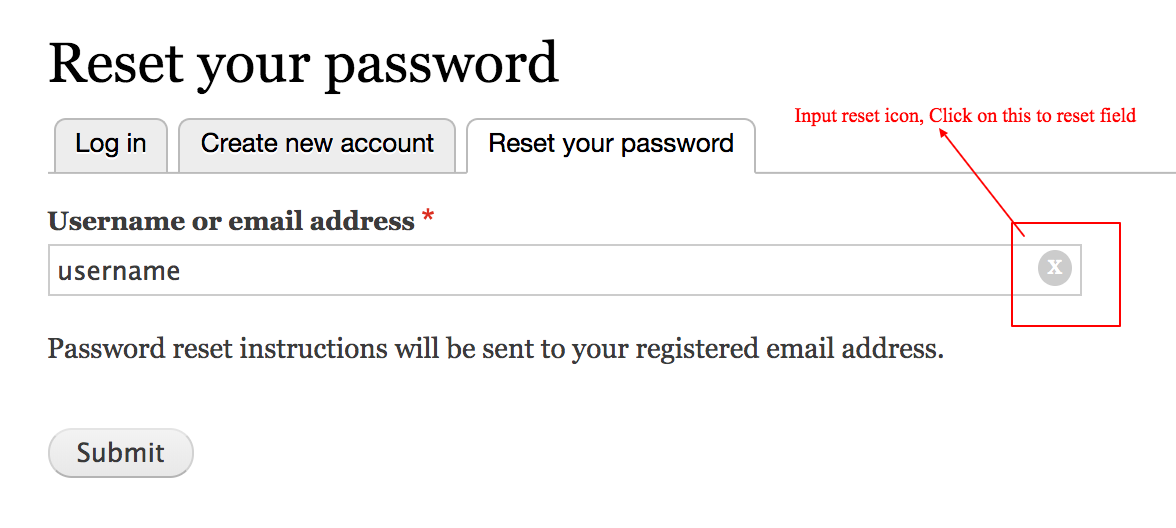

INTRODUCTION
imagine the crossmark being useful on mobile devices. Tapping the crossmark is easier to delete your input vs having to continuously tap or pressing the backspace button.
This module enables input reset functionality on fields (Textfield, Email, Search and Password) or you can say this module enhance field by making it clearable by providing clear icon inside input.
INSTALLATION
Install as you would normally install a contributed Drupal module.
REQUIREMENTS
There is no requirement for this module.
CONFIGURATION
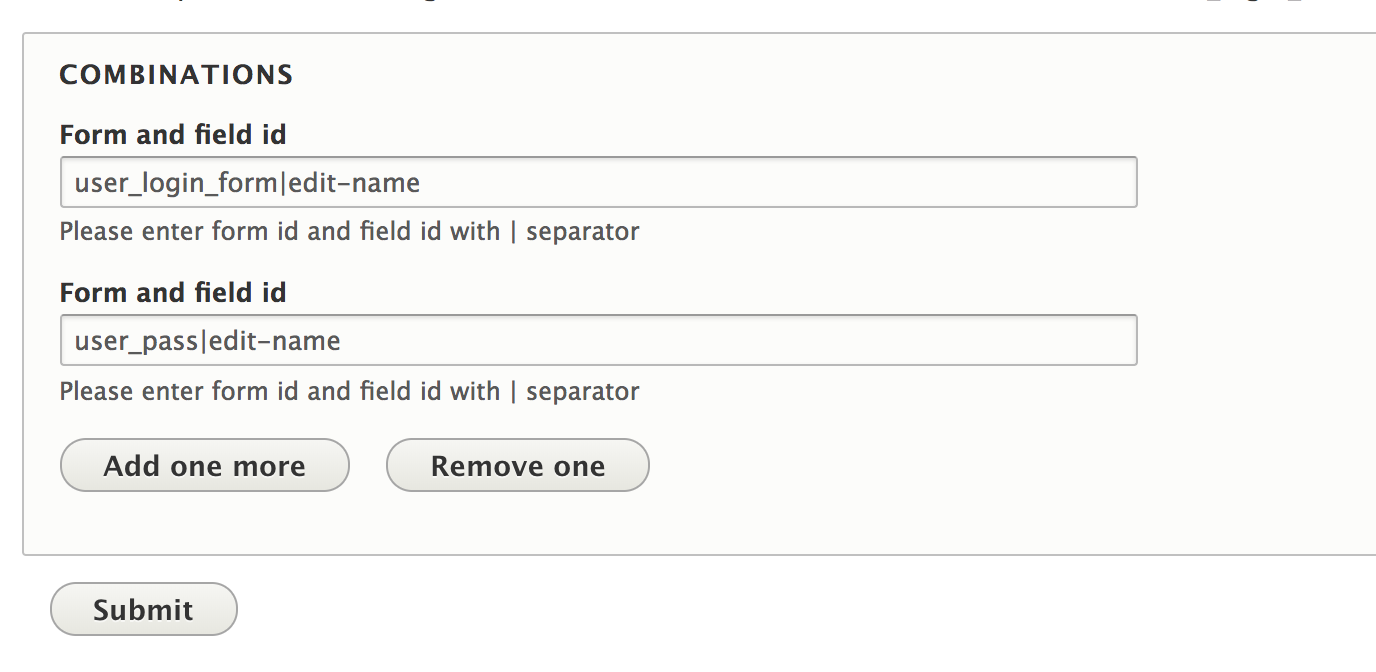
The module has one configuration page admin/config/input_reset/inputrestsetting. which is accessible with permission "access administration pages".
To enable input reset, need to add from_id and field id combination with |
separator.
Examples
- To enable input reset on username field of user login form then combination will be user_login_form|edit-name
- For reset your password form combination will be user_pass|edit-name
You can also override css of cross icon using below css
.clearable-input_div {
  position: relative;
  display: inline-block;
}
.clearable-input_div > input {
  padding-right: 1.4em;
}
.clearable-input_div > span.data-clear-input {
  position: absolute;
  top: 5px;
  right: 5px;
  line-height: 1em;
  cursor: pointer;
}
.clearable-input_div > input::-ms-clear {
  display: none;
}
span.data-clear-input {
  color: #fff;
  background: #ccc;
  border-radius: 50%;
  width: 7px;
  text-align: center;
  padding: 0px 5px 4px 5px;
}
TRUBLESHOOTING
If this module don't work
- Please clear Drupal cache.
- Please check browser console for any javascript error and fix it.
Supporting organizations:
Project information
 Seeking new maintainer
The current maintainers are looking for new people to take ownership.- Project categories: Site structure, Developer tools
 2 sites report using this module
- Created by rajveergangwar on , updated
 Stable releases for this project are covered by the security advisory policy.
There are currently no supported stable releases.

