

 Come together with the global Drupal community in Rotterdam, 28 Sept – 1 Oct 2026. Sessions, contribution, connection, and Early Bird savings until 8 June.
Imagecache Profile 6.x-1.1
Imagecache 6.x-2.0-beta10
Image API 6.x-1.6
ImageAPI GD2 6.x-1.6
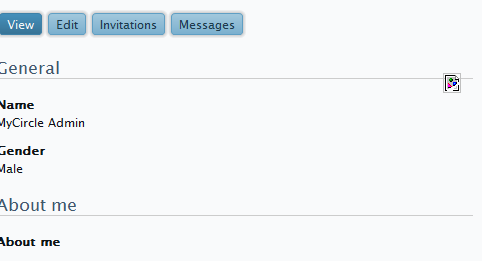
Currently, the problem is with the default user pictures appearing broken.
I checked the issue queue at Imagecache profile and followed what fixed the issue for most. This was putting a copy of the default picture in:
system/files/imagecache/user_image_default
system/files/imagecache/user_image_large
Problem is, when I try to put images there I am told I don't have the permissions.
I tried changing the permissions on those folders and it told me I don't have the permissions to change the permissions.
I will be writing to my hosting guy about changing the permissions for me, but I wanted to inform imagecache and imagecache profiles about this so you know. Maybe something is setting permissions so I can't upload images in there.
| Comment | File | Size | Author |
|---|---|---|---|
| #11 | prog.PNG | 9 KB | rajesh1158 |
| #8 | Picture 3.png | 7.56 KB | sharp3d |


Comments
Comment #1
Kristina-2 commentedTo get around this permissions issue as I could not upload the files via my FTP client, I had to install IMCE and upload using that.
I do think that having to install a module for me to upload the default images for imagecache profile was a bit excessive but that's what I had to do.
Comment #2
dman commentedThat work-around, placing your own images in the imagecache-managed directories, is a bit screwy and not how anything is expected to work, so any complaints about that process are all due to your own choices.
Imagecache itself does not define any 'default' image anywhere, so if there is an issue, it's up to imagecache_profile to sort out.
BTW, if you have permissions problems in the future, the troubleshooting FAQ has an answer for you.
Comment #3
andypostLooks strange... maybe related to private file downloads for user pictures. Suppose caused by using default image for user pictures which stored in public folder.
If I remember there was a some fix for private file download of user pictures.
Anyway need more info...
Comment #4
todd nienkerk commentedSubscribing.
I'm experiencing the same problem: ImageCache isn't handling the default user picture. The workaround I'm looking into involves overriding
template_preprocess_user_picture()to hard-code default images that mimic various presets. It's fairly unpleasant considering that the user picture is intended to be used in multiple instances: profile, comments, etc.Comment #5
todd nienkerk commentedSince ImageCache probably won't support default user pictures (or any default images, for that matter) for some time, I see two ways forward:
imagecache_preprocess_user_picture(), supply a finalelsecase to address instances in which a default image is not set, and provide documentation on how a user can copy this hook and modify theelsecase to suit their needs. Here's an example:Comment #6
andypostDefault image picture settings at admin/user/settings so placing something like /avatars/default.jpg is working fine
Comment #7
Hardrocker commentedMy problem isn't the default image its imagecache profile presets. Everytime I enable it it breaks the images. New images are not even displaying either. Any ideas why Imagecache profile is not playing nice with user.module?
Comment #8
sharp3d commentedSubscribing.
I am seeing the same broken images here. This is our dedicated Windows server. My personal site on Godaddy (linux) works fine. Time for lunch but I will post back if I get it working.
Comment #9
buzzman commentedhi sharp3d: is lunch over yet ... ;-)
Comment #10
sanderc commentedIs this a permissions problem, or a problem that ImageCache didn't work?
I found out today (after extensive search) that ImageCache does not work without Clean URL's enabled. Look at the ImageCache project page http://drupal.org/project/imagecache or the issue-page #410200: Without clean URLs ImageCache doesn't create folders or images.
Hope this helps...
Sander
Comment #11
rajesh1158 commentedI'm very depressed about displaying the profile pic on the user's profile page (like in facebook). The image is broken and so is the default image. I've checked the image paths and they are correct. When i inspected the image(in google chrome browser), it showed a warning saying "Resource interpreted as image but transferred with MIME type text/html". What am i supposed to do??
Comment #12
fizk commentedBroken for me too.
Comment #13
fizk commentedWhen the default user picture begins with "/", this problem goes away........but the URL has an extra forward-slash:
http://www.example.com/sites/default/files/imagecache/user_image_thumb35//sites/default/files/my_default_pic.pngComment #14
John Sundarraj commentedHey all, i have been using open atrium for long time. User profile image seemed to broken when i uploaded new picture.So i debugged and fixed using PHP Xdebugger. kindly visit my blog post at http://cyphrus.wordpress.com/2012/03/31/openatrium-imagecache-ckeditor-w...