Closed (fixed)
Project:
Image Resize Filter
Version:
6.x-1.6
Component:
Code
Priority:
Normal
Category:
Support request
Assigned:
Unassigned
Reporter:
Created:
21 Nov 2009 at 16:11 UTC
Updated:
17 Feb 2010 at 17:24 UTC


Running D6.14, WYSIWYG 2.0, fckeditor plugin 2.6.5, insert 1.0-beta2
The issue appears to be that the resized image does not get created. The path to the image and the new file name for the image get generated but the actual image does not.
I have tried to insert images into the body field and then edit their size with fckeditor two ways - with upload.module and imagefield cck.
This is the original path before saving:
<IMG height=192 alt="" src="http://book.mysite.com/sites/default/files/lifecycle-overview.png" width=500>
This is the path shown in browser source code for the image upload.module attachment:
<IMG height=192 alt="" src="http://book.mysite.com/sites/default/files/resize/lifecycle-overview-500x192.png" width=500 />
This is the path shown in the browser source code for the imagefield cck image:
<IMG height=192 alt="lifecycle overview" src="http://book.mysite.com/sites/default/files/resize/bookimages/lifecycle-overview-500x192.png" width=500 />
The file lifecycle-overview-500x192.png does not get created. The resize directory is empty and the resize/bookimages directory is empty.
I pondered whether is was a write permissions issue. Since the modules created the directories, I would think the properties were set correctly. Attempts to provide additional write permissions to see if that was the issue failed as I am not the owner of the directories created by the modules and am being prevented from changing the properties.
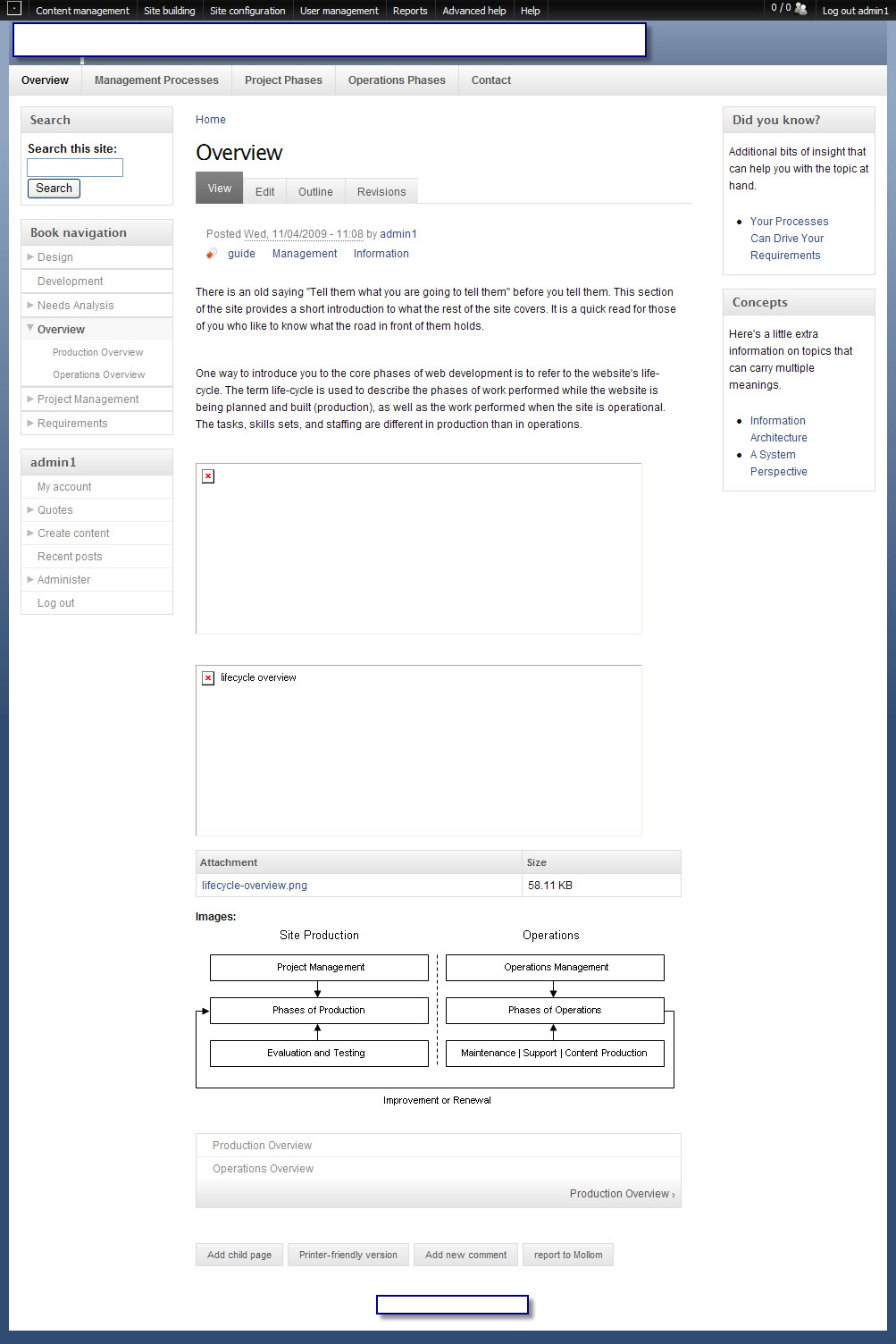
attached is a screen shot of the problem
please help
c
| Comment | File | Size | Author |
|---|---|---|---|
| resizeimagemoduleresults.jpg | 274.11 KB | idcm |

Comments
Comment #1
philvx commentedSame happens here when the imageapi module is set to use imagemagick.
All works when gd is used.
This is quite strange as there seems to be no dependency to the imageapi module?!
Comment #2
idcm commentedI have imageAPI and Imagemagick enabled as well. My host doesn't support imageAPI GD2.
Comment #3
quicksketchImage Resize Filter will use ImageAPI if it's available, otherwise it will use the built-in Drupal image handling (which is always GD currently). The code in question is this bit:
Which seems to work fine for me when using GD and ImageAPI. As far as I know this shouldn't make any difference if ImageMagick is being used, but it might requires some more research to find out why it's not working for you.
Comment #4
quicksketchI re-installed ImageMagick tonight to test this problem out, but everything works just fine for me (with or without ImageAPI, in both GD and ImageMagick implementations). I'll need more information on how to reproduce this problem, since it's not immediately apparent why it wouldn't work.
Comment #5
idcm commenteddid you simply disable and reenable imagemagick to "reinstall" it? Or did you go further?
Comment #6
quicksketchI literally reinstalled ImageMagick (the command line utility) from source. Most servers don't have ImageMagick available by default and my own local copy had been broken by an upgrade to a new OS. Initially it wasn't working and I was getting an error on admin/settings/imageapi. Make sure that ImageMagick is actually reporting a version number back to you on that page, and that ImageMagick works from the command line (try typing "convert" after sshing into the server).
Comment #7
idcm commentedah! - duh! my bad - grrr. Apparently "The specified ImageMagick path /usr/bin/convert does not exist." - okay, I guess I forgot to check the config of imageapi, not like me to do that but whatever. I will contact my provider and get this straightened out.
thank you for this insight
c
Comment #8
philvx commentedWhen imagemagick is enabled after adding a resized image using the insert module I get the folowing error message:
ImageMagick reported an error: convert: unable to open image `sites/default/files/images/xyz.png': No such file or directory. convert: unable to open file `sites/default/files/images/xyz.png'. convert: missing an image filename `sites/default/files/resize/images/xyz-100x65.png'.sites/default/files/images/xyz.png does exist but sites/default/files/resize/images/xyz-100x65.png was not generated. When gd is activated instead of imagemagick the file is generated. So permissions should not be the problem.
BTW, imageapi version is 6.x-1.6, insert 6.x-1.0-beta2, and image_resize_filter 6.x-1.6, ImageMagick 6.3.7
Comment #9
quicksketchAs far as I can tell, there is no problem with Image Resize Filter. My guess is that something still isn't right with your ImageMagick installation. You might try running the PHP code manually (just make a node with the PHP input format) or try ImageCache and see if you can get ImageMagick to resize anything.
Comment #10
lesioc commentedIt's probably a problem with IM installation, but I don't know how to fix it... By the way, I may try to explain a bit more what I understood of the problem :
I use Ubuntu 8.04 LTS Server, and I've installed IM for PHP with something like :
In the ImageAPI admin page, I can read that IM is apparently OK :
But when I try to generate a resized version of an image I get the following error :
If I try to run manually (from a console) the given command, it works fine from the Drupal installation directory, but gives the exact same error if not running from the Drupal directory.
My guess is that for some reason, the current path of execution is NOT the Drupal directory, and so external tools that need to be relative to this one are unable to work.
A solution could be to give IM the full absolute paths instead of relative paths. I'm not even sure if it's possible, or how to do it, but I'm confident it will solve the problem, at least in some cases...
It seems that this problem is present only on some systems and not elsewhere, because a lot of people say that they can't reproduce it.
I hope it will help ;)
Comment #11
lesioc commentedAfter some small investigation, I discovered that the 'DOCUMENT_ROOT' PHP server variable is not properly set.
As far as I understand, it may be related to the fact that Drupal is installed as a root directory or not.
On a first case Drupal is installed as a subdirectory of apache document root, ie /var/www/drupal and PHP gives only /var/www as document root.
But on a second case, when I install Drupal in /srv/drupal, and use a virtualhost, PHP gives the correct document root.
By the way, I did the following as a workaround on the non-root system :
Replace line 194 of imageapi_imagemagick.module file :
Before :
if ($h = proc_open($convert_path .' '. $command_args, $descriptors, $pipes, $_SERVER['DOCUMENT_ROOT'])) {After :
if ($h = proc_open($convert_path .' '. $command_args, $descriptors, $pipes, "")) {All works fine. But I'm not sure it's a good way to do, it may create some other side effects.
Comment #12
quicksketchAs noted, this is a problem with ImageMagick or the server configuration, not one with Image Resize Filter.