


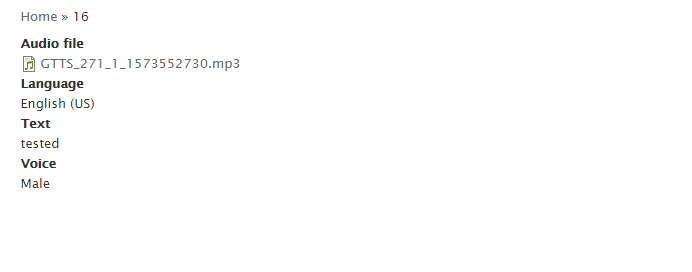
Text to Speech module uses Google Cloud Text-to-Speech library which allows you to convert words and sentences to audio data of natural human speech. You can then convert the audio data into a playable audio file like an MP3. This module saves output audio files as media entities.
Google cloud text to speech needs Google API service credentials to work. JSON credentials file will be provided by google once you have access to Google API service.
We recommend to install the module using composer, only then the dependent libraries will be installed
1. From the Drupal root folder run the below command
composer require drupal/google_text_to_speech:"1.3.0-alpha4"
Once the composer dependencies are installed, check /vendor folder you will have a new google/cloud-text-to-speech folder in it and that confirms dependencies installed.
2. Install Php Extensions bcmath which is required for module features to work.
When using the official PHP images of Docker, install these PHP extensions by the below command. You can use Run and then the below command in docker file.
RUN docker-php-ext-install bcmath
3. Upload the Google API service credentials JSON file to the drupal codebase server by FTP or ssh to authenticate google client library using Google Authentication . Make sure it is protected and not accessible by web URL.
4. Now navigate to the admin extend page then enable the module and now Add the path of the uploaded JSON file in Google text to speech configuration page. You will get extra settings once you hit save configuration then configure other fields too.
You can also test the text to speech feature by setting some sample text in testing part of configuration form and by clicking download audio.
Following code can be used in other modules to generate Audio from text
//Voice Gender can be Male, Female and Neutral with respective values 1,2,3.
//Audio  Encoding  type can be LINEAR16, MP3 and OGG_OPUS  with respective values 1,2,3.
$parameters= ["text" => "sample text","language_code"  => 'en-US',"encoding" => 2,"voice" =>1];

$gtts = \Drupal::service('google_text_to_speech.manager');
//To get Audio content
$gtts->getAudio($parameters);
//To download as audio file
$gtts->downloadAudio($parameters);
This module have dependency with Media module which is now part of Drupal core.
On enabling this module, new media type "google_text_to_speech" will be created, this media type can be used to convert the text to speech and save it as audio file. you can also clone this media type multiple times and add the newly created media type's machine names as comma-separated values in "Google Text To Speech" module configuration page.
Note: Supports core file streaming wrapper.
For Custom file stream wrapper Implementation
The following code will enable you to use your custom file stream wrapper,
Add the code in your module file and add your custom code logic for your custom file stream wrapper in place.
/**
 * Implements hook_module_implements_alter().
 */

function modulename_module_implements_alter(&$implementations, $hook) {
   if( $hook == 'media_presave') {
     $moduleHandler = \Drupal::service('module_handler');
    if ($moduleHandler->moduleExists('google_text_to_speech')) {
      unset($implementations['google_text_to_speech']);
    }
  }
}


function _valid_google_text_to_speech_media($media) {
    $config = \Drupal::config('google_text_to_speech.settings');
    $string = $config->get('google_text_to_speech_media_type');
    $medias = explode(',', $string);
    return in_array($media->bundle(), $medias) || $media->bundle() == 'google_text_to_speech';
  }

/**
 * Implements hook_entity_type_presave().
 */
  function modulename_media_presave($media) {
    if (_valid_google_text_to_speech_media($media)) {
      $gtts = \Drupal::service('google_text_to_speech.manager');
      if(!empty($gtts->entityHasChanged($media)) || $media->isNew()) {
        $parameters = $gtts->getParametersFromMedia($media);
        foreach ($parameters as $pkey => $pvalue) {
          $content = $gtts->getAudio($pvalue);
          $file = $gtts->getFile($pvalue, "customurischema://");
          //$gtts->uploadFile($file, $content);
          /*
           *
           * Here you have your $file object and $content of audio you can write custom code
           * to support your stream wrapper like uploading to external servers like Amazon,
           * windows azure storage, etc...
          */


          $files[$pkey] = [
          'target_id' => $file->id(),
          'display' => 1,
          ];
        }
        $media->set('field_media_audio_file', $files);
      }
    }
  }
Supporting organizations:
Project information
- Project categories: Media, Integrations, Developer tools
 276 sites report using this module
- Created by karthikeyan-manivasagam on , updated
 Stable releases for this project are covered by the security advisory policy.
There are currently no supported stable releases.
Releases
8.x-2.0-alpha7
released 16 February 2023
Works with Drupal: ^8 || ^9 || ^10
Support Drupal 10
Install:
Development version: 8.x-2.x-dev updated 16 Feb 2023 at 11:52 UTC

