

Closed (works as designed)
Project:
Forward
Version:
7.x-3.x-dev
Component:
Code
Priority:
Normal
Category:
Support request
Assigned:
Unassigned
Reporter:
Created:
2 Apr 2014 at 05:12 UTC
Updated:
7 Apr 2014 at 23:53 UTC
Jump to comment: Most recent, Most recent file



Comments
Comment #1
john.oltman commentedWhat fields are in the teaser? Are you using any custom view modes? For the issue with the link, normally the email includes a logo and that logo is linked back to the site with the tracking reference that you see in the URL (there are tracking reports available for Forward emails). If you don't have a logo included that link might be on its own. Hard to tell without seeing the email. Need more info to be of much help.
Comment #2
john.oltman commentedComment #3
System Lord commentedThanks, John. That intell helps. I'll play with it and report back.
Comment #4
System Lord commentedIm not sure what you mean "what fields are in the teaser?" When you say "custom view modes" are you speaking of the fields in "Manage display" > custom display modes? Or do you mean am I using display suite or panels? The answer is no to both.
Comment #5
john.oltman commentedI'll take a look this weekend. If it works in my test lab, you would need to send me a login to your site in order for me to help further. But we'll cross that bridge if needed.
Comment #6
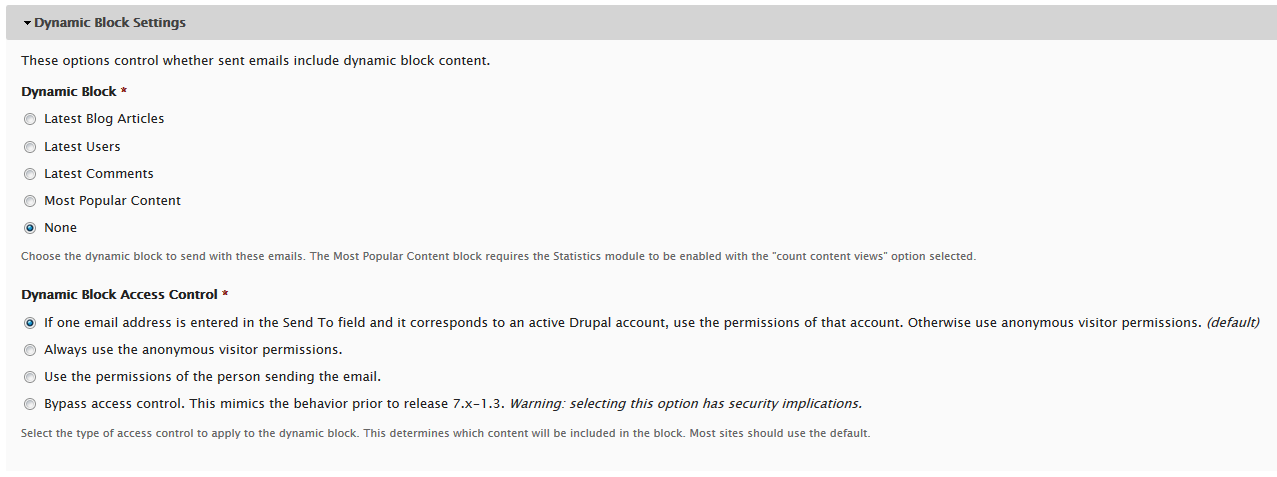
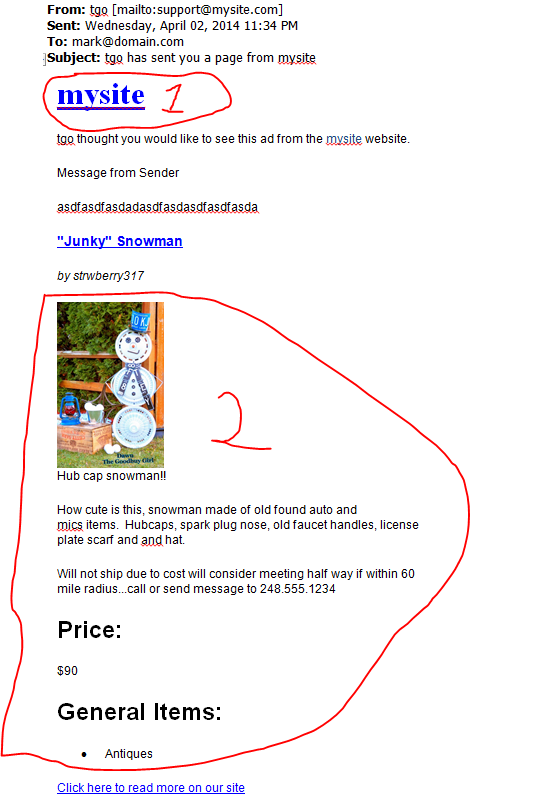
System Lord commentedSounds good. My client wont permit access at this time. However, if it will help at all I've attached some images of some settings and an email with the full node displayed.
In "forward-email" number 1 is the "http://www.mysite.com/?q=forward/emailref&path=%3Cfront%3E" issue above. I think I know how to fix that, so no biggie right now.
Number 2 is the full node being displayed in the email even though " Include full entity in message body" is NOT checked.
I also found that If I set the fields being displayed in the email to "Hidden" then it doesn't show in the email. However, that won't work because then I no one will see the content on my site.
I'm on all the time so if you need me to test anything let me know and i can respond immediately.
Thanks John
Comment #7
System Lord commentedHi John. Were you able to look at this over the weekend?
Comment #8
john.oltman commentedSend me a screenshot of the relevant content type's Teaser Display
Comment #9
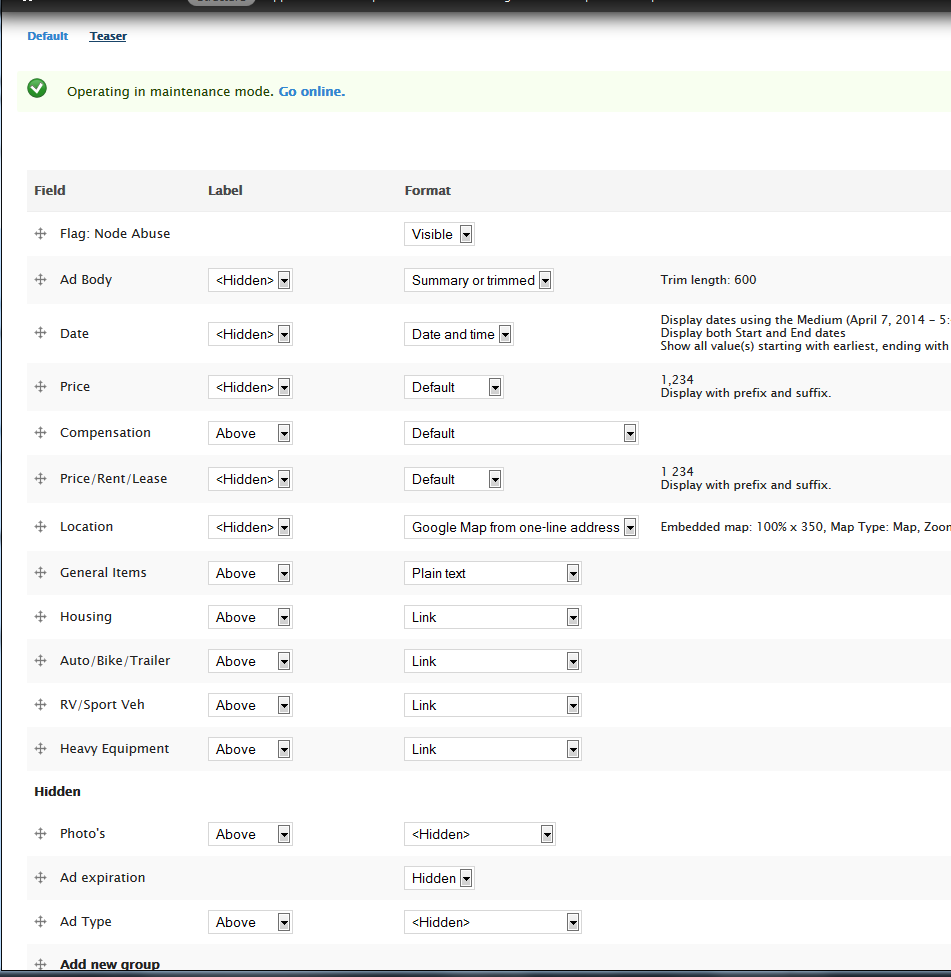
System Lord commentedIs this what you mean by teaser display?
Comment #10
john.oltman commentedHard for me to tell if that's your Teaser display or Default (full node) display. Did you click on Teaser or Default to get here? I'm going to assume Teaser.
In the example email you posted, there is a snowman image - is that part of the "Ad body" for this piece of content? If so, I see no surprises. Your Teaser display (which is used when the full node box is not checked) has tons of fields in it - including all the fields I see in your example email.
Either remove some fields from the Teaser display, or if your Teaser display is used elsewhere on your site and needs all those fields, create a custom view mode and use that view mode to setup the fields.
Comment #11
System Lord commentedThanks, John. I'll play with it. Thanks again for looking into it.