

Closed (fixed)
Project:
Flag
Version:
6.x-1.3
Component:
Miscellaneous
Priority:
Normal
Category:
Support request
Assigned:
Unassigned
Reporter:
Created:
2 Aug 2010 at 20:15 UTC
Updated:
18 Jan 2011 at 09:49 UTC
Jump to comment: Most recent file



Comments
Comment #1
michelleUse the Flag module for recommending, set up a view with the Views module of flagged nodes in that type with UID for the argument, make a content pane display and set it to take the argument from the context, add the pane to the user profile page variant.
Michelle
Comment #2
glitz commentedwow i wasnt expecting that fast of a response// im familar with all that you mentioned besides arguments but ill try to figure it out. THANKS FOR THE HELP!!
Comment #3
michelleIf you catch me when I'm on the computer with something I know off the top of my head, I can be pretty quick. :)
If you have trouble with the argument part, look at the posts view that comes with APK and how it does it.
Michelle
Comment #4
glitz commentedcool// ill give it a shot and let you know how it works out. thanks again for your help with this
--Chris
Comment #5
glitz commentedMichelle,
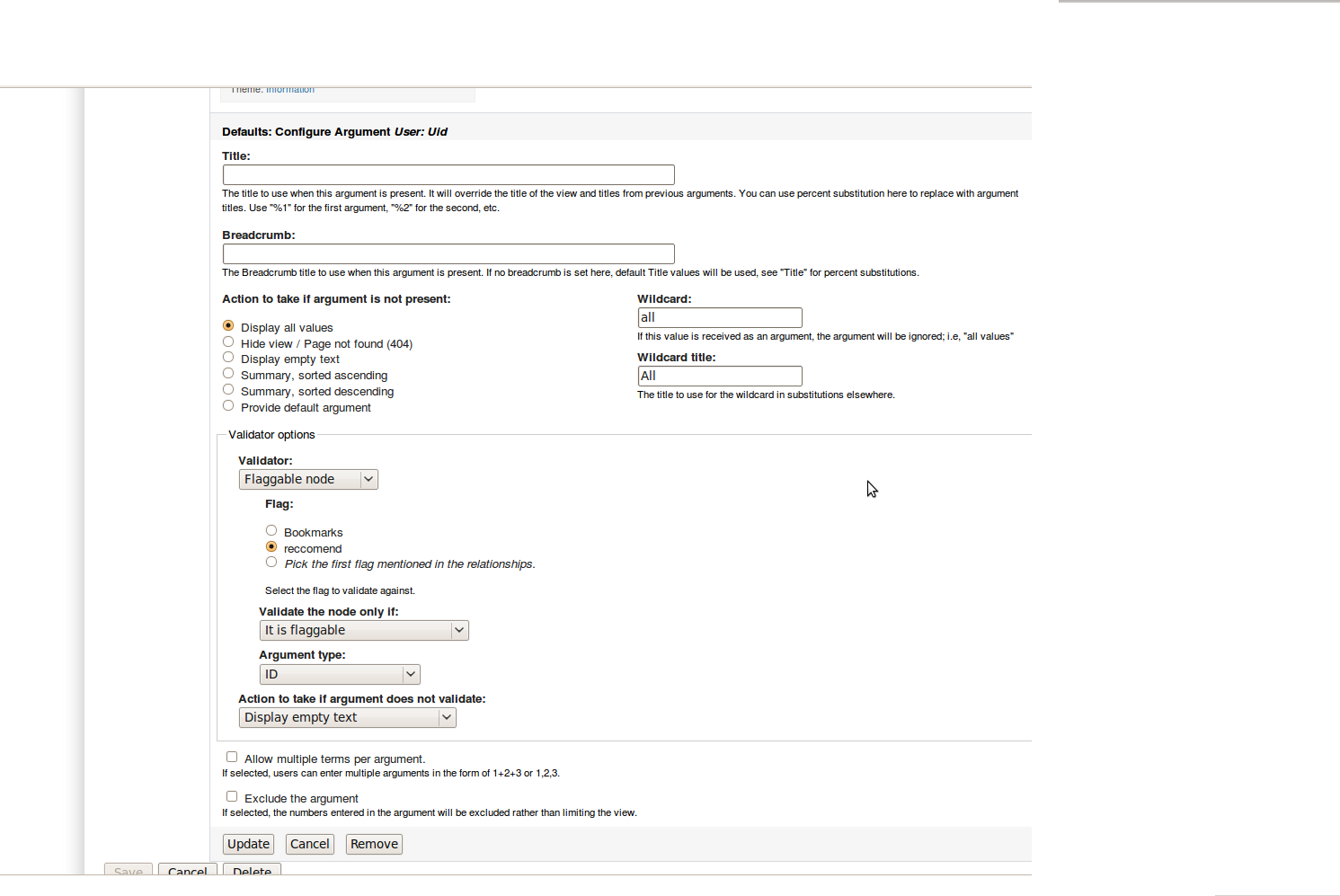
I got everything set up as planned, and the "recommended" nodes appear on the users profile in the location id like them too. the only problem is the same recommended nodes appear on every profile. i checked and make sure the arguments for the context pane are set to take from context, and uses the User-UID argument (as the apk uses).
I have double checked my steps, but could not pinpoint what I may have possibly looked over. Do you have any suggestions of what I may be missing?
I have attached a screenshot of the view.
Thanks again
Comment #6
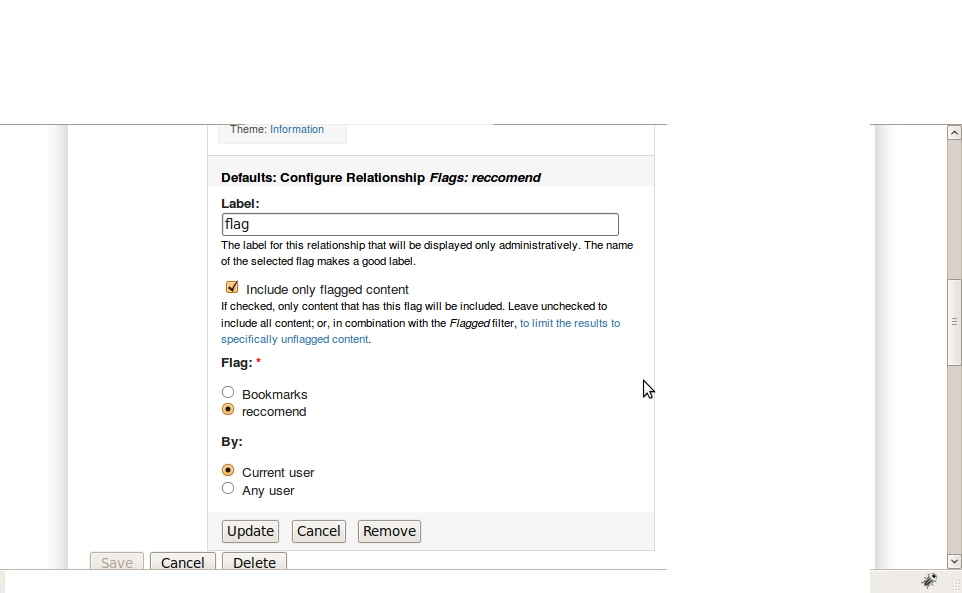
michelleThe only thing I can see is under relationships you have "Flags: recommended by any user". I haven't set up the flag view on my site, yet, so I don't know if that's the problem but is there anything in there to set it to recommended by the user in the argument?
Michelle
Comment #7
glitz commentedWell there are Options for "Any User", or "current user". I had it set to "any user" but then changed it to "current user" saved my changes, but to no avail...
good catch though, i thought that may have been it...
Comment #8
glitz commentedhmmm. i have a feeling the problem is here somewhere: it the configuration for the argument User:UID
Comment #9
michelleOk, I think you're beyond where I can help you because I haven't made a view with the Flag module, yet. I'm moving this over to their queue and I updated the title to make it clearer what you are stuck on. I set the version to 1.3... Please change if that's not the version you're on.
Good luck!
Michelle
Comment #10
glitz commentedOk, Thanks for all of your time and efforts!
Comment #11
quicksketchYou shouldn't need to use any Flag validators on your UID argument. I'd suggest just using the default "" validator or using the "User" validator to ensure numeric user IDs.
Comment #12
glitz commentedhmm, ok i changed it to no validation. and then, also to "User" (numeric ID) and the recommended nodes are the same on all profiles. Im going to check to see if there are any settings in the panel pane that may overide this.....
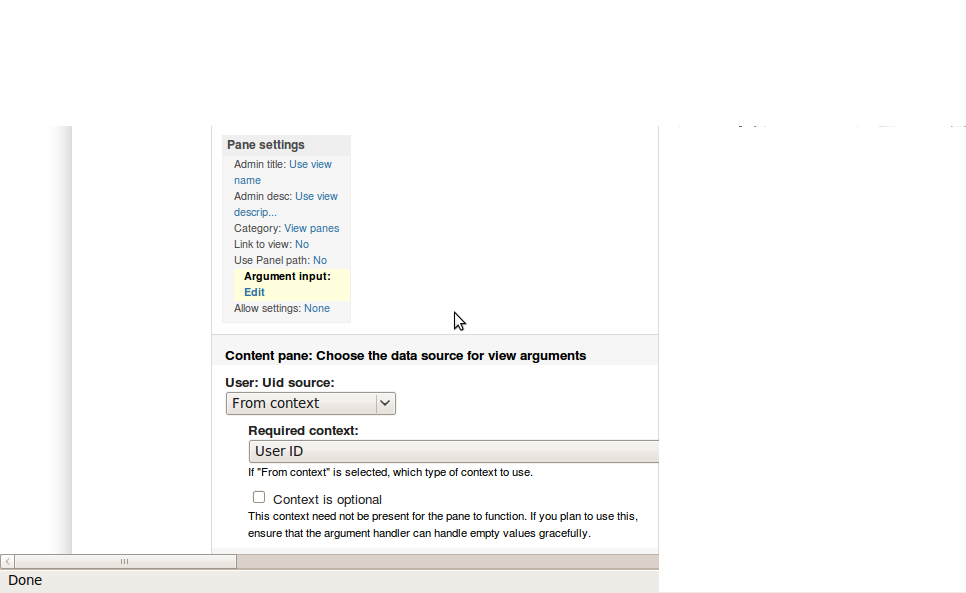
attaching the panel pane settings. maybe something here...
Comment #13
glitz commentedComment #14
glitz commentedGOT IT! i was selecting the wrong panel pane for this display. all of the other configs worked successfully and i thank you for helping me out with this--its much appreciated
Comment #15
glitz commentedthanks!
Comment #16
mooffie commentedSo this is "fixed".
I started a new Using Flag with Panels page where I linked here.