Closed (fixed)
Project:
FCKeditor - WYSIWYG HTML editor
Version:
6.x-1.3-rc3
Component:
Code
Priority:
Normal
Category:
Support request
Assigned:
Reporter:
Created:
15 Nov 2008 at 21:17 UTC
Updated:
29 Nov 2008 at 23:02 UTC


Installed FCK on Drupal 6.4
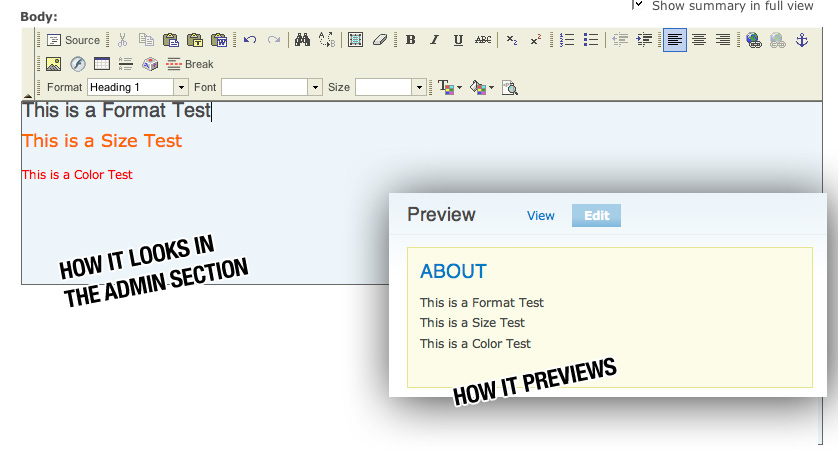
I included a Visual example (FCK_example.jpg) for anyone who wants to see.
It shows up fine in all my text areas throughout my admistration. The problem is when I create new content or edit it, I can change colors and font sizes but when I preview or publish, it doesn't take. It defaults to just the regular grey text that the Garland theme uses.
Links work, bolding the text works, so I am unsure why the colors and styles don't.
I set all the filters also to allow Full HTML in user input as well, and that didn't do anything. I am new to Drupal and am unsure what else to do.
I would appreciate any help or suggestions. Thanks!
| Comment | File | Size | Author |
|---|---|---|---|
| FCK_example.jpg | 75.52 KB | koopastomp |

Comments
Comment #1
koopastomp commentedI fixed it. There was an Input Format menu directly under my preview box/FCK box which had to be set to Full HTML as well. That did the trick.
Comment #2
koopastomp commented