



This project is not covered by Drupal’s security advisory policy.
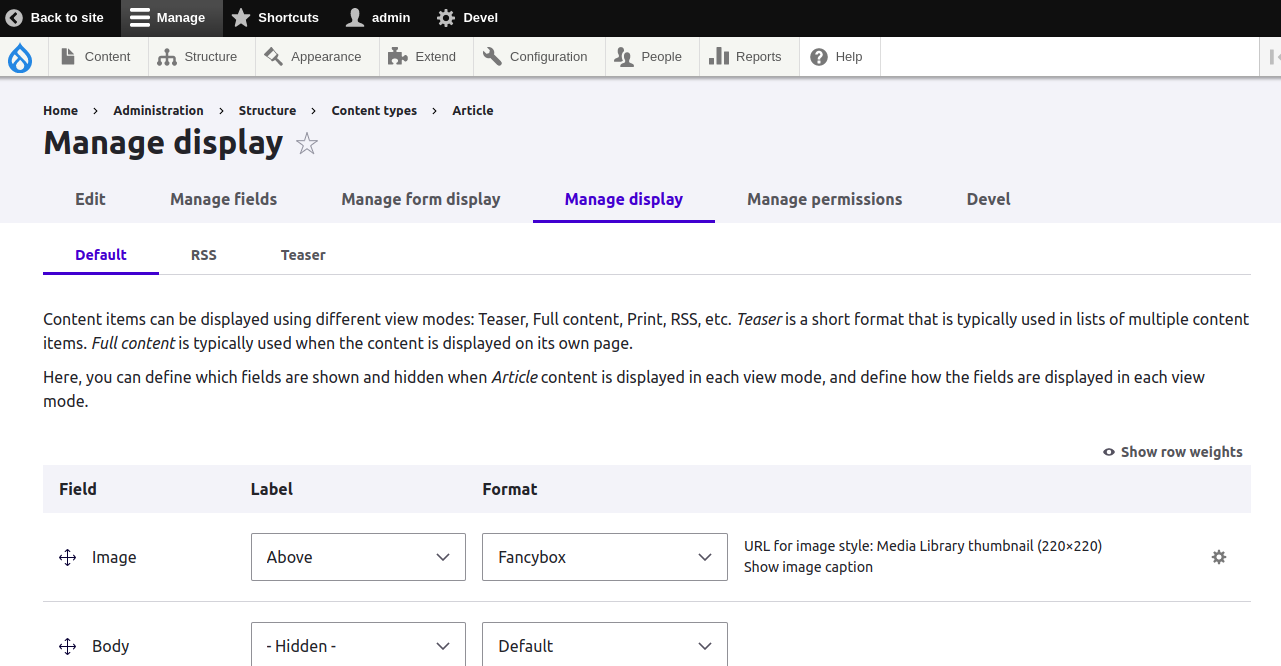
The Fancybox UI provides the image formatter which saves your time and helps to easily create beautiful, modern overlay windows containing images with touch enabled, responsive and fully customizable.
Module Features
- Provides a formatter for entities and Views.
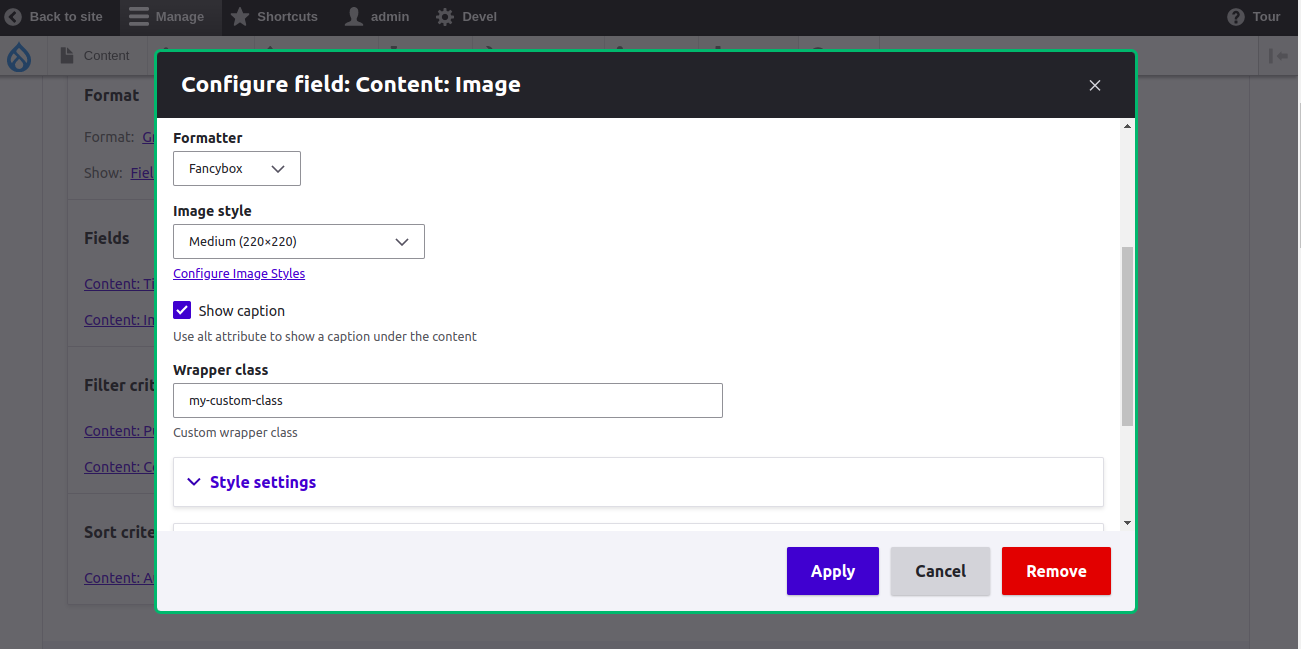
- Choose image styles for images displayed via the fancyBox formatter.
- Use alt attribute to show a caption under the content
- Custom wrapper class
- The image will be grouped on the fancybox if the images are in same view, image or media field with multiple cardinality
Fancybox Key features
- No external dependencies
- Touch and mobile optimized with swipe, drag and pinch-to-zoom gestures
- Highly customizable with configuration options, Sass and CSS variables
- Multiple zoom levels
- Properly manages focus
- Closes with Back Button
- Accessible
- Smooth, natural animations
- Multiple instances
- Widely used, battle-tested
- Best user and developer experience
We can customize the design and layout according to the theme installed on the site or customize with custom css. We can copy the template file from templates/fancybox-image-formatter.html.twig to your theme file and customize the html and implement your own layout with custom css.
Available variables on the twig file are:
  Available variables:
 - other_data: Other related data including group and caption
 - image_uri: The absolute url to the image.
 - image: The image element
Support
Please post bug reports, feature requests and support requests to the Fancybox UI module issue queue. If you met any problems with this module - feel free to create an issue.
Demo
- Go to https://simplytest.me/project/fancybox_ui.
- Click "Launch Sandbox".
- Install Drupal as normal.
- Enable "Fancybox UI" module, and any optional modules you wish to try out.
- Edit the view where you wish to apply the fancybox and select the image field
- Select the 'Fancybox' formatter
- Configure the Image style, Show caption and Wrapper class according to your requirement
Installation and download
Installation with Composer:
composer require 'drupal/fancybox_ui'
Looking for support?
- Free community support options
- Developers can participate our support channels on a best-effort basis, Drupal Answers.
Contact

Supporting organizations:
Project information
- Project categories: Site structure
 34 sites report using this module
- Created by sujan shrestha on , updated
 This project is not covered by the security advisory policy.
Use at your own risk! It may have publicly disclosed vulnerabilities.

