

Closed (works as designed)
Project:
DrupalGap
Version:
7.x-1.15
Component:
Android App or Emulator
Priority:
Normal
Category:
Support request
Assigned:
Unassigned
Reporter:
Created:
8 Aug 2016 at 15:09 UTC
Updated:
17 Nov 2019 at 03:03 UTC
Jump to comment: Most recent, Most recent file

Comments
Comment #2
tyler.frankenstein commentedPlease confirm which plugins you've installed with Cordova. Use the terminal command: cordova plugin list
Also confirm you've changed the 'mode' to 'phonegap' in the settings.js file.
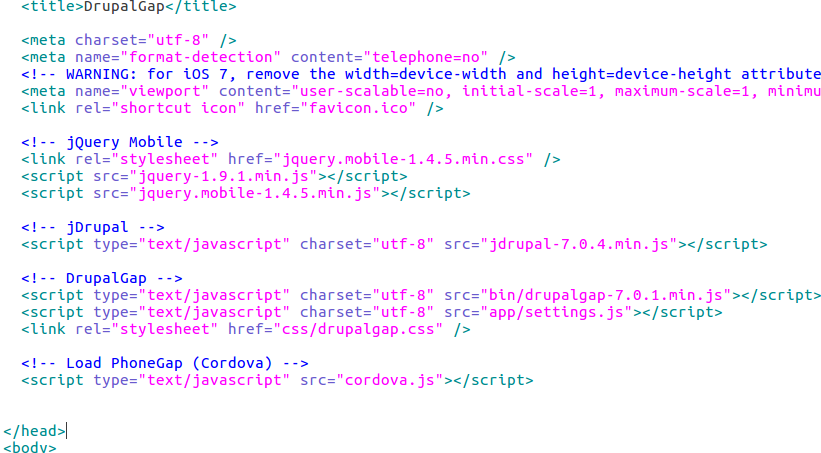
Also confirm you've copied the cordova.js file from the platforms/android/platform_www folder into your project's www folder and then include the cordova.js file in your index.html file.
Drupal Services is up to 7.x-3.16 now, please upgrade.
Comment #3
d16_dylan commentedThanks for the prompt reply,
running cordova plugin list gives the below result
cordova-plugin-whitelist 1.2.2 "Whitelist"settings.js has phonegap mode on
drupalgap.settings.mode = 'phonegap' ;cordova.js is present in my projects www folder and included in my index.html file (Does the sequence matter?)
Comment #4
d16_dylan commentedOkay i found the issue, the plugins mentioned in the documentation were not saved because i missed the 'cordova plugin save' command.
Thanks a lot for your help.
Comment #5
tyler.frankenstein commentedThank you for the follow up. Yes, the
cordova plugin savecommand is needed when making any plugin modifications, I've been burned by that a few times.Comment #6
papan_tc commentedHi,
I am new to drupalgap and trying to make it work on Drupal 7. It works on web-app mode but connection to server fails on android device.
I have checked the following:
1. Web-app mode : works
2. ?q=drupalgap/system/connect.json returns valid response on postman
3. cordova plugin list returns
cordova-plugin-camera 4.1.0 "Camera"
cordova-plugin-console 1.1.0 "Console"
cordova-plugin-device 2.0.3 "Device"
cordova-plugin-dialogs 2.0.2 "Notificat7.ion"
cordova-plugin-file 6.0.2 "File"
cordova-plugin-geolocation 4.0.2 "Geolocation"
cordova-plugin-inappbrowser 3.1.0 "InAppBrowser"
cordova-plugin-network-information 2.0.2 "Network Information"
Error: ENOENT: no such file or directory, open 'C:\Users\pkmukher\.config\configstore\cordova-config.json'
4. Added cordova.js in index.html
5. Drupalgap version is 7.X- 1.16 and services version is 7.x - 3.25. Drupal version is 7.58.
What else can I check?
Please help. I spent almost 5 days researching on this without any luck.
Thanks a lot for your help.
Comment #7
tyler.frankenstein commentedIs your server on a remote host, or on your localhost? Remote works much easier, if it's localhost then you need to set your site's path to include a "local" URL, e.g. IIRC it'd be something like 10.1.10.* so the Android device can talk to it over the local network.
Comment #8
papan_tc commentedmy host is a remote host on cloud VM.
I have access to the server console.
Please let me know if I need to adjust something on the server.
Update: With services-7.x-3.x-dev, the connection works but the login process takes a long time on mobile. When I access mobile-application/index.html using browser of my phone, login is very fast. Is there a way I can check why it is taking so long to login in phonegap mode?
Any guidance would be of great help.
thank you.