I have succesfully installed drupalgap on my server, but it fails to load the hello world module example from http://www.drupalgap.org/hello-world
Instead i get a 404 page.
In mobile-application folder (which is placed in root of the server at same level as sites), i have created /modules/custom/hello/hello.js:
/**
* Implements hook_menu().
*/
function my_module_menu() {
  var items = {};
  items['hello_world'] = {
    title: 'DrupalGap',
    page_callback: 'my_module_hello_world_page'
  };
  return items;
}

/**
* The callback for the "Hello World" page.
*/
function my_module_hello_world_page() {
  var content = {};
  content['my_paragraph'] = {
    markup: '<p>"Hello World"</p>'
  };
  return content;
}
Settings file with these settings:
drupalgap.settings.title = 'DrupalGap';
drupalgap.settings.front = 'hello_world';
drupalgap.settings.theme = 'easystreet3';
drupalgap.settings.logo = 'themes/easystreet3/images/drupalgap.jpg';
Drupal.modules.custom['hello'] = {};
I am using ripple.
(Would have added this as comment on drupalgap.org/hello-world, but have not received email activation link yet)







Comments
Comment #1
tyler.frankenstein commentedTry adding this to the top of your module's JS file:
alert('hello');Then make sure you get an alert message that shows up as soon as your app loads. That'll verify your module is being loaded properly.
Also, be sure to load the JS console to see if there are any error messages.
Comment #2
guvser commentedIt does show up, so it does load.
JS console says there is a config.xml file missing, but this isnt mentioned in the documentation as far as i can see?
Comment #3
tyler.frankenstein commentedThe missing config.xml file doesn't really matter in Chrome/Ripple (it hasn't caused me any issues).
Your syntax is fine, so I'm not sure why it would be throwing a 404. When you say a 404, is it a 404 page displayed inside of the App, or is it the 404 page from your Drupal site?
I'd say go ahead and grab the latest bin/drupalgap.js development snapshot (http://www.drupalgap.org/download) and overwrite your current bin/drupalgap.js file with it.
Also, I'll typically hold down SHIFT+F5 when reloading the App in Chrome/Ripple. Sometimes, I'll also flush my browser's cache to make sure all the JS file are being reloaded properly.
Comment #4
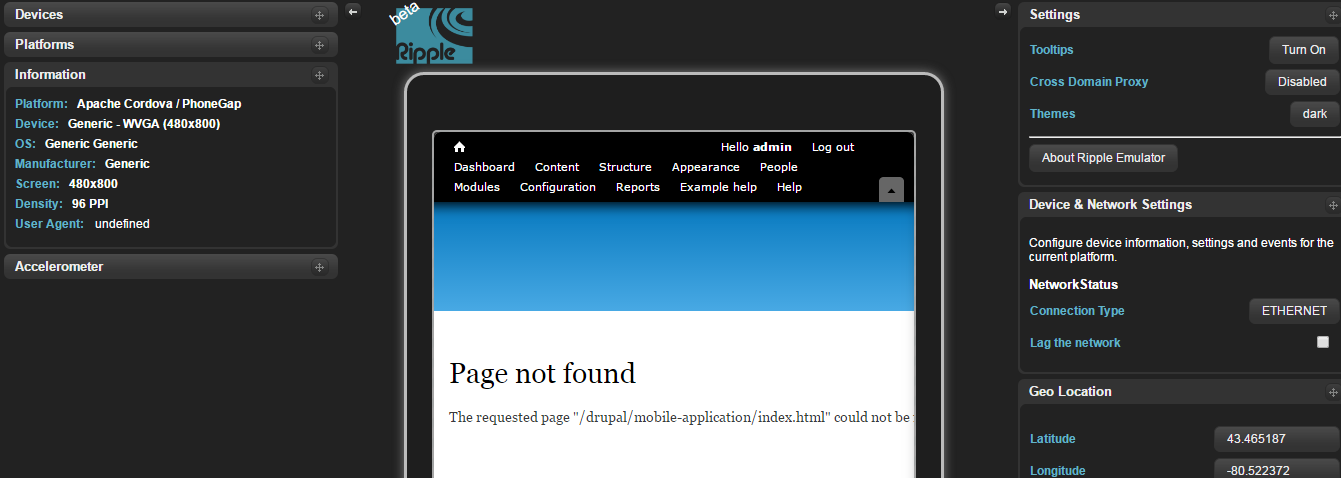
guvser commentedit is a 404 page of the app. (screendump attached)
I tried to replace drupalgap.js, but to no effect.
Comment #5
tyler.frankenstein commentedOh, derp. I just noticed the problem. Change all occurences of 'my_module' to 'hello' in your source code, then it'll work.
Comment #6
guvser commentedOh, i must have misunderstood the guidance then. I just tested it and it works!
Thanks for your help. Looking forward to dig into the project!
Comment #7
liquidcms commentedsorry to reopen.. but same issue.
to start with i think original post is incorrect stating:
i believe the correct path is /mobile-application/app/modules/custom/hello/hello.js
i have the following js file at: /mobile-application/app/modules/custom/placemarks/placemarks.js
then, in /mobile-application/app/settings.js i added 2 things:
Drupal.modules.custom['placemarks'] = {};and, under links section of drupalgap.settings.menus['main_menu']
i also added the alert at top of placemarks.js and saw this pop when the app loaded.
i now see my new menu item: http://screencast.com/t/N4upBby3 but when i select it i get a 404
Comment #8
tyler.frankenstein commented@liquidcms, yes in your example your custom module should live here (relative to your Drupal base directory):
/mobile-application/app/modules/custom/placemarks/placemarks.jsTo fix your menu link (your path is incorrect), use this code instead:
The path variable matches the key that you use on the items object/array in your
hook_menu(), just like Drupal.Comment #9
liquidcms commentedyes, obviously.. thanks.. :)
Comment #10
dina safwat commentedi have same problem
i do that : as http://www.tylerfrankenstein.com/sites/default/files/DrupalGap.pdf
first create C:\xampp\htdocs\drupal\mobile_application\app\modules\custom\my_module\my_module.js
put this code inside my_module.js:
alert('hello');
/**
* Implements hook_menu().
*/
function my_module_menu() {
var items = {
my_custom_page:{
title:”My Custom App”,
page_callback:”my_module_custom_page”
}
};
return items;
}
function my_module_custom_page() {
return {
my_welcome_text:{
markup:”
Hello World
”
}
};
}
and change this in setting.js:
1-Drupal.modules.custom['my_module'] = {};
2-App Front Pagedrupalgap.settings.front = 'my_custom_page';
what's wrong with my code
make my sitepath as Drupal.settings.site_path = 'node/3 as i tried to make my site as mobile app and i setup drupal at C:\xampp\htdocs\drupal\ so i choose node inside it as site path ???
Comment #11
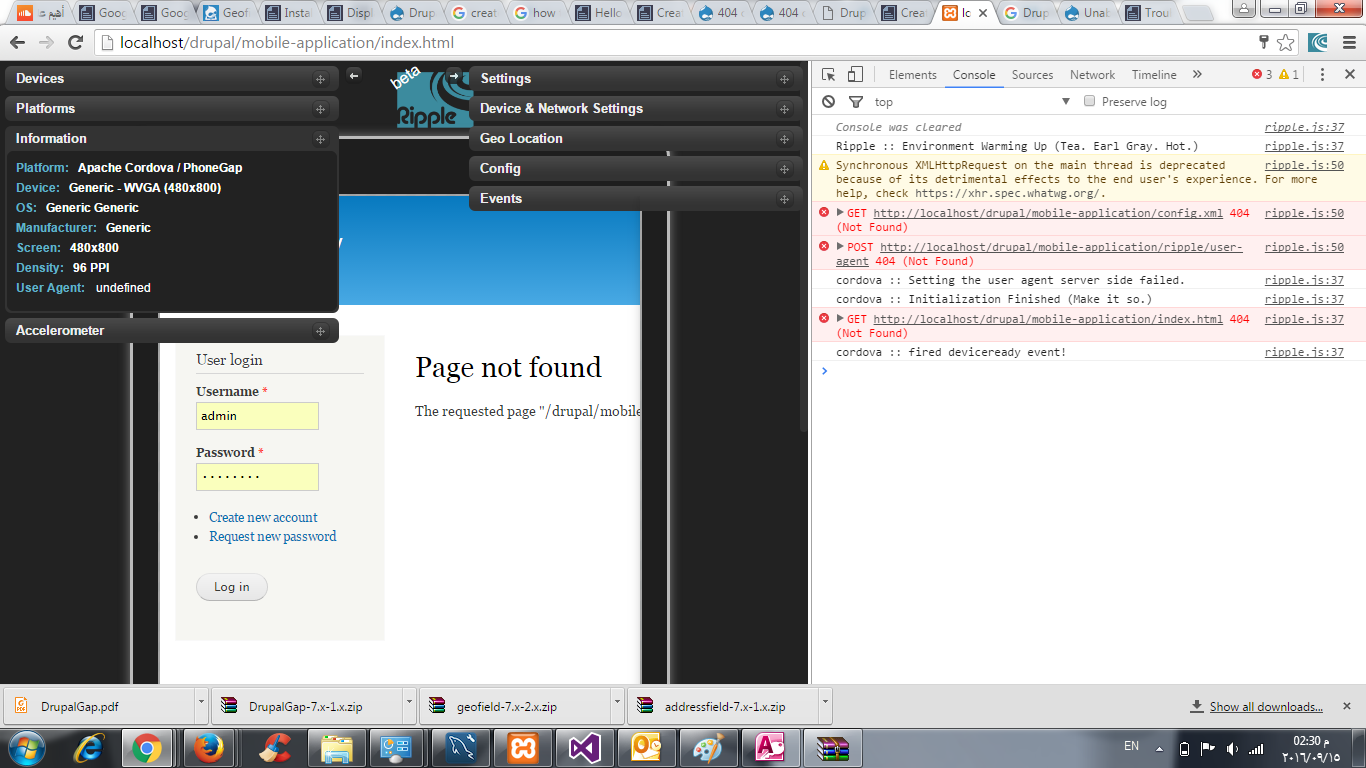
tyler.frankenstein commented@dina safwat , from your screen shot, the mobile-application/index.html file does not exist on your website's file system, or it is not readable by the webserver. If you see a Drupal page inside of the Ripple emulator, that means DrupalGap isn't loading properly. Check the exact location of the DrupalGap SDK and make sure it's folder is readable by the web server user on your host.
Comment #12
dina safwat commentedconsole give me that:
Synchronous XMLHttpRequest on the main thread is deprecated because of its detrimental effects to the end user's experience. For more help, check https://xhr.spec.whatwg.org/.
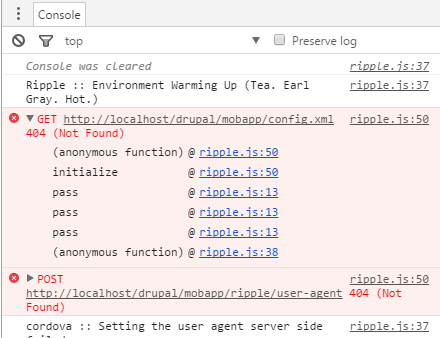
ripple.js:50 GET http://localhost/drupal/mobile-application/config.xml 404 (Not Found)(anonymous function) @ ripple.js:50initialize @ ripple.js:50pass @ ripple.js:13pass @ ripple.js:13pass @ ripple.js:13(anonymous function) @ ripple.js:38
ripple.js:50 POST http://localhost/drupal/mobile-application/ripple/user-agent 404 (Not Found)(anonymous function) @ ripple.js:50setUserAgent @ ripple.js:39pass @ ripple.js:13pass @ ripple.js:13pass @ ripple.js:13pass @ ripple.js:13pass @ ripple.js:13pass @ ripple.js:13(anonymous function) @ ripple.js:38
ripple.js:37 cordova :: Setting the user agent server side failed.
ripple.js:37 cordova :: Initialization Finished (Make it so.)
ripple.js:37 GET http://localhost/drupal/mobile-application/index.html 404 (Not Found)_post @ ripple.js:37(anonymous function) @ ripple.js:37pass @ ripple.js:13xhr.onreadystatechange @ ripple.js:38
ripple.js:37 cordova :: fired deviceready event!
and how to make sure drupalgap sdk folder is readable by the web server user on your host?
Comment #13
dina safwat commentedhow to check DrupalGap SDK folder is readable by the web server user on my host?
and console give me that as attached
Comment #14
tyler.frankenstein commentedUse a terminal window (or FTP program) to look at the owner/group permissions on the folder. This is shifting towards a system administration question, and probably isn't a problem with DrupalGap. Google will be your friend here, many people much more intelligent than I can explain file owner/group permission concepts for you.
Comment #15
dina safwat commentedthank you for your time ... i tried to change it but no affect so i will reinstall drupalgap sdk and ensure from every step thanks again
Comment #16
tyler.frankenstein commentedYou're welcome. Trying installing the SDK manually this time, i.e. don't use the "one click install" button, which I have never tested in a windows environment.
Comment #17
dina safwat commentedafter changing folder and file permission only empty page appear ... ?
what next i can do or search in?
Comment #18
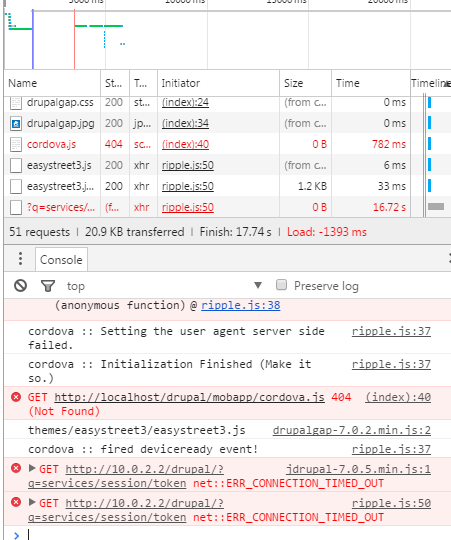
tyler.frankenstein commented10.0.2.2 is probably the wrong site path to be using. That IP is for an Android emulator to communicate with a localhost Drupal install. Since you are building a web application (and emulating it with Ripple), you should use the same URL you use to access the localhost Drupal site in your browser. For example: http://localhost, or http://localhost/my-drupal-site
Comment #19
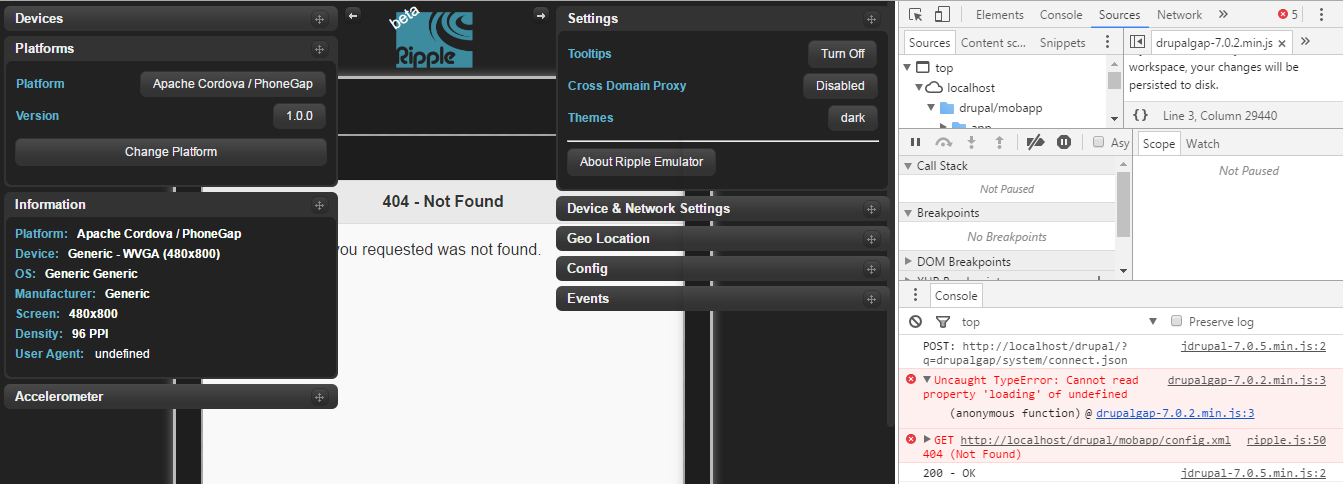
dina safwat commentednow i remove ripple plugin and install again , change site path and make sure of folder access my situation is drupalgap loaded but new error :
drupalgap-7.0.2.min.js:3Uncaught TypeError: Cannot read property 'loading' of undefined(anonymous function) @ drupalgap-7.0.2.min.js:3
ripple.js:50 GET http://localhost/drupal/mobapp/config.xml 404 (Not Found)(anonymous function) @ ripple.js:50initialize @ ripple.js:50pass @ ripple.js:13pass @ ripple.js:13pass @ ripple.js:13(anonymous function) @ ripple.js:38.