

 Come together with the global Drupal community in Rotterdam, 28 Sept – 1 Oct 2026. Sessions, contribution, connection, and Early Bird savings until 8 June.
Problem/Motivation
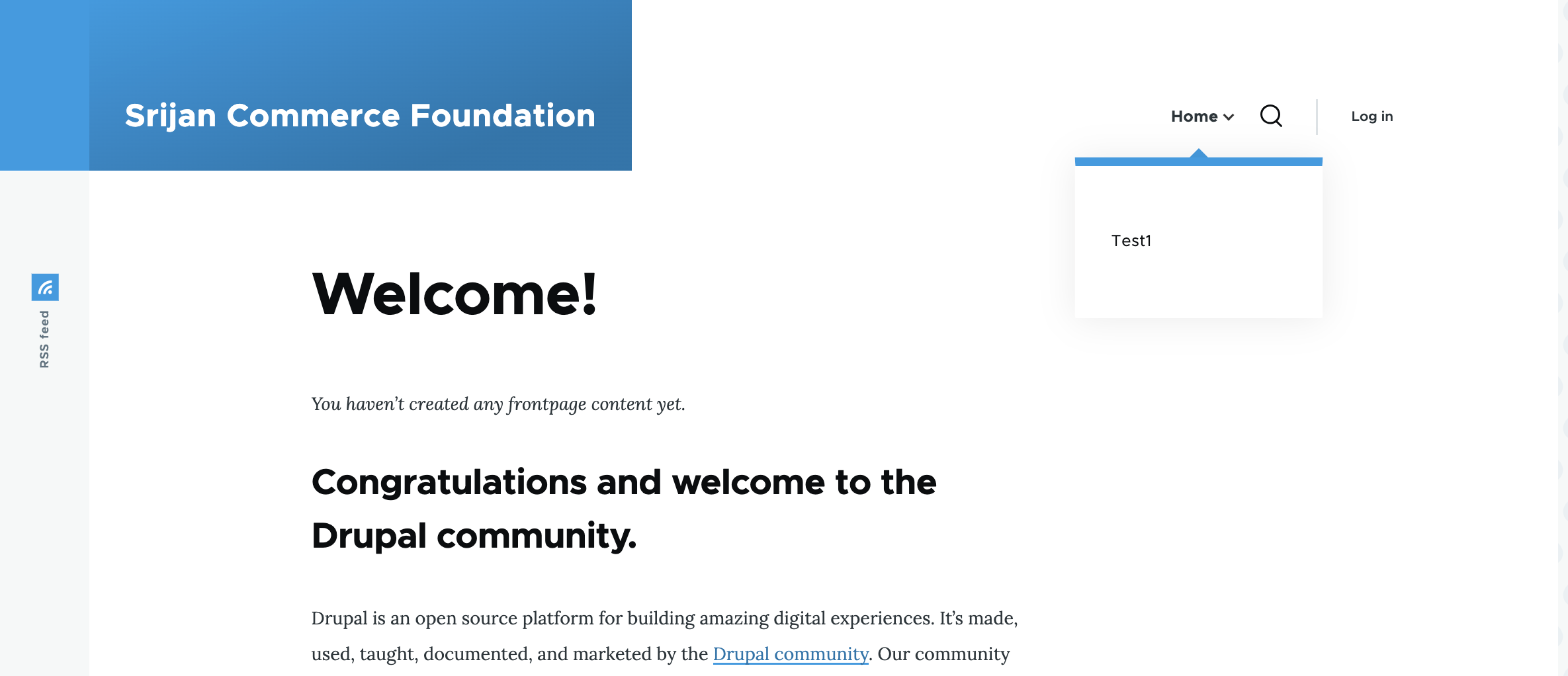
olivero theme dropdown menu not working when is hover, not show sub menu items.
Steps to reproduce
After update olivero theme dropdown menu not working and the block of recent content not show if is not admin.
And all ajax functions stop working en add node. in gin theme all work well, but olivero no if is not admin.
All working before update.
Proposed resolution
Remaining tasks
User interface changes
API changes
Data model changes
Release notes snippet
| Comment | File | Size | Author |
|---|---|---|---|
| #4 | Recent-content-block.png | 57.61 KB | preeti.chawla |
| #4 | Dropdown-menu.png | 268.53 KB | preeti.chawla |


Comments
Comment #2
cilefen commentedComment #3
ady1503 commentedI have found a temporary solution, enable ajax in the "frontpage" view.
And this is how the menu works and the recent content block is displayed,
but the ajax still doesn't work when editing the new node.
Comment #4
preeti.chawla commented@ady1503 I have Installed Drupal version 10.1.x-dev as mentioned and tested on my local, Its working fine as expected.
Enabled Olivero theme and add menu - Dropdown menu working fine
And Recent content block also shown with no Ajax issues in both the cases LoggedIN and anonymous
Please refer screenshot
Comment #5
cilefen commentedComment #6
ady1503 commentedHello.
Could it be that the problem is in the module: Permissions by Term?
I have it activated and configured to control all the functionality of the website. Because with the admin account everything works.
Before the upgrade to drupal 10.1 everything worked.
Users have the same permissions as before the update. The strange thing is that FormStates and ajax do not work for users other than admin, and only in the Olivero theme, in the Gin theme everything works fine.
Thank you
Comment #7
ady1503 commentedI found that the problem persists if both options are activated:
Bandwidth Optimization
External resources can be automatically optimized, which will reduce both the size and the number of requests to your website.
Combine CSS files
Merge JavaScript files
Comment #8
cilefen commentedThere have been a few bug issues opened about the new CSS and JavaScript optimizations introduced in 10.1.0. First, if you have not already, try 10.1.1 as it contains a fix for one of them. Here are some of those issues:
Comment #9
cilefen commentedPermissions by term has an open critical bug but I don't know if that affects your site.
Are there browser console errors?
Comment #10
ady1503 commentedHello.
I made this:
Using the rebuild script
Open settings.php (/sites/default/settings.php) in any plain text editor. Add this line to the end of the file and save it:
$settings['rebuild_access'] = TRUE;
Visit http://www.example.com/core/rebuild.php in your browser (where www.example.com is your site’s URL). After a short pause, you should be redirected to the home page of your site, and the cache should be rebuilt.
Open settings.php (/sites/default/settings.php) in a text editor. Find the line you added with $settings[rebuild_access], remove this line, and save the file.
In drupal 10.1.1 and works all, and this is for #3370828: Ensure that edge caches are busted on deployments for css/js aggregates, too.
If you want delete an cache.
Thanks
Comment #11
marcolam commentedI had the same problem, after uninstalled Node Authorize Link module, problem solved.
Comment #13
quietone commentedIt has been 18 months since steps to reproduce this were asked for, but haven't been supplied. This was also reported on Drupal 10.1.0, which is no longer supported and there were many fixes added to Drupal 10.1.1, see #8.
Therefore, I closing this issue. If you are experiencing this problem on a supported version of Drupal reopen the issue, by setting the status to 'Active', and provide complete steps to reproduce the issue starting from "Install Drupal core".
Thanks!