

 Come together with the global Drupal community in Rotterdam, 28 Sept – 1 Oct 2026. Sessions, contribution, connection, and Early Bird savings until 8 June.
Steps required:
Create a taxonomy and add it as a field in content type. Create a view sorted by taxonomy term.
Expected behaviour:
List would be sorted the same as the order set in the vocabulary admin page
Actual behaviour:
List is sorted 1,2,3,0 putting the first term last in the list. Tried showing row weights in vocabulary admin and setting weights to 1,2,3,4 as a quick fix but this gets immediately reset to 0,1,2,3.
| Comment | File | Size | Author |
|---|---|---|---|
| #3 | View table sort order.jpeg | 26.05 KB | Mark F |
| #3 | Table Sort Settings.jpeg | 298.82 KB | Mark F |
| #3 | Taxonomy sort order.jpeg | 127.06 KB | Mark F |
| #3 | Views Settings Page.jpeg | 578.6 KB | Mark F |

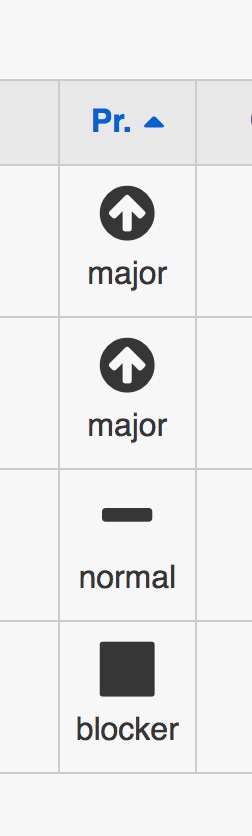
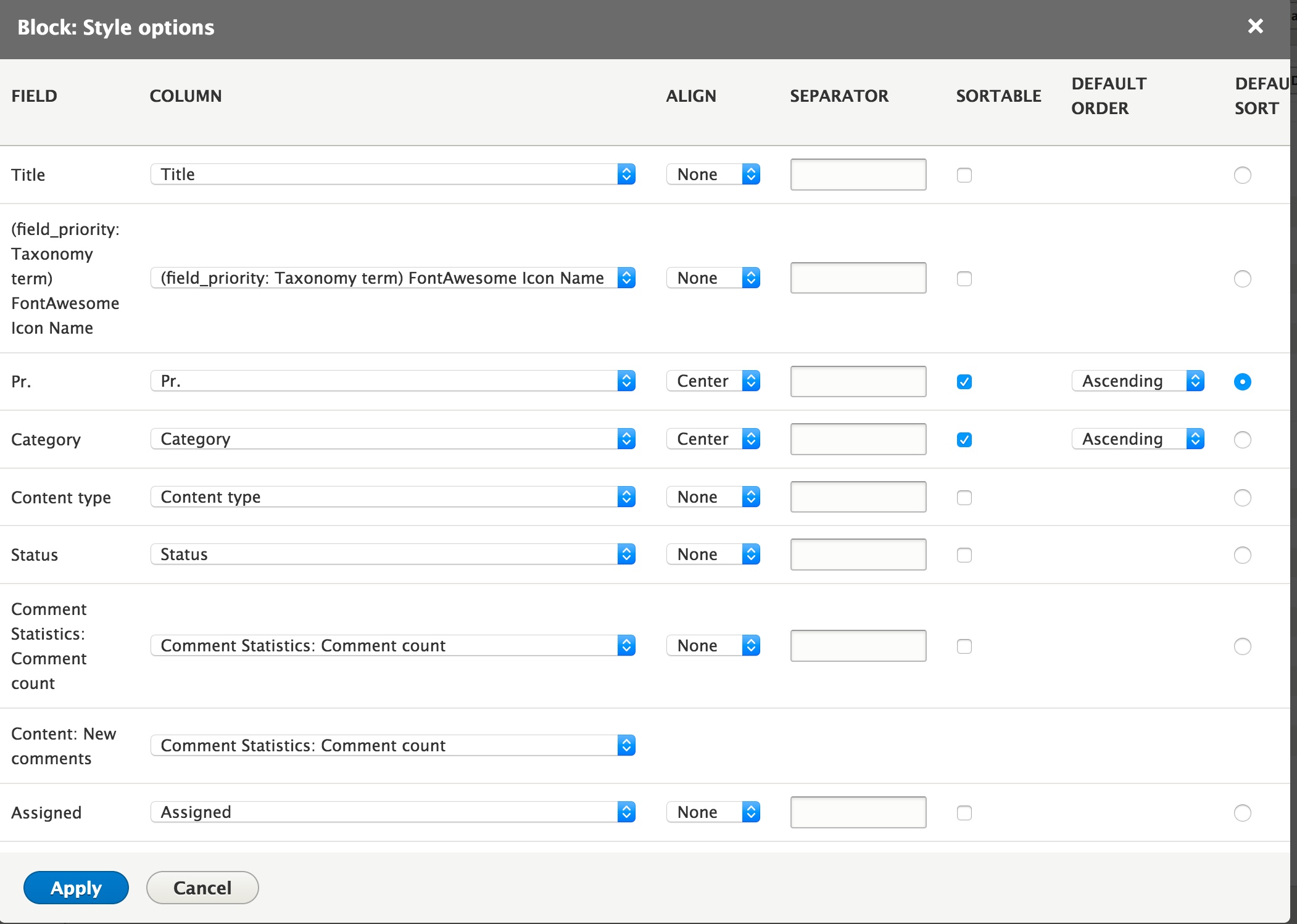


Comments
Comment #2
lendudeIs this a 'content' View that has a relationship to the taxonomy term or a View of taxonomy terms?
What is the View sorted on? Is it sorted on the taxonomy term weight or something else?
Comment #3
Mark F commentedIts a content view table with the only sort criteria being in the table settings where Pr. (priority) is the default sort. I've attached some screenshots.
Comment #4
alexrayu commentedRelated issues:
https://www.drupal.org/project/drupal/issues/2956594
https://www.drupal.org/project/drupal/issues/2928661
Comment #5
alexrayu commentedIt seems that this is related to cache. Ordering calamity happens when the user who does this is other than UID 1 - some other user with permissions to edit taxonomy.
Comment #7
pameeela commentedThis view is not configured to sort the content by term weight. As a field in the table, the 'Priority' value is just the name, not the term weight.
If you want to use the term weight to sort the content, you have to: