

Closed (cannot reproduce)
Project:
Drupal core
Version:
7.38
Component:
update.module
Priority:
Normal
Category:
Support request
Assigned:
Unassigned
Reporter:
Created:
4 Aug 2015 at 20:29 UTC
Updated:
10 Aug 2015 at 18:30 UTC
Jump to comment: Most recent, Most recent file


Comments
Comment #2
cilefen commentedAre there any watchdog errors or PHP errors? Since you are on a new platform, it will be good to check if PHP is allowed to make network connections. It can be blocked by things like selinux.
Comment #3
akshita commented@cilefen - Thank you for your quick turn around.
There are no watchdog errors related to PHP. Can you please give me a clue how to check if PHP is allowed to make network connections?
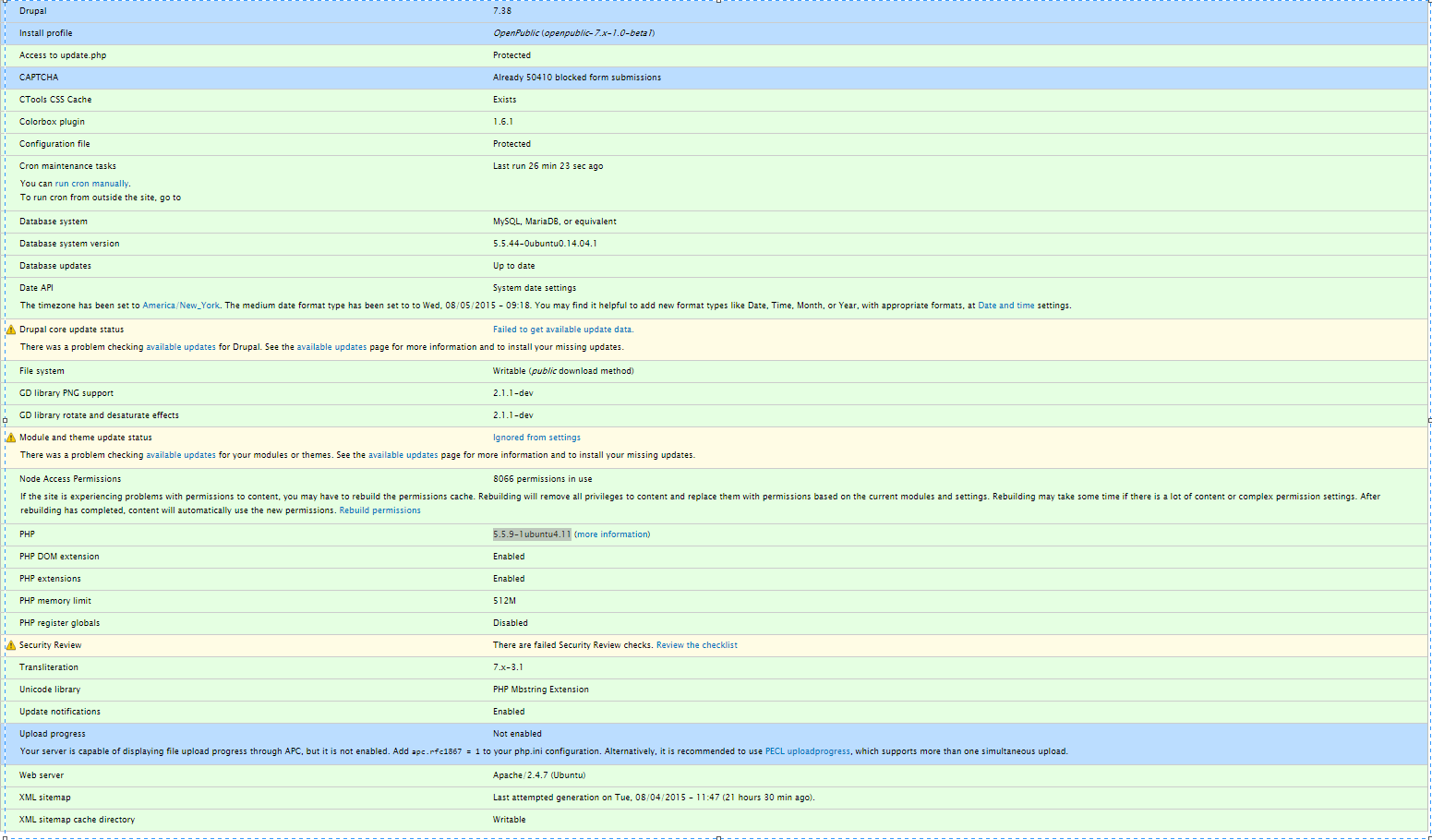
Here I am attaching the status report of the 64 bit env.
Thank you.
Comment #4
cilefen commentedAre there any PHP-related errors in the web server logs?
Note that this is a common question and one of the previous issues may contain an answer that works for you.
You could try a curl example: http://php.net/manual/en/curl.examples-basic.php
Comment #5
akshita commented@cilefen:
Sorry to bug you again. But I appreciate your patience.
Checked in /var/log/apache2/error.log --------- No PHP-related errors
I tried the following code on one of the test servers. I mean created a new site page and when tried to access the newly created page it is displaying white page-I have no idea what is this?:
Thanks
Revathi
Comment #6
akshita commented@cilefen:
Sorry to bug you again. But I appreciate your patience.
Checked in /var/log/apache2/error.log --------- No PHP-related errors
I tried the following code on one of the test servers. I mean created a new site page and when tried to access the newly created page it is displaying white page-I have no idea what is this?:
Thanks
Comment #7
cilefen commentedYou should probably have your sysadmin look into this.
Comment #8
akshita commentedI am the sysadmin but no clue just banging my head.
Comment #9
cilefen commentedDoes this produce output for you?
White screens of death (WSODs) can be logged. Did you get a chance to look at the other solutions?
Comment #10
akshita commentedHi Cilefen,
No output but rather displays as it is. Here is what I did:
Copied the above line into site page with the text editor "php code" .save the node and when tried to access the node it displays "print file_get_contents('http://updates.drupal.org/release-history/views/7.x');"
Other solutions I tried:
Increasing the fetch time and clearing the cache table apart from this I did not find any other new solutions.
Thanks
Revathi
Comment #11
cilefen commentedUsing the PHP module is discouraged for security reasons.
I meant that code as a general test of your web server. You may put it in a script like test.php, and ideally, on a non-production server. Execute it separately.
Did you get a chance to look at your php error logging settings? I linked to some info on that in comment #9.
Comment #12
akshita commentedNow I just put the code in a script (myTest.php) and it leads to WSOD.
Comment # 9- There are no error logs related to php.
Comment #13
cilefen commentedYou won't be able to proceed without knowing what the white screen error is. What are your error logging settings in php.ini? Specifically, what are the values of log_errors and display_errors?
Which files did you examine for PHP errors?
If a standalone script with the PHP code from #9 in it produces a WSOD, the problem is not Drupal.
Comment #14
akshita commentedSorry I got the PHP warning for WSOD:
PHP Warning: file_get_contents(http://updates.drupal.org/release-history/views/7.x): failed to open stream: Connection timed out in /var/www/html/mytest.php on line 2
In php.ini:
Comment #15
akshita commentedPHP Version is : 5.5.9-1
Comment #16
cilefen commentedThere you are—PHP is unable to reach the URL with a connection timeout. I don't know if there is more help you can receive in the Drupal core queue on this. You may have better luck in the #drupal channel on IRC or StackExchange. I have had this issue when dealing with selinux, for example.
Comment #17
akshita commentedThank you cilefen. Will give a try with #drupal channel on IRC or StackExchange and appreciated your patience.
Have a good one!
Comment #18
cilefen commentedI am going to close this. It can always be reopened.
Comment #19
akshita commentedSure. Thank you.