

Closed (outdated)
Project:
Drupal core
Version:
7.x-dev
Component:
base system
Priority:
Normal
Category:
Bug report
Assigned:
Unassigned
Reporter:
Created:
21 Nov 2014 at 00:25 UTC
Updated:
28 Aug 2019 at 22:00 UTC
Jump to comment: Most recent, Most recent file


Comments
Comment #1
tiko commentedThis problem can occur due to lack of styles directory permission. What OS are you using?
Comment #2
giupenni commentedMy hosting plan has Linux. In the same provider I have other Drupal installations and I have not problems.
The permissions are:
775 -> sites/default/files
755 - > sites/default/files/styles
The .htaccess in sites/default/files is:
I also tried to comment Options None and Options +FollowSymLinks without success.
I noticed the problem affect all uploaded files.
Comment #3
tiko commentedJust change the permission for sites/default/files/styles directory and its subdirs to 775.
Comment #4
giupenni commentedChanged but I have not solved.
In other installations the permission for sites/default/files/styles is 755 and I have not problems.
By the way, sites/default/files/styles is automatically generated by Drupal with 755 permission.
Comment #5
giupenni commentedIn sites/default/files/.htaccess I have change Options +FollowSymLinks to Options +SymLinksIfOwnerMatch and I solve it.
Is safe or could lead to a security issue?
Comment #6
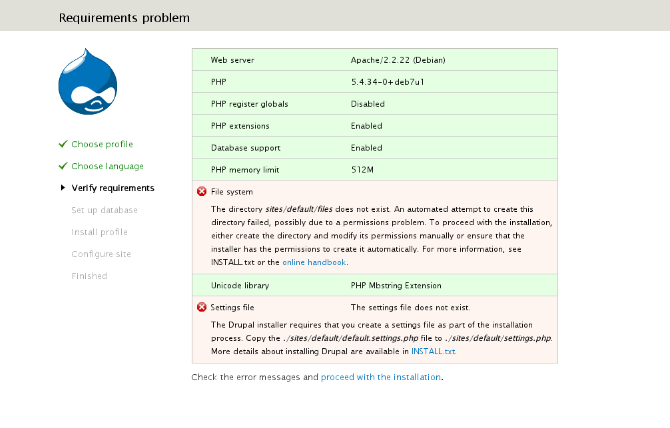
tiko commentedI try to install in Debian and it can't create "files" directory because "default" dir's permissions are 755.
If you change "default" dir's permissions to 777 the installation goes without any problems then you should change it to 775.
Meanwhile, I don't recieve any .htaccess file in default/files.
Comment #7
j420n commentedChange the ownership of the files directory to be owned by the user which is used by the web server, This may fix your issue.
On Debian it may be something like;
mkdir sites/default/files
chown -R www-data:www-data sites/default/files
You should not have permissions set to 777 on the files directory if it is a production server.
Comment #8
giupenni commentedThe problem was to change Options +FollowSymLinks to Options +SymLinksIfOwnerMatch in sites/default/files/.htaccess.
The .htaccess in sites/default/files must be present. https://www.drupal.org/SA-CORE-2013-003
So now my question is:
is safe to use Options +SymLinksIfOwnerMatch or could lead to a security issue?
I think safe but I'm not sure.
Comment #9
j420n commentedI came across this https://www.drupal.org/node/1269780
Comment #10
giupenni commentedBingo.
This is the problem.
Many hosts for safety reasons forbid +FollowSymLinks.
Can be a good idea bring the patch at Drupal 7 ?
Comment #11
giupenni commentedComment #12
viresh shah commentedI'm also getting same error. I'm using Windows 8.1 with XAAMP. I tried following:
1. Checked permission for “styles” folder and make sure it’s writable. At end I just gave “everyone” permission to /sites/default/files folder but didn’t work.
2. Tweaked .htaccess file in /files folder as per#5 but doesn't work. Even I commented out those lines:
# Turn off all options we don't need.
#Options None
#Options +FollowSymLinks
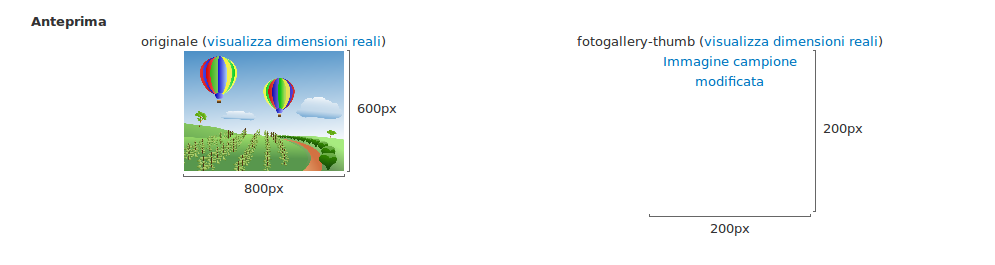
Please check attached file how it looks when you access image styles. Any help would be highly appreciated. Thanks!
Comment #13
viresh shah commentedUpdates to #12
It turned out to ImageMagick configuration issue. I had to install imagemagick PHP extension for windows and we've to set a field path to convert library at 'admin/config/media/image-toolkit'.
Comment #14
scor commentedLooks like you may be hitting the fix that was introduced in Drupal 7.20 for protect agains DoS attacks via image derivatives: https://www.drupal.org/drupal-7.20-release-notes
Comment #15
oemb29 commentedTo solve this issue you must to create a folder outside of website directory and put 755 permission and change it at admin/config/media/file-system
Comment #16
caspervoogt commented@oemb29, on admin/config/media/file-system it says "A local file system path where public files will be stored. This directory must exist and be writable by Drupal. This directory must be relative to the Drupal installation directory and be accessible over the web.".