

Closed (fixed)
Project:
Drupal core
Version:
7.0
Component:
theme system
Priority:
Major
Category:
Bug report
Assigned:
Unassigned
Reporter:
Created:
7 Jan 2011 at 00:38 UTC
Updated:
8 Jan 2011 at 07:50 UTC
Jump to comment: Most recent, Most recent file




Comments
Comment #1
webchickNotices are definitely not a critical bug, though they do definitely look scary. :)
Can you post more specific instructions on how to reproduce this error? Ideally, could you could walk someone through steps like:
1. Download Drupal 7.0
2. Install it
3. Click the foo link
4. Click the bar button
5. OMG errors!
Comment #2
Bright Web Design commentedFirst of all I wanna say thanks to such a lightening speed support.
I am so happy and thrilled because I am a big fan of Webchick. I used to watch all the video sessions and read the Using Drupal book and a daily visitor to Webchick blog and Lullabot site too.
I have already had my beta version of Drupal in the local system, and I have updated every time a new version is released till the stable Drupal7.0
I have upgraded the Drupal core by overriding the existing by leaving (avoiding) the sites folder.
Third Party Modules I used till now.
1) auto_nodetitle
2) charts (disabled)
3) ctools (disabled)
4) date
5) entity
5) google_analytics
6) loggintoboggan
7) nice_menus
8) options_elements
9) profile2
10) rules
11) simplenews
12) token
13) views
14) webform
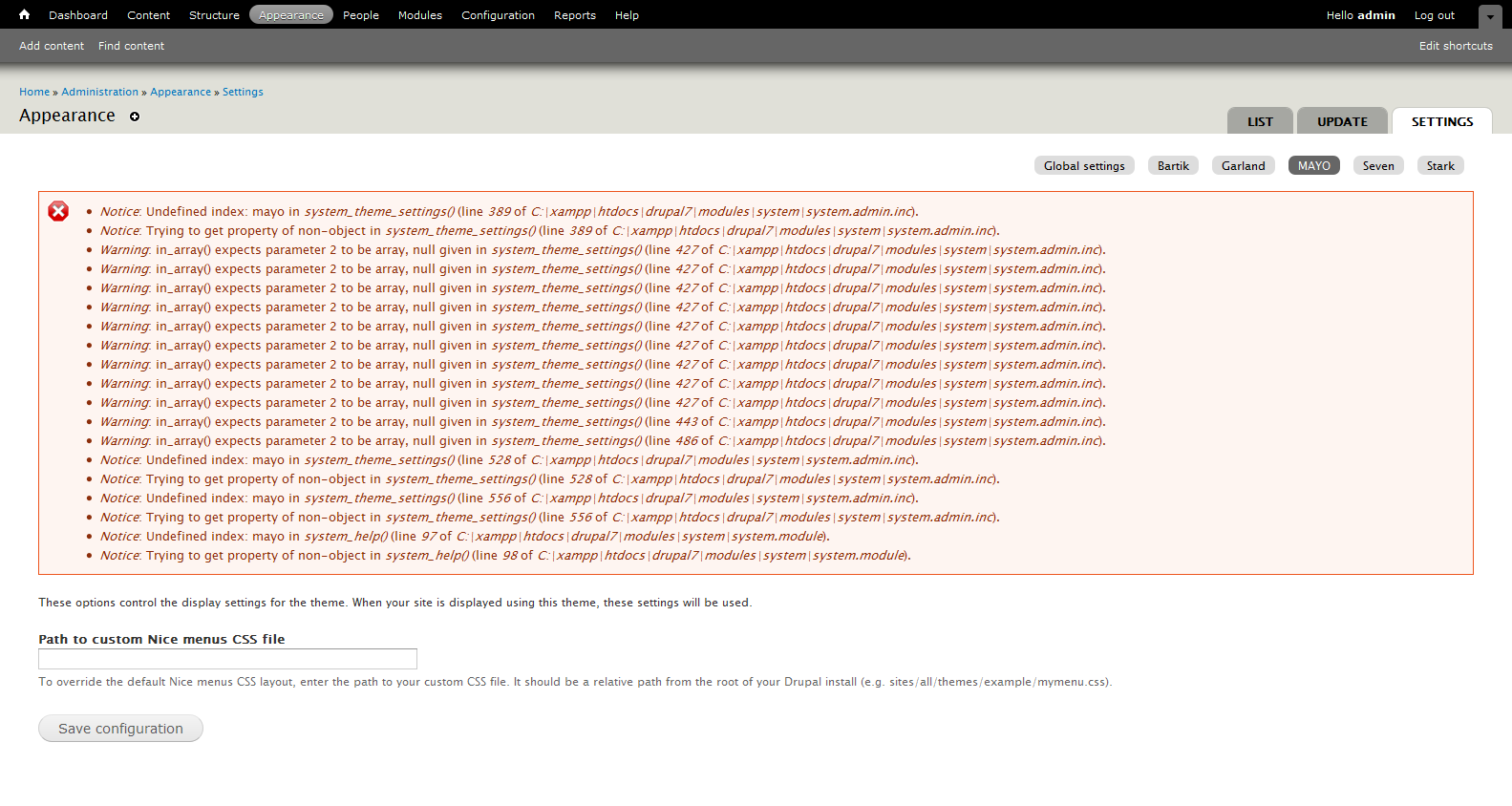
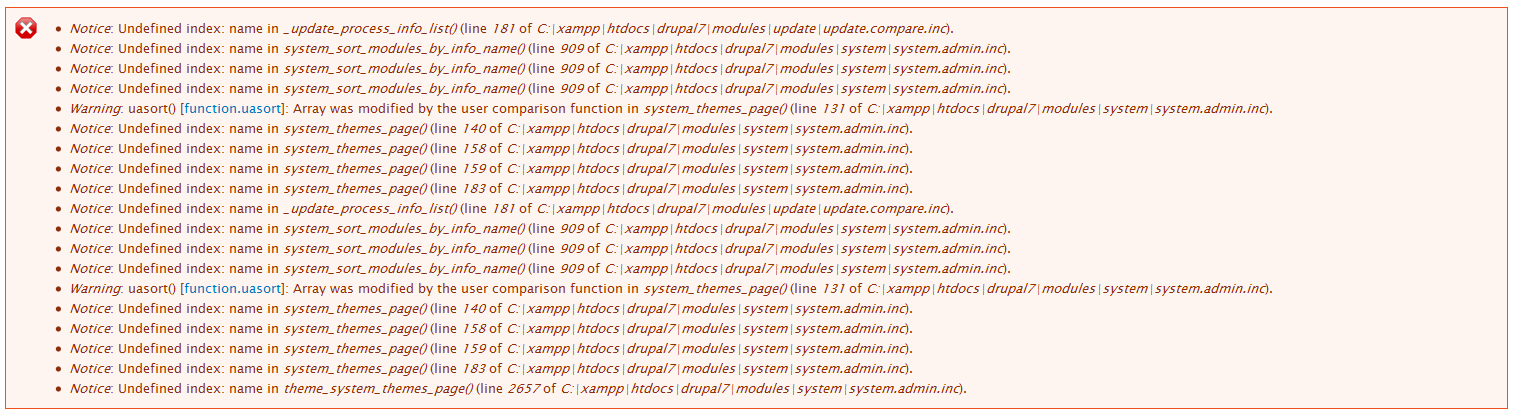
Please have a look at the attached screen-shot files.
How I got this error
1) I decided to create a custom theme
2) Just copied Stark 7.0 theme from Drupal core theme folder to sites/all/themes folder
3) Navigated to http://localhost/drupal7/admin/appearance to enable the theme
4) There she goes....(error!!!)
I decided to run the update.php and clear the cache but no use then I deleted the newly added theme but the errors don't go away.
For reference I have attached sreenshot of the theme section.
Once again thank you so much for your amazing works and kind heart.
Best wishes for your Development works.
Comment #3
webchickAw, well thanks! :D Nice to meet you!
Looking at the modules list, I don't see anything too suspicious. However, I'm also not able to reproduce using the steps you said.
I did the following:
1. Downloaded 7.0 (drush dl drupal-7.0)
2. Installed it (drush si --db-url=xxx) and logged in.
3. Navigated to the admin/appearance page. No error.
4. Copied Stark to sites/all/themes (cp -r themes/stark sites/all/themes/stark)
5. Clicked "Enable" on Stark. No error.
6. Clicked "Set default" on Stark. No error.
Can you see if you can get the same problem starting with a fresh install of Drupal 7? And if not, start selectively copying things over one at a time until you find the culprit?
Comment #4
Bright Web Design commentedDear Webchick,
I have recheck again I found this strange thing happening on the theme settings page.
As you can see on my last sreen-shot I have no theme called MAYO but on the settings page I have a configuration option for the MAYO theme.
This theme was used for testing and I didn't like it so that I disabled and deleted, but on the theme settings page it still exists.
Here are some more screen shots for reference. Please have a look at them.
I have also noticed that this same theme settings thing happening on the block configuration page too.
Thanks always.
Comment #5
Bright Web Design commentedLooking for a solution.
Comment #6
bfroehle commentedComment #7
berdirAre you sure that you don't have accidently placed the mayo theme folder somewhere where it doesn't belong? modules/, themes/ or /sites/all/modules for example?
Comment #8
Vekseid commentedI'm only getting this error when the Sky theme is present in the themes directory (sites/all/themes), myself.
Comment #9
webchickHm. Sky theme (7.x-1.1) works fine here on a fresh install.
I tried moving stark from /sites/all/themes to /sites/all/modules, and no errors that way either.
Marking back to "postponed (maintainer needs more info)" until we can get step-by-step instructions for how to reproduce from a clean Drupal 7 install.
Comment #10
Vekseid commentedApparently it was fixed in 1.1: http://drupal.org/node/1016854
It's behaving for me now at least.
Comment #11
bfroehle commentedComment #12
tim042849 commentedI just ran into this problem with I created a new module info file and capitalized the name property.
change Name to name corrected the problem