

 Come together with the global Drupal community in Rotterdam, 28 Sept – 1 Oct 2026. Sessions, contribution, connection, and Early Bird savings until 8 June.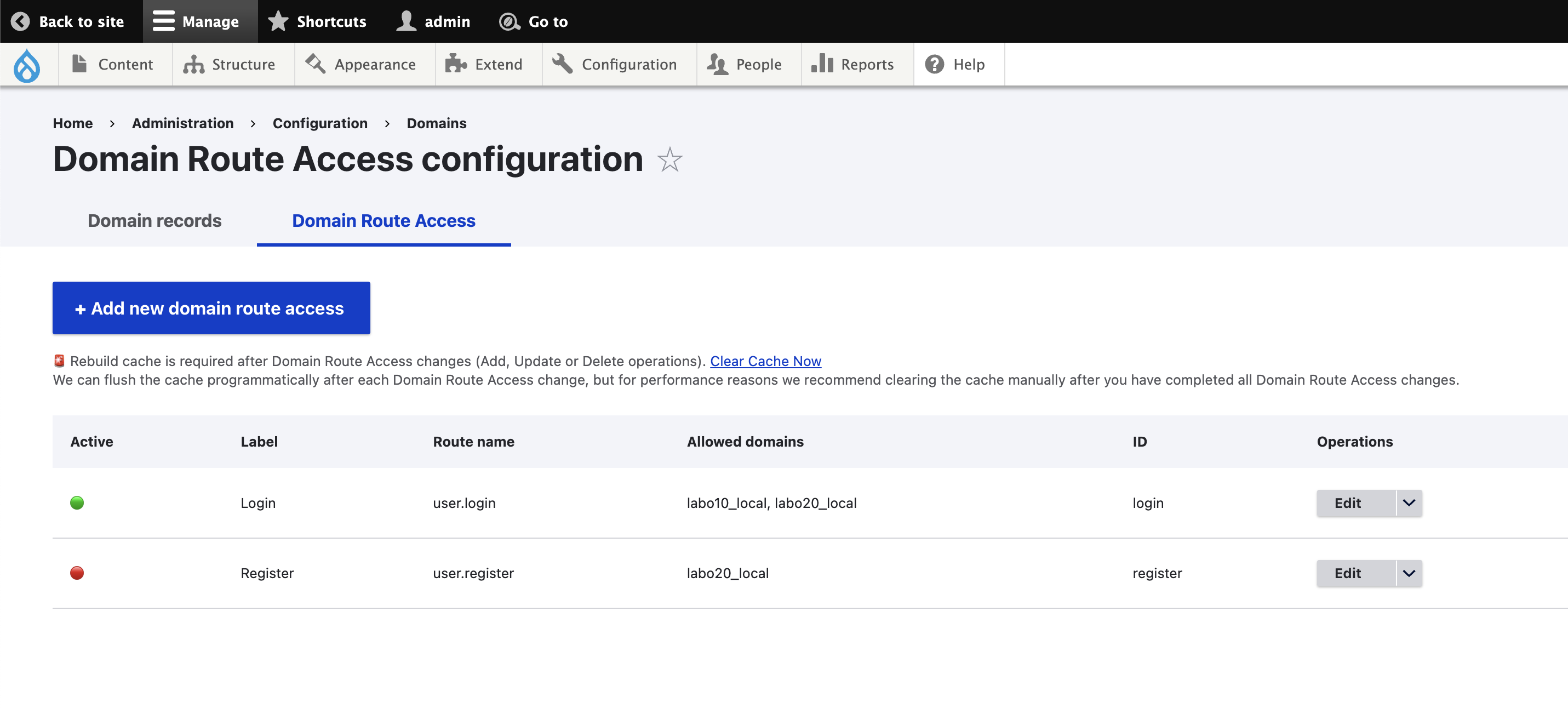
The Domain Route Access UI module provides a new configuration entity to manage access to existing routes by domain from back office.
Use case example:
You have two domains example1.com and example2.com and you want users to be able to create their accounts only on the example2.com domain. With Domain Route Access, you can achieve this by adding an access check on the user.register route so that it is only accessible on example2.com.
Configuration
To add new Domain Route Access check:
Option 1: Via Domain Route Access config entity
- Go to Domain Route Access config entity collection page:
/admin/config/domain/route-access - Click Add new Domain Route Access action link
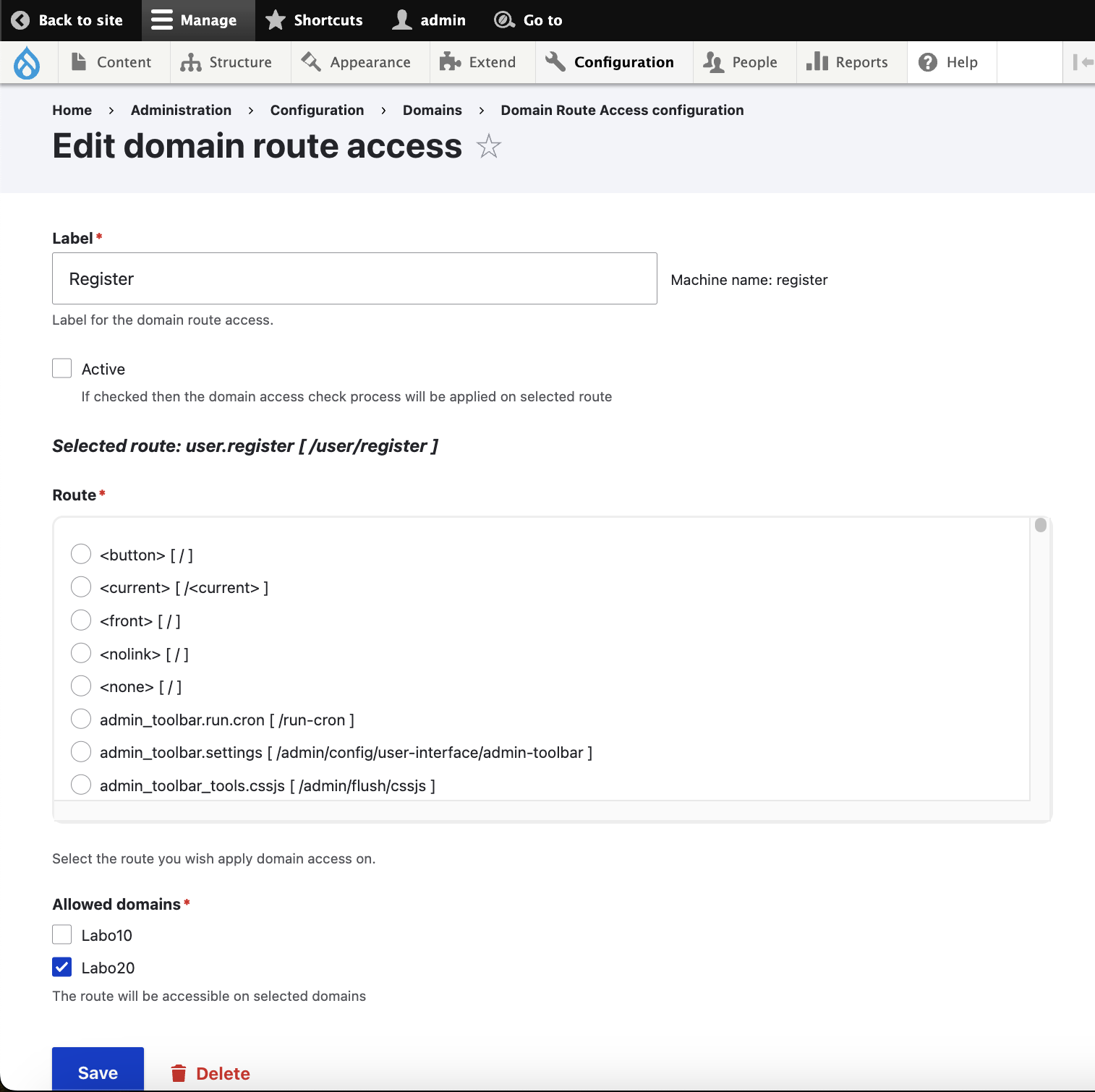
- Fill in the new Domain Route Access config entity form and click Save
- Clear Drupal cache
For each Domain Route Access configuration entity, you could:
- Select the route for which you want to check access by domains
- Select the allowed domains on which the route should be accessible
- Enable/Disable the Domain Route Access check
Option 2: Using existing _domain route requirement
my_module.custom_route:
  path: '/foo/bar'
  defaults:
    _controller: 'Drupal\my_module\Controller\BarsController'
  requirements:
    _permission: 'view bars content'
    _domain: 'domain1_id+domain2_id'
Additional Requirements
Domain Route Access requires Domain contrib module.
Project information
- Project categories: Access control
- Ecosystem: Domain
 8 sites report using this module
- Created by b.khouy on , updated
 Stable releases for this project are covered by the security advisory policy.
Look for the shield icon below.

