

Postponed (maintainer needs more info)
Project:
Dynamic display block
Version:
7.x-1.0
Component:
User interface
Priority:
Normal
Category:
Support request
Assigned:
Reporter:
Created:
14 May 2012 at 18:31 UTC
Updated:
5 Aug 2012 at 23:52 UTC
Jump to comment: Most recent file


Comments
Comment #1
ppblaauw commentedDo you have a link to your site?
Did you clear the cache after installing the slideshow theme to let the drupal themesystem pick up new tpl.php template files?
Comment #2
chaloum commentedI've got the same issue and yes have cleared the cache. The config is a litte confusing and I think that is were I'm coming unstuck.
It allows me to choose a content type but then I can only choose one node thus the node I choose is the node that is displayed. There doesn't seem to be a way to tell it to either just work from the content type or select nodes from the content type.
Comment #3
cm1se7en commentedI also got that error. but still can't fix.. :(
Comment #4
ppblaauw commentedThe original poster is talking about the advanced slideshow options. (see tutorial: http://ddblock.myalbums.biz/node/1971)
#2 Chaloum - you say I have the same issue, but you use the basic options of the ddblock module. (for basic option using a single node, there is no drupal 7 tutorial yet, but it is similar to Drupal 6 (see tutorial: http://ddblock.myalbums.biz/node/928) although it is easier to use a content type, views and the advanced options of the ddblock moddule.
#3 I don't know what is your error.
can you explain more
Comment #5
cm1se7en commentedSorry, now that is rotate, i forget to choice region section of DDblock block configure. I thought that don't need when i changed block to region in block section.
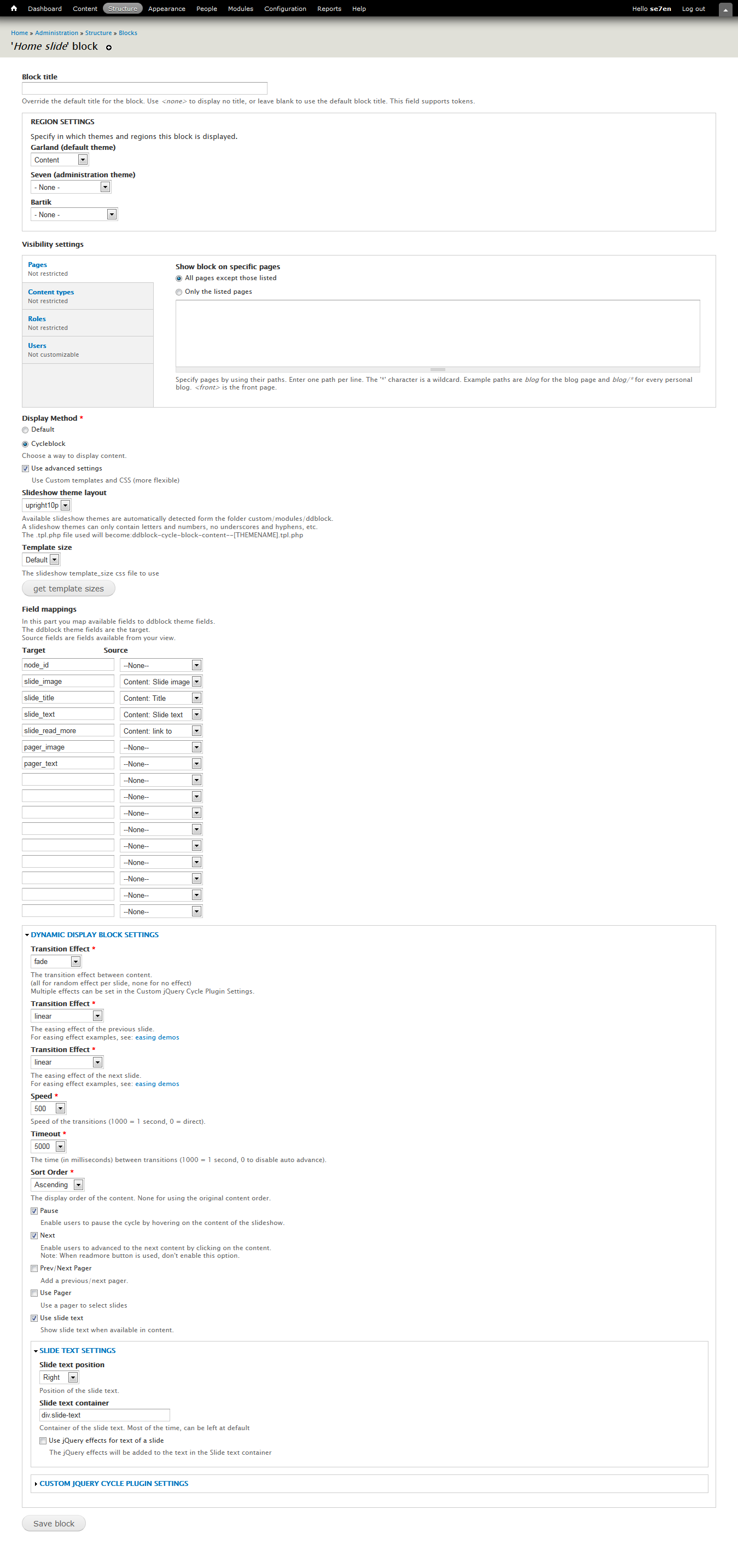
But i can't do exactly like my view result (see att view.png) . i want to show readmore and link to some page. (manual input content link) (see at ddblock-config.png)
Thanks
Comment #6
mark@redhorseinteractive.com commentedI am also experiencing the issue in configuring the dynamic display block to work with "content types" (content settings), when I choose a specific content type in the pulldown, another pulldown populates to allow me to choose ONE NODE ONLY.... therefore I have a rotater with only one node in it. It seems very illogical so there must be something I am missing. Can anyone tell me. Using Drupal 7.
Comment #7
ppblaauw commented#6
See my post in #4, It explains the difference between basic and advanced options of the ddblock module.
hope this helps you further.