i hope you can be of help. i have been working to get this module working for embedded video for longer then I'd like to admit. i read and reread the instructions but i must assume I'm doing something wrong.
i downloaded all the files you provided to do this, imported the content type and views. I've setup the content, setup the DDblock instance and set the settings but i cannot get the block to work properly. i put a drupal_set_message right after the function starts so no matter what, it should execute my message if the function is executed but I'm not getting the message.
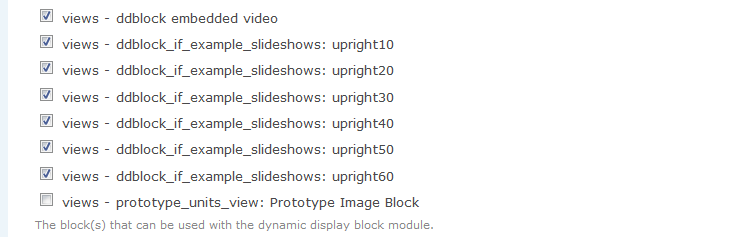
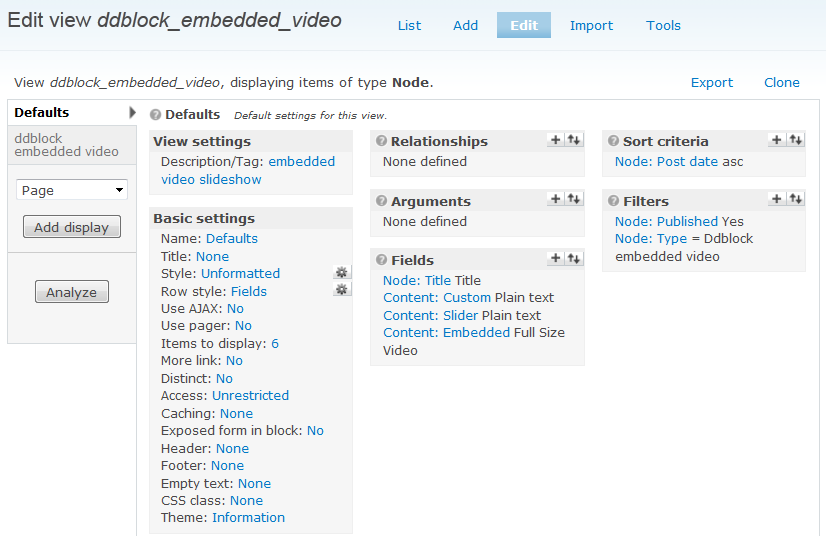
attached are several screen shots. i have provided a shot of the dd block configuration screen showing the advanced setting and "custom" pager selected, the embedded view, the view name and the settings page. the one issue i see that that I'm using panels and i cannot get the 4 mini-panels in screen shot, "dd block setting 3", to save. i turn them on, click "save configuration" and when i go in again they are unchecked.
I've also attached the template file. you will notice i have NOT changed the view name as i cant even get the drupal_set_message to print out to confirm the view and field name.
a dev version of the site can be found here: http://70.88.79.253/comscan.biz/. it's current theme is Stark so there is no formatting yet. the videos I'm trying to make work are directly under the Main menu.
any help in getting this fix would be greatly appreciate. this looks like a fantastic module and i would love to use it.
sincerely,
walter





Comments
Comment #1
ppblaauw commentedIt looks like on the site, that you use the views_slideshow ddblock module instead of the ddblock module.
I would advise to keep using the views_slideshow_ddblock module version 2.x
The views_slideshow_ddblock does not use the preprocess functions anymore in the template.php but mapping of views fields to slideshow theme variables.
The views_slideshow_ddblock is configured in views.
See: http://ddblock.myalbums.biz/node/1787 for instructions.
Hope this helps you further, please let me know.