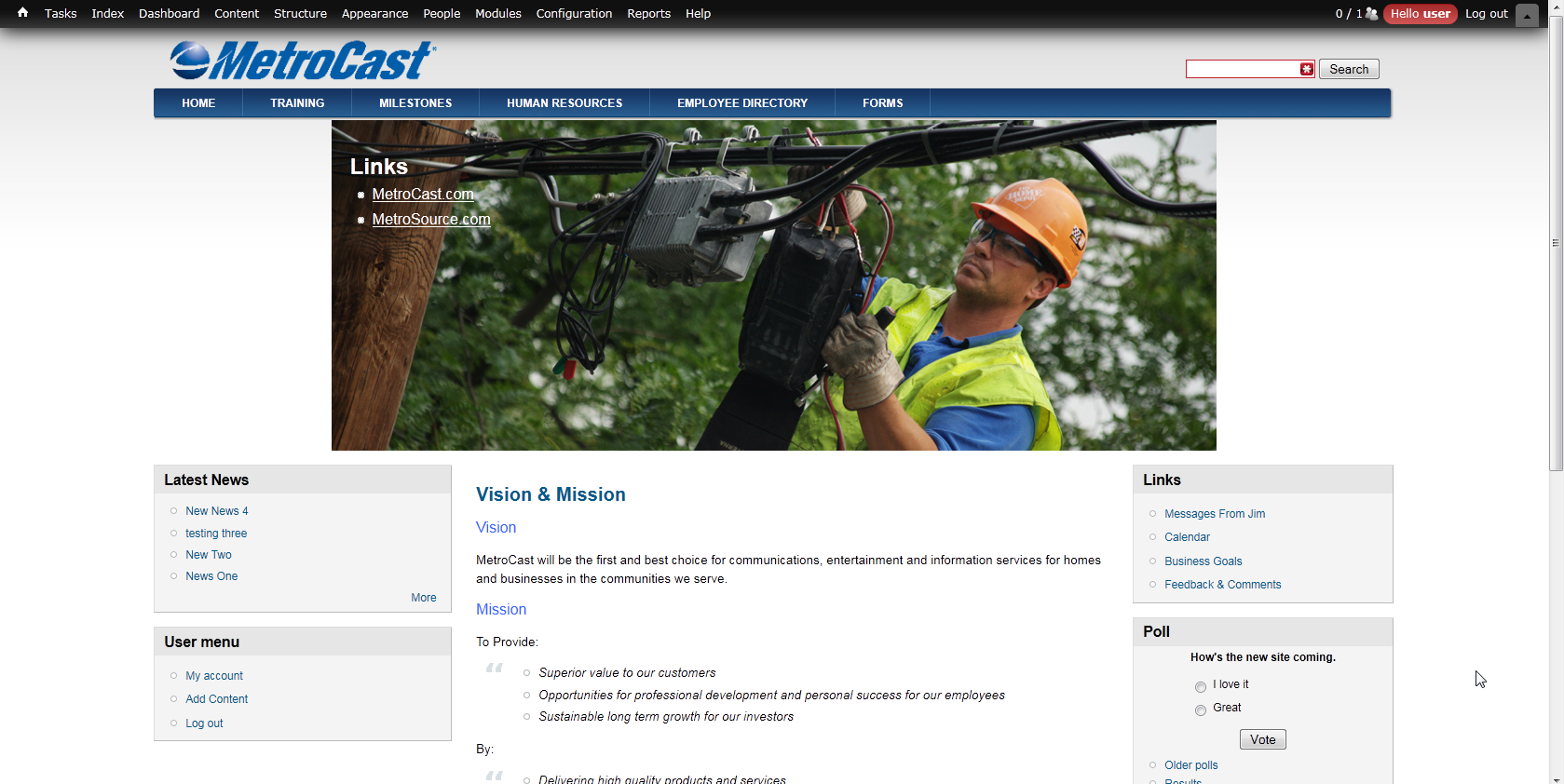
I've been pulling my hair out, here is a screen shot of my site, I've changed the width on the 3-column layouts as I needed it a bit Wider I've gotten the menu's and regions to match each other. Now I would just like to get the slideshow to match
I've tried editing the CSS in a million different ways :( Please any help would be great!
#slideshow-wrapper{
width:100%;
background: transparent url(images/slideshow-shadow.gif) no-repeat center bottom;
height:420px;
margin-bottom:-45px;
margin-top:14px;
}

.slideshow-inner{
width:950px;
margin:0 auto;
height:355px;
position:relative;
z-index:1;
overflow: hidden;
}

#slideshow-preface {
float:left;
position:absolute;
text-align:left;
z-index:4;
}

.slideshow {
width:950px;
height:355px;
position:relative;
z-index:2;
overflow: hidden;
}

#preface {
margin: 20px;
font-size:1.2em;
color:#fff;
display:block;
float:left;
}

#preface .contextual-links a{
text-decoration:none;
}

#preface .block-title {
margin-top:20px;
}

#preface .region {
margin:20px 0;
}

#preface a {
color:#fff;
text-decoration:underline;
}

#preface a:hover {
text-decoration:none;
}

#slideshow-bottom{
width:950px;
float:left;
background:url(images/mission-bg.png) no-repeat center bottom;
min-height:65px;
position:absolute;
bottom:0;
left:0;
text-align:right;
z-index:3;
}


Comments
Comment #2
Deepika.chavan commentedHi,
Try increasing the width of images in 'paga-front.tpl.php' (and page.tpl.php file if slideshow is there on other pages too).
see the following code (Note:I have increased the width here) :
Also need to change the width of '.slideshow-inner', same as the above width.
So add following css code in your local.css file
Please clear cached data.
HTH!!
Rgrds,
Deepika Chavan
Comment #3
calbert commentedOK, as far as I can tell all that does is increase the Image inside of the slideshow, it doesn't make the slideshow frame itself any larger.
I need the frame itself to be 100% of the new width of the 3-column layout, and when you change a px to % it breaks everything.
Comment #4
danpros commentedHi,
Danland has 950px for slideshow maximum width so please change any slideshow related value to your custom maximum width
Dan
Comment #5
quid.oblitus commentedHi Dan, Any thoughts on an easy way to display a less-wide slideshow on the left or right with an unstyled mini-panel to the left or right of the slideshow, the block positioned using some css in the local.css file. I assume I'll have to make a new image for the slideshow shadow.
See the attached to get a feeling for what I mean.
This is the kind of thing that might have me tearing my hair out, but knowing that it can be done, and maybe some hints should make that process less painful. Thx.
Comment #6
hitvika_verma commentedComment #7
hitvika_verma commentedComment #8
bhumikavarshney commentedPatch #6 throws error while applying.
Error:
Checking patch css/style.css...
error: css/style.css: No such file or directory
Comment #9
bhumikavarshney commentedPlease review the uploaded patch.