

This project is not covered by Drupal’s security advisory policy.
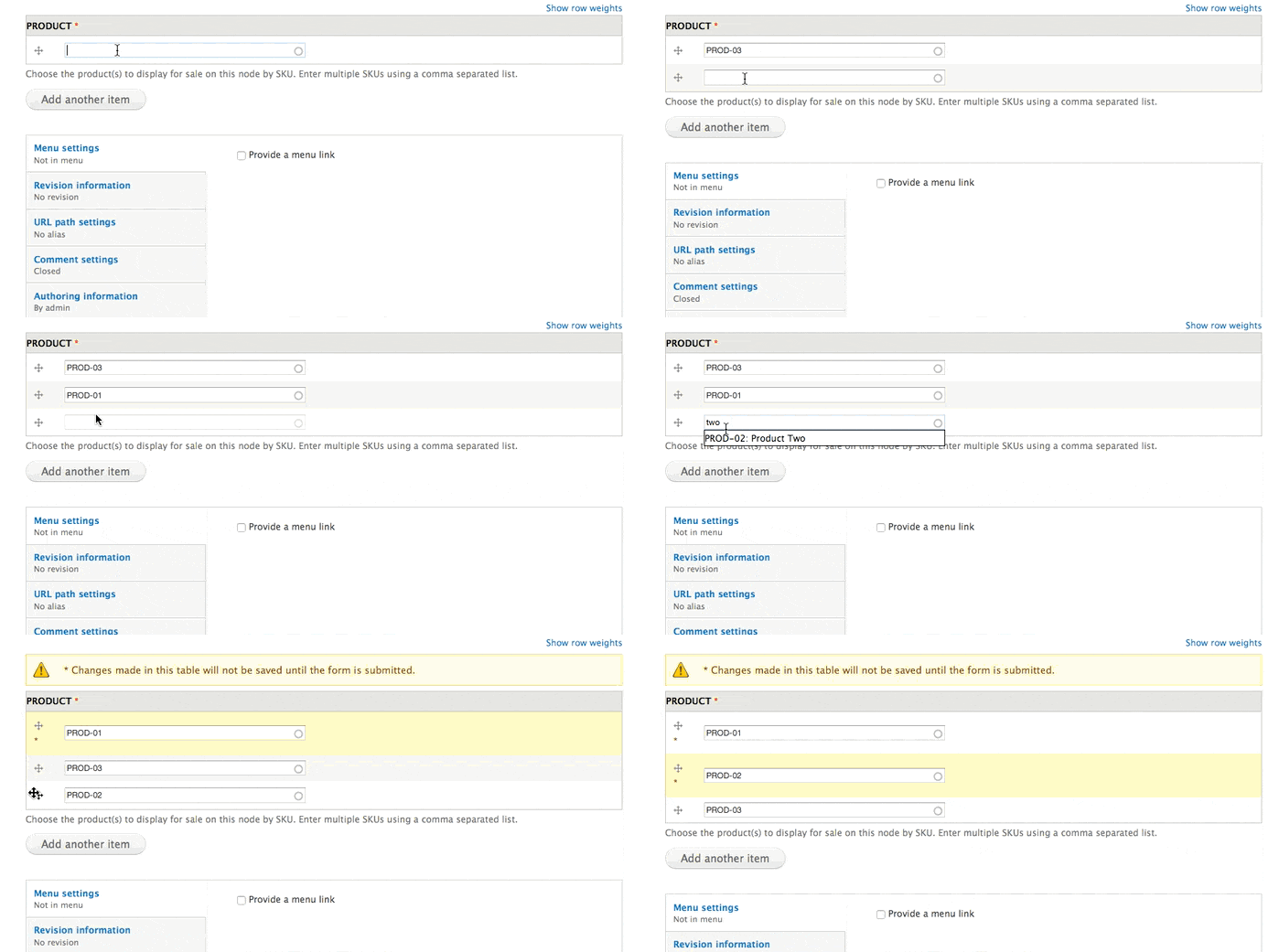
This module provides an extra widget allowing to add multiple products to a display node by using multiple autocomplete textfields.
Installation
- Place this module in the folder sites/[all]/modules/contrib.
- Go to the Module page at Administer > Modules and enable it.
Configuration and usage instructions
- Edit your product display, i.e Administration » Structure » Content types » Product display » Manage fields » Product » Widget type
- Select "Product autocomplete multiple field" from the list of widgets.
- Add / Edit a product display node and you'll see the new widget.

Acknowledges
- Cambrico: Development and maintenance.
- Sponsored by Lanas y ovilllos
Get in touch with us for customizations and consultancy.
Supporting organizations:
Development
Project information
 Maintenance fixes only
Considered feature-complete by its maintainers.- Project categories: E-commerce, Site structure
- Ecosystem: Commerce Core
 13 sites report using this module
- Created by pcambra on , updated
 This project is not covered by the security advisory policy.
Use at your own risk! It may have publicly disclosed vulnerabilities.


