

 The 2026 Drupal Business Survey is open. Your response will help shape the future of the Drupal business ecosystem.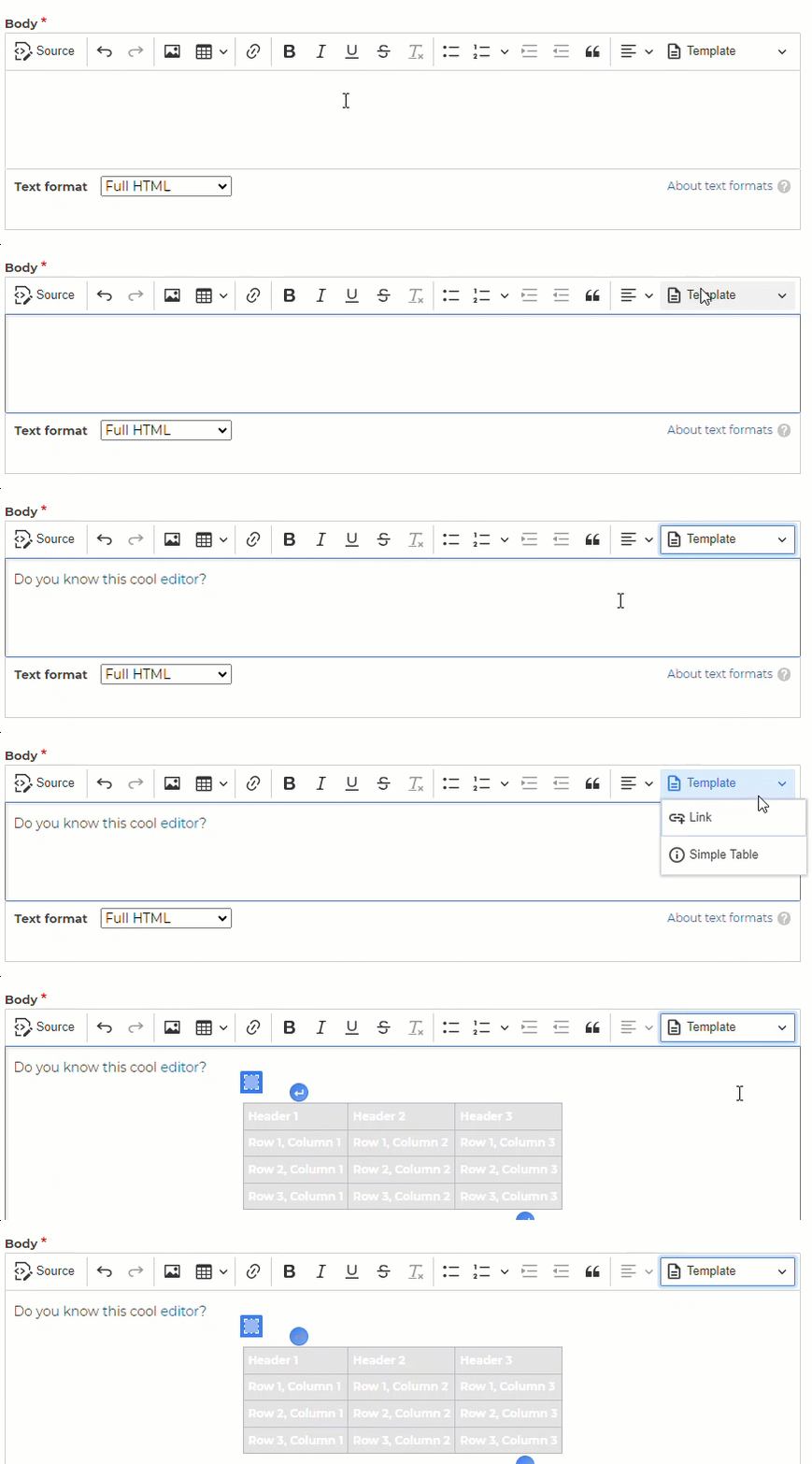
This project provides a CKEditor 5 plugin for Drupal.
It allows to insert predefined content.
It is a successor of the Drupal ckeditor_templates module.
The predecessor is unfortunately only compatible with CKEditor 4.
To ensure that the template functionality also works with CKEditor 5,
we have developed the module.
Requirements
This module requires that you enable the CKEditor 5 module in Drupal core.
Installation
Install as you would normally install a contributed Drupal module. For further
information, see Installing Drupal Modules.
Configuration
- Go to
/admin/config/content/formatsand drag the template button
from the available buttons to the active tool list and save - Configure the template file which should be used
Usage
The required templates can now be provided in the following format in the previously specified template file:
[
    {
      "title": "Link",
      "icon": "<svg xmlns=\"http://www.w3.org/2000/svg\" width=\"24\" height=\"24\" viewBox=\"0 0 24 24\"><path d=\"M8 16h8v2H8zm0-4h8v2H8zm6-10H6c-1.1 0-2 .9-2 2v16c0 1.1.89 2 1.99 2H18c1.10 2-.9 2-2V8l-6-6zm4 18H6V4h7v5h5v11z\"/></svg>",
      "description": "Insert a link to the CKEditor 5 Template plugin.",
      "html": "<p>Do you know the cool <a href='https://www.drupal.org/project/ckeditor5_template' target='_blank'>CKEditor 5 Template plugin</a>?</p>"
    },
...
]
- title |
unique string(Each title can exist only once) - icon |
svg content - description |
string - html |
any custom html code
You can find an example in the module folder
ckeditor5_template/template/ckeditor5_template.json.example.
Related modules
- CkEditor Template UI : adds a user interface to edit templates from the backoffice
Project information
- Project categories: Content editing experience
 7,228 sites report using this module
- Created by vincent.hoehn on , updated
 Stable releases for this project are covered by the security advisory policy.
Look for the shield icon below.


