Closed (fixed)
Project:
Business
Version:
7.x-1.x-dev
Component:
User interface
Priority:
Critical
Category:
Support request
Assigned:
Reporter:
Created:
18 Feb 2012 at 19:19 UTC
Updated:
10 Feb 2013 at 13:49 UTC


Hello,
How can I change background color of the Blocks in this theme? Like the attached photo, Business Card and Other ways section
Thanks
| Comment | File | Size | Author |
|---|---|---|---|
| sample.jpg | 144.02 KB | dfcwolf |

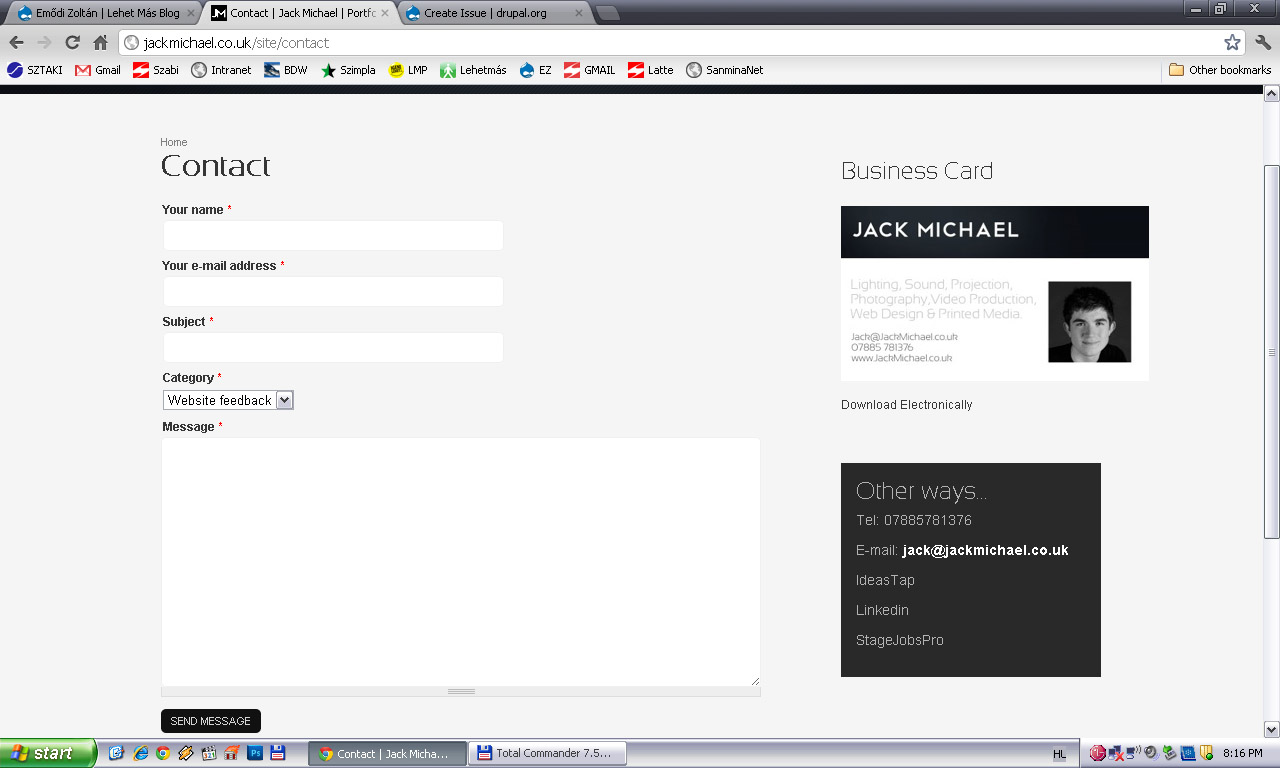
Comments
Comment #1
shadcn commentedYou will need to find the CSS #id of the block (use firebug in firefox) and then add the following code to the theme CSS (structure.css should do).
Comment #2
dfcwolf commentedThank you! Working!
Comment #3
dfcwolf commentedComment #4
piquef commentedA follow-up question (kinda) ... is there a way to make the title background of a specific block a different color to the title background of all other blocks? I am trying to give visual prominence to a particular block and just making its text a different color, though easy, is not what I want. Thanks for any help.
Comment #5
shadcn commentedIt should work the same way posted above :
Comment #6
Praveen04 commentedwhere can i get the css #id of my block?
and where do i have to paste the given code in order to give the background???