



INTRODUCTION
The Breadcrumb field module provides configurable breadcrumbs that improve on core breadcrumbs by including the breadcrumb field with possibility to override current page crumbs. This module is currently available for Drupal 10.x.
Breadcrumb field can be used with nodes and taxonomy terms entities. You can add breadcrumb field type to these entities. Also, Breadcrumb field uses the current URL (path alias) and the current page's title to automatically extract the breadcrumb's segments and its respective links.
REQUIREMENTS
This module requires no modules outside of Drupal core.
INSTALLATION
Install the Breadcrumb field module as you would normally install a contributed Drupal module. Visit https://www.drupal.org/node/1897420 for further information.
CONFIGURATION
1. Navigate to Administration > Extend and enable the module.
2. Navigate to Administration > Configuration > User Interface > Breadcrumb field settings
for configurations. Save Configurations. (/admin/config/user-interface/breadcrumb_field_form)
3. Add breadcrumb field to the node or taxonomy term entities.
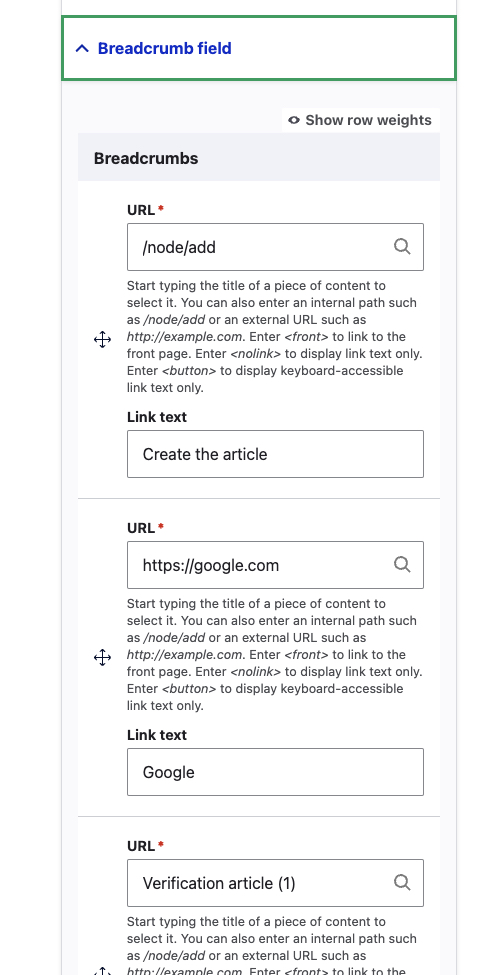
4. Notice the new breadcrumb field wrapper in the edito form
5. Add links you need
Configurable parameters:
- Include / Exclude the front page as a segment in the breadcrumb.
- Include / Exclude the current page as the last segment in the breadcrumb.
- Use the real page title when it is available instead of always deducing it from the URL.
- Print the page's title segment as a link.
- Use a custom separator between the breadcrumb's segments. (TODO)
- Choose a transformation mode for the segments' title.(TODO)
- Make the 'capitalizator' ignore some words. (TODO)
Supporting organizations:
for customer Teamleader
Project information
- Project categories: Content display, Media, Site structure
 12 sites report using this module
- Created by jorgik on , updated
 Stable releases for this project are covered by the security advisory policy.
Look for the shield icon below.


