G'Day all,
We love Biblio and usually hook it up with some additional CCK fields to help integrate biblio listings with the rest of the site's information structure.
In a D6.22 environment with vertical tabs (via Rubik theme) on the node edit form, we get a bit confused. This may not be a Biblio issue at all, so apologies in advance.
We use the CCK node type interface to create a field group and park all the extended fields inside it. Then we push the field group to the top of the field order and save.
But on the Biblio edit form, this field group is weighted amongst all the biblio native fields.
Instead, I'd like to have the fieldgroup pushed over to a separate vertical tab, so it is clearly outside the flow of Biblio fields.
How can this be done?
Cheers,
JB




Comments
Comment #1
boabjohn commentedJust a quick ping...is this really a matter for themeing? Is there something quite obvious I'm missing?
Thanks in advance!
Comment #2
rjerome commentedI think a tighter (hook_content_extra_fields) integration between CCK and Biblio would be required to make this happen. I haven't really look into this in detail yet, so I don't know how big a deal that is.
Ron.
Comment #3
rjerome commentedTurns out this wasn't such a big deal. I've pushed the changes to the 6.x-2.x branch that should resolve this issue.
http://drupalcode.org/project/biblio.git/commit/70a911c
Ron.
Comment #4
boabjohn commentedHowdy Ron,
I might have missed the upgrade somehow, but it still looks same as before except that the biblio fields are now nicely sortable in the CCK Manage Fields admin screen.
Perhaps I'm just confused an am expecting something out of Biblio that is really the business of other modules or the theme...
Attached is a screenshot of what I'm seeing, with 3 main queries:
1. Why aren't the CCK field groups rendering as collapsible elements like your Biblio groupss are?
2. How is it that the optional Vocab selector is positioned on the right (sidebar)?
3. Is it possible to get the CCK field groups into that region as well, to produce a "vertical tabs" style layout?
Thanks hugely for your generosity and enthusiasm!
Comment #5
rjerome commentedThis may be asking the obvious but... I presume the you have checked the CCK group settings (see attached)?
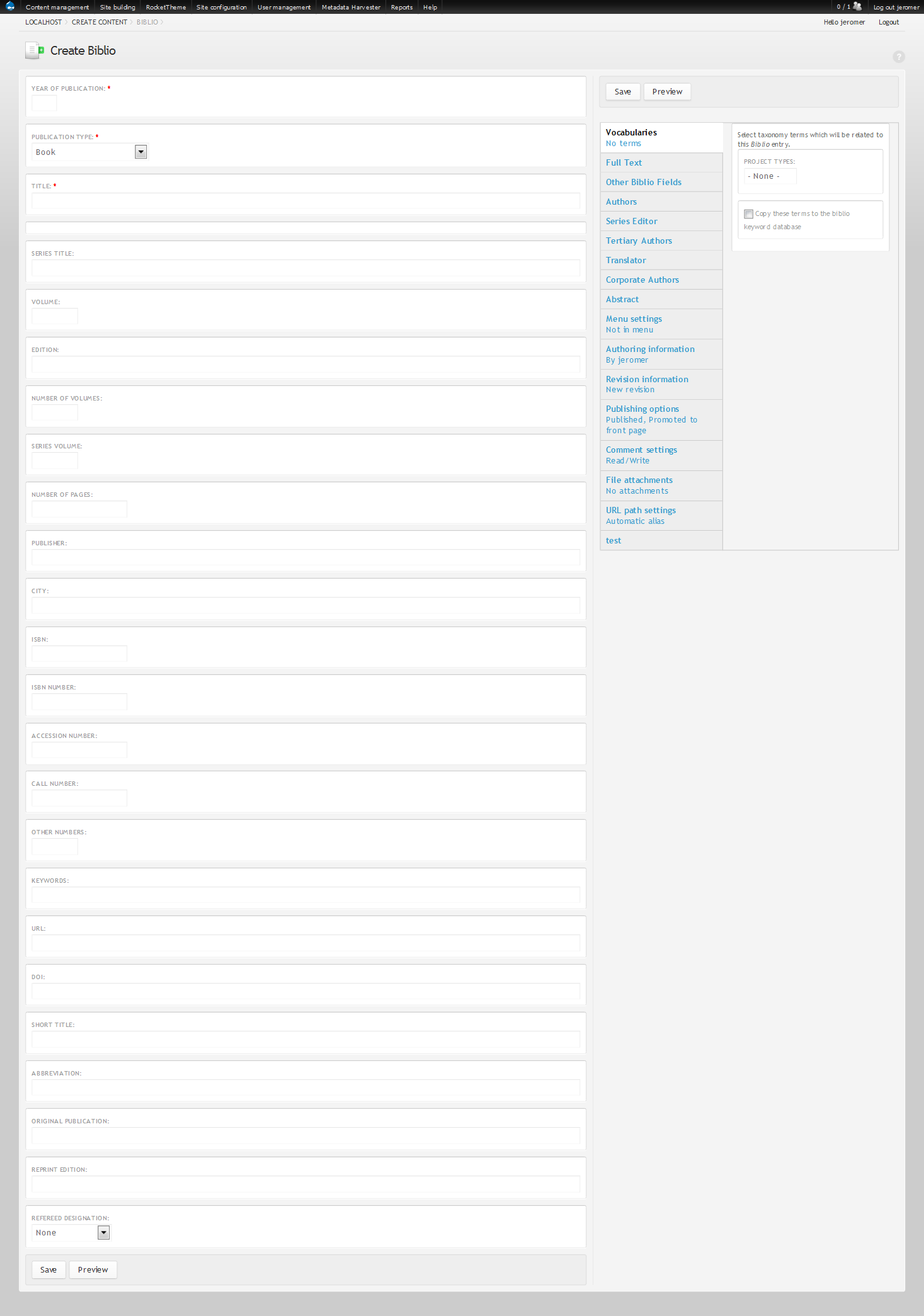
Certainly you can configure CCK groups to be vtabs (the last tab "test" in the second image is a CCK group).
I've installed the Rubik theme and it would appear that moving (arbitrary) form elements to the right column would require some theme pre-processing.
Comment #6
rjerome commentedAttached is a view of the Biblio input form with all the vtabs moved to the right column (with a little tweak of the rubik template.php file)
Is that what you were looking for?
Comment #7
boabjohn commentedHey Ron that is so great! Exactly what we needed. What was the "little tweak" to rubik?
Comment #8
rjerome commentedRight after line 233 in sites/all/themes/rubik/template.php insert...
(Note: you might notice references to a module called "nodeformcols", which in theory does exactly what you want to do, but I tried it with no success, so the hack below is probably you best short term approach)
For context, the entire rubik_preprocess_form_node() function is as follows...