

 Come together with the global Drupal community in Rotterdam, 28 Sept – 1 Oct 2026. Sessions, contribution, connection, and Early Bird savings until 8 June.
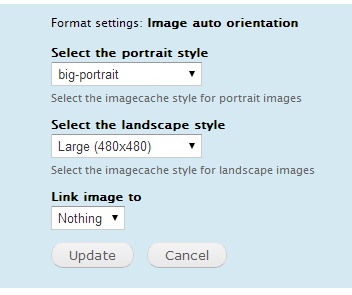
Allows to apply an image style depending on whether the orientation of original image is portrait or landscape.
Features:
Has integration with the link module.
Has integration with the Picture module.
Full description
For some projects it is very important to display the image correctly in portrait or landscape format, keeping the dimensions and spacing specified in the template.
All you need is to:
- create 2 Image styles for portrait and to landscape format;
- change the formatter for images from default to “Auto image style”;
- set the templates for images you created.
Thus necessary style will be applied to the image depending on whether the initial image was landscape or portrait.
The module is integrated with the Link module. So if a picture goes with the Link field you can specify the path it links if you click on the picture.
The module also easily integrates with other standard modules such as Views, Features, Display Suite, Panels and others.
Created by ADCI solutions team
Supporting organizations:
Project information
 Seeking new maintainer
The current maintainers are looking for new people to take ownership.- Project categories: Media
 192 sites report using this module
- Created by adcillc on , updated
 Stable releases for this project are covered by the security advisory policy.
There are currently no supported stable releases.
Releases
8.x-1.0-beta2
released 9 November 2023
Works with Drupal: ^9.3 || ^10
Install:
Development version: 8.x-1.x-dev updated 3 Jun 2024 at 05:39 UTC


