Closed (fixed)
Project:
Author Pane
Version:
6.x-2.1
Component:
Miscellaneous
Priority:
Normal
Category:
Support request
Assigned:
Unassigned
Reporter:
Created:
13 Apr 2011 at 00:44 UTC
Updated:
28 Apr 2011 at 21:41 UTC


Hello
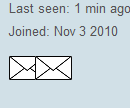
Would there be any logical reason Im missing as to why 2 identical icons appearing right next to each other for private messages. One image is a static icon, while the second is the same icon, only links to the private message the user.
there is only one private message uploaded to the server (authorpane/images/private-message.png)
all other icons only appear once and this seems to be the onlyone that duplicates
| Comment | File | Size | Author |
|---|---|---|---|
| email_icon_ss.png | 2.32 KB | glitz |

Comments
Comment #1
glitz commentedi know its probably css, but I couldnt find any duplicate entries
Comment #2
michelleThose aren't the standard icons, which means you have something customized. Without a link, I have no way to tell what might be wrong. If you aren't able to give me a link, then you'll need to poke at it in Firebug.
Michelle
Comment #3
glitz commentedok Thanks.
ill have to get u the link in a few..
as far as the icons go, all i did was replace the standard private-message.png image with my own .png image and overwrote the original.
I did the same process on a previous site (earlier version of Author Pane) with no problem.
Also, if this helps, the default icon was duplicated as well, before I did the customization or overwriting.
Thanks,
Chris
Comment #4
michelleGot it but had something come up and I won't be able to look at this until tomorrow, sorry.
Michelle
Comment #5
glitz commentedno problem. Thanks for investigating for me...
Comment #6
michelleOk, I looked at it in Firebug and I can see the problem. One of the icons is the one that's supposed to be there in CSS. The other is coming because you are literally putting the image in the HTML. You need to either take out your code to put the image there or alter the CSS.
You can go ahead and delete my account. I just made it so I could actually see the icons.
Michelle
Comment #7
glitz commentedok thanks ill have a look as soon as i get home. i dont recall putting the image in the html manually. i will have to find out how it got there, or where to take it out because im not sure how to alter the css. because im not a programmer, i try to stay away from code at all costs :)
thanks very much for investigating, and ill delete your account.
-chris
Comment #8
michelleWell, Author Pane doesn't put the actual img tag in anymore. It uses CSS background images. So it's the img tag that shouldn't be there.
Michelle