This project is not covered by Drupal’s security advisory policy.
Introduction:
This Drupal module helps you to check apache logs when encountered website crashes. Designed for users unfamiliar with Drupal, it enables viewing Apache logs on a dedicated URL. This solution ensures quick error identification without the need for direct server access.
Features
- Basic Functionality:
- Fetches Apache error logs.
- Unique Features:
- Displays log content as a user-friendly list.
- Compatible with Drupal 9 and 10.
- Use Cases:
- Site crash troubleshooting.
- Error identification without codebase access.
Post-Installation
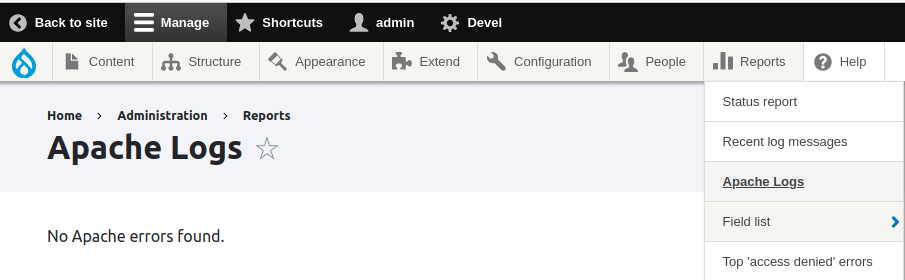
- There will be a menu link created under admin/reports for viewing Apache Logs.
- Accessing the menu it will redirect to a dedicated URL.
- User would be able to explore logs in a comprehensible list format.
Note: No additional content types or text format management needed
Additional Requirements
Depends on Drupal core; no additional libraries or APIs required.
Recommended modules/libraries
No specific recommendations; the module operates independently.
Similar projects
While an older Drupal 7 module exists, this one differentiates itself by supporting the latest Drupal versions (9 and 10). The alternative module lacks updates since 2013.
Supporting organizations:
| Attachment | Size |
|---|---|
| Module Functionality | 39.55 KB |
Project information
- Project categories: Administration tools, Developer tools
- Created by urvashi_vora on , updated
 This project is not covered by the security advisory policy.
Use at your own risk! It may have publicly disclosed vulnerabilities.