

 Come together with the global Drupal community in Rotterdam, 28 Sept – 1 Oct 2026. Sessions, contribution, connection, and Early Bird savings until 8 June.
Problem/Motivation
After you do a search, and hover over the links, in some themes the longest link breaks into two lines. It seems to not happen in Claro, but in Olivero and Bootstrap5.
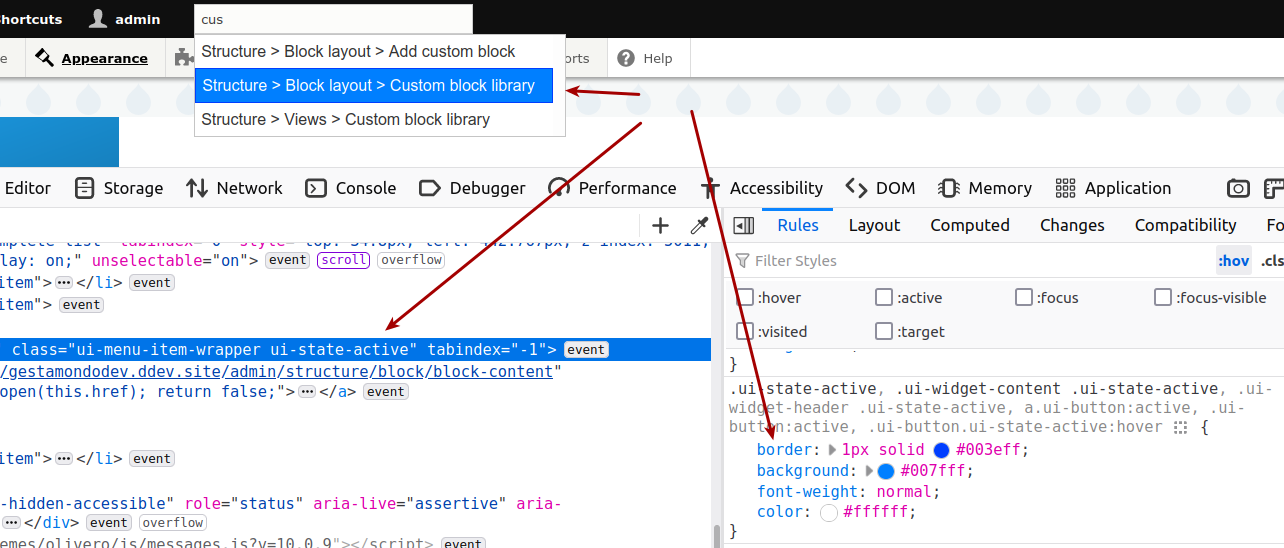
It probably happens because the ui-state-active class is added in the div element, to show the dark blue background. This also happens to add a border, which makes the element too wide, making it break over two lines:
.ui-state-active, .ui-widget-content .ui-state-active,
.ui-widget-header .ui-state-active, a.ui-button:active,
.ui-button:active, .ui-button.ui-state-active:hover {
  border: 1px solid #003eff;
[...]
Steps to reproduce
- Use Admin Toolbar Search to do a search under another theme than Claro
For example from the front page, which uses the default theme (other than Claro) or by enabling Olivero or Bootstrap5 as admin theme (probably others as well) - Do a search and hover over the links
- See that the longest link text breaks in two lines
The added class ui-state-active
Longest link text breaks
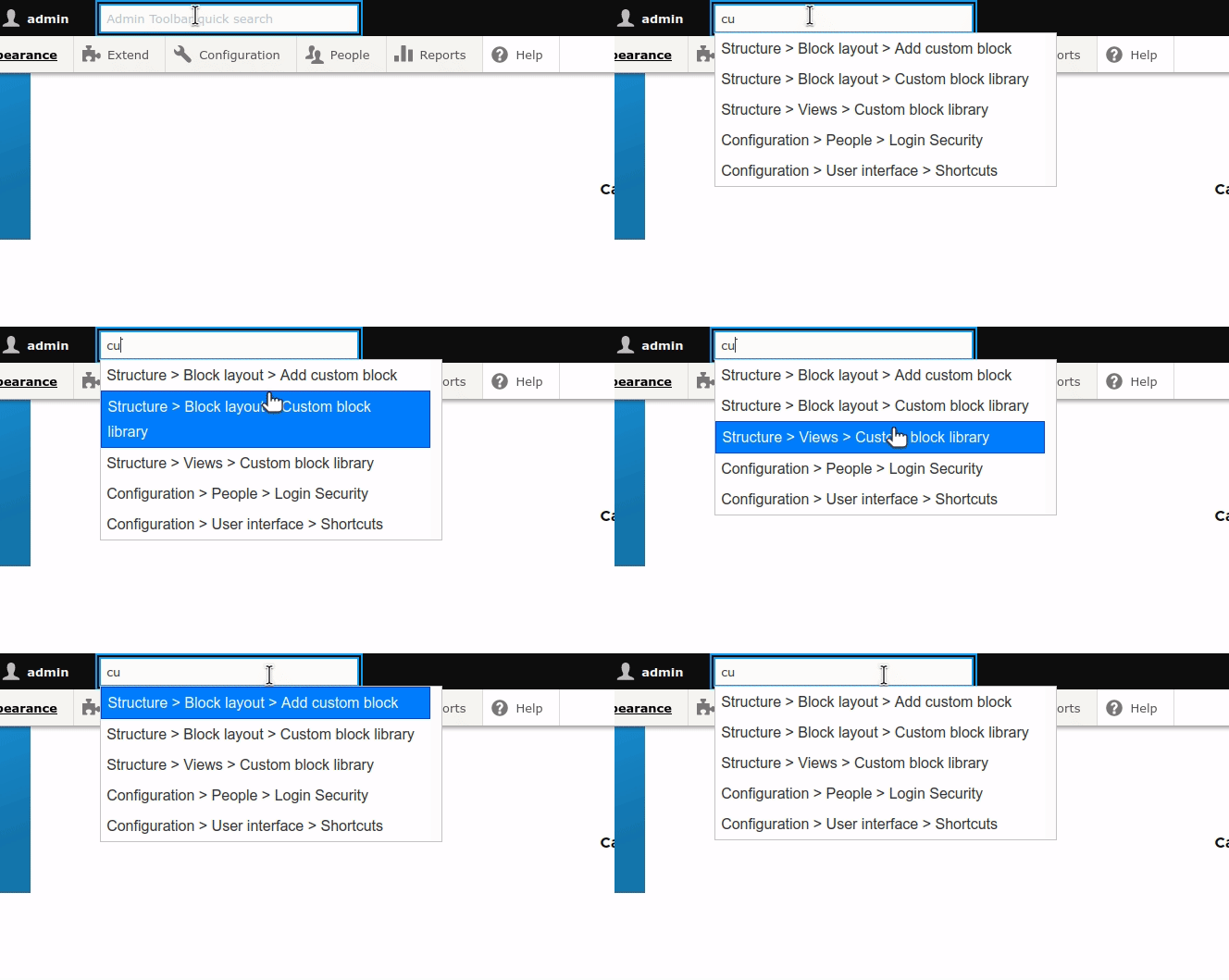
Add border, longest link doesn't break

Proposed resolution
Add a transparent border to the element, so that the calculated width stays the same, when a background with a 1 pixel border is added on hover.
Remaining tasks
User interface changes
API changes
Data model changes
| Comment | File | Size | Author |
|---|---|---|---|
| #2 | 3-longest-link-no-break.gif | 118.45 KB | ressa |
| #2 | 2-current-longest-link-breaks.gif | 173.92 KB | ressa |
| #2 | 1-ui-state-active-adds-border.png | 148.28 KB | ressa |
Issue fork admin_toolbar-3362449
 Show commands
Start within a Git clone of the project using the version control instructions.
Or, if you do not have SSH keys set up on git.drupalcode.org:
 changes



Comments
Comment #2
ressaComment #4
ressaComment #5
adriancid