Closed (fixed)
Project:
Administration menu
Version:
7.x-3.x-dev
Component:
Code
Priority:
Normal
Category:
Feature request
Assigned:
Unassigned
Reporter:
Created:
10 Nov 2011 at 17:20 UTC
Updated:
1 Mar 2012 at 17:57 UTC


Hi
Maybe it's a duplicate issue with http://drupal.org/node/562304 (if it is, sorry for that).
When i log with a non superadmin user, none item menu is displayed even if this user has the right permission (eg : content is not displayed even if admin content and search content permissions are granted to the user)
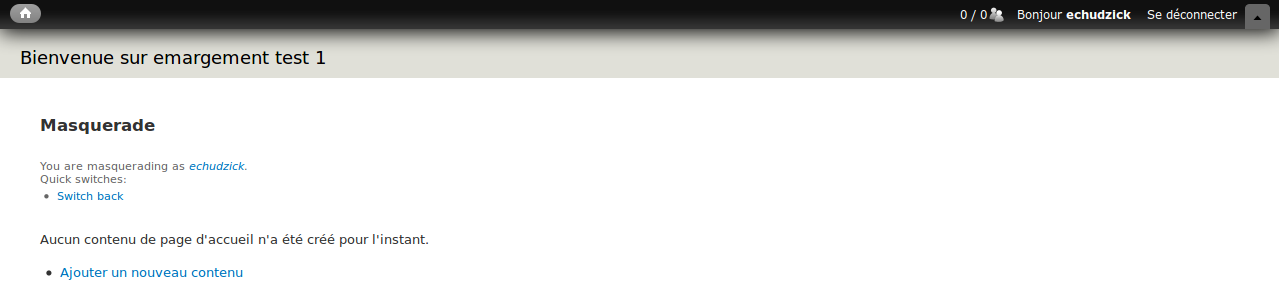
I attached to screen captures, one with the administration menu toolbar, the other with the classic toolbar (toolbar core module) with the same user and same permissions.
Is it a bug or do i something wrong ?
Thanks
| Comment | File | Size | Author |
|---|---|---|---|
| user_with_classic_toolbar.png | 20.23 KB | timos | |
| user_admin_menu_toolbar.png | 21.8 KB | timos |


Comments
Comment #1
kristofferwiklund commentedSame for me.
Comment #2
sunFrom the README:
Comment #3
kristofferwiklund commentedHi.
I install a minimal installation of Drupal 7.10.
Active the Admin menu module.
Created a simple user
Added the permission above.
Tried to login as test-user
Got the following error message:
PDOException: SQLSTATE[42000]: Syntax error or access violation: 1064 You have an error in your SQL syntax; check the manual that corresponds to your MySQL server version for the right syntax to use near '))' at line 1: SELECT ml.p1 AS p1, ml.p2 AS p2, ml.p3 AS p3, ml.p4 AS p4, ml.p5 AS p5, ml.p6 AS p6, ml.p7 AS p7, ml.p8 AS p8, ml.p9 AS p9 FROM {menu_links} ml WHERE (router_path IN ()) ; Array ( ) in admin_menu_tree_dynamic() (line 76 of /var/www/demo/web/sites/all/modules/admin_menu/admin_menu.inc).
Comment #4
sun@kristofferwiklund: That error was already fixed. A new version of admin_menu will be released early February.
Comment #5
kristofferwiklund commentedOkay.
I have now installed the latest admin_menu with 7.x-3.x-dev. I also had to install the latest core 7.x-dev. But now I don't get any error message for the test user.
But the original problem is still there.
My setup:
Core minimal installation
Enable menu_admin
Created simple test-user give it three permission "Access administration menu ", "Display Drupal links", "Access the content overview page"
When the test-user log in the Drupal links is visible but the "Content" options is missing. The test user can access /admin/content/node and should therefore see the "Content" tab in admin menu.
Comment #6
sunThe top-level categories are only visible if the user has the "access administration pages" permission.
Sorry for leaving that out, it's also in the README.txt.
That additional permission comes from core's System module, and is very unfortunate, to say the least.
Comment #7
kristofferwiklund commentedOkay sun. Yes if a add the "Use the administration pages and help" the user can access content. But then the users sees the configuration pages also (but can not access it). And this is not so nice solution. Because some time you would like let the user use the admin_menu with out displaying to much to confuse the user. This works for the Toolbar-module in core but not for admin.
So I change this to a feature request as admin_menu works a design but it would be good if it could work similar to toolbar.
Comment #8
bkosborneThis is something that's always bothered me a bit. The "editor" role I've created only has access to one item under Configuration (managing url redirects), but they see all of the links for things like People, Development, User Interface, etc. Clicking those gives an access denied page.
I haven't looked at the code, but is this unavoidable? If it's not, I'd be willing to go in and create a patch to see if this can be adjusted. In the meantime, I have the module disabled and am using the standard Toolbar module.
Comment #9
sunThe last comments duplicate #871644: Hide links pointing to category/overview pages when empty