Hello,
My main navigation menu is suddenly appearing vertically when before, it appeared horizontally as expected. Please see images attached. The responsive menu has also vanished meaning it doesn't adapt in smaller breakpoints anymore. How can I get the default main nav menu style and function back?
The only thing I did was to install Superfish module and then this broke the main menu theme style by making it vertical. I then uninstalled Superfish and emptied the cache but now I can't get the main menu to appear horizontally anymore as it should in the nav region. Any idea what is happening?
I should add that I followed your instructions as per: http://adaptivethemes.com/documentation/superfish-menu-setup
All was installed correctly including the library but when I selected 'horizontal' in the Superfish menu setting, it showed vertically instead. Then, as mentioned, I uninstalled SF but the vertical menu remains. Is is possible soemething was automatically overwritten in a CSS file perhaps?
My site is not live so I'm afraid I can't post a link as its on my desktop. Perhaps you could advise me which files to troubleshoot?
Thanks in advance.
M




Comments
Comment #2
lilbebel commentedComment #3
lilbebel commentedComment #4
lilbebel commentedComment #5
lilbebel commentedComment #6
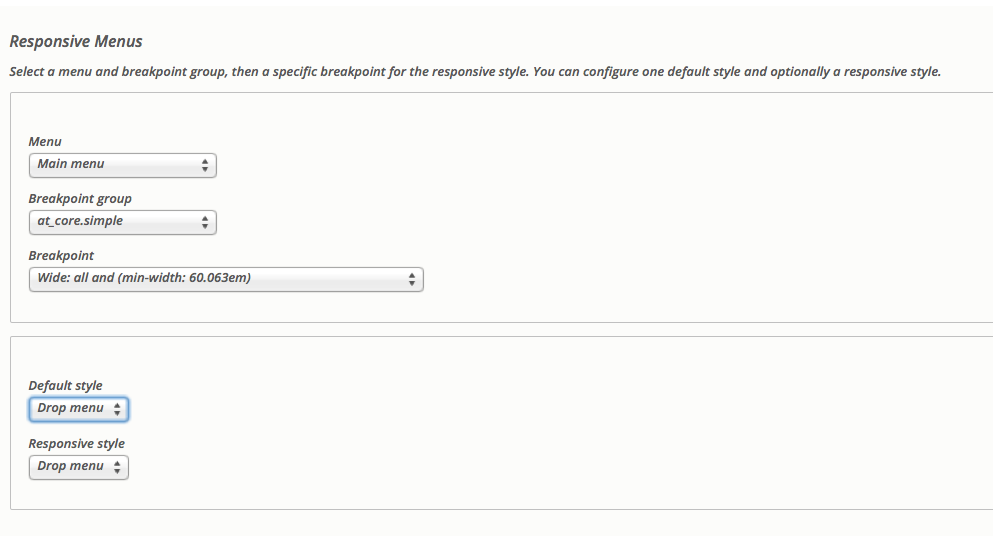
Jeff Burnz commentedThe Drupal 8 version of this theme is not compatible with Superfish, it has it's own built in Drop menus, please set the style to Drop menu in the theme settings for Responsive Menus.
Check which block you are using, are you still using one of the Superfish blocks or the standard main menu block?
Comment #7
lilbebel commentedAh, okay. I will double check everything and report back. It seems that when I enabled Superfish, I affected something in the main theme menu function. Thanks Very much Jeff.
Comment #8
lilbebel commentedHello,
So, I definitely have the main menu block selected (not Superfish) and the correct responsive settings but the menu is still showing vertically. It seems Superfish (or a coincidence that this only happened when I enabled SF) messed up the theme's responsive menu somehow. What to do?
Thanks.
M
Comment #9
lilbebel commentedHello,
So, I did some troubleshooting and I can see that my website is not seeing the file responsive-menus--dropmenu.css
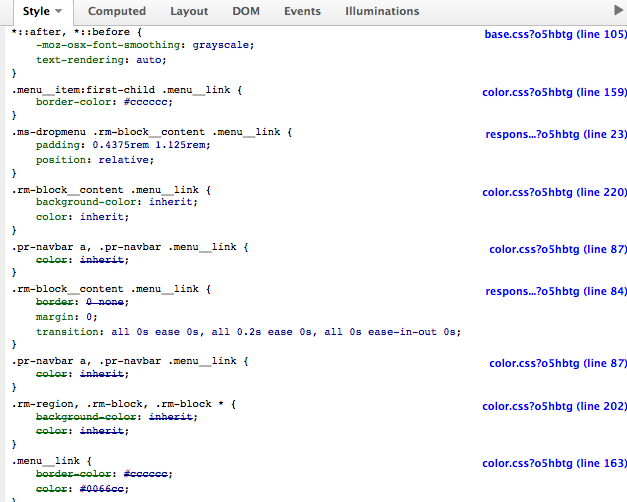
I installed Adaptive theme on a different website and compared it with the one I'm having trouble with. Attached are two screenshots. One (the one that works with a horizontal menu) shows how the CSS for the responsive drop-down menu is being seen and the other (the broken vertical one) shows how it is not being picked up. The settings are exactly the same on both websites. I triple checked everything. I even went through the responsive menu CSS code in both websites to compare them and they are the same.
Please see the three images attached. I am flummoxed. I have no idea why this is happening.
Thanks for any help.
Comment #10
Jeff Burnz commentedWithout seeing your site I think you have the wrong block selected in the Responsive menu settings, is there another block similarly named?
Comment #11
lilbebel commentedYou're right Jeff. A bit embarrassing but I had the wrong menu block in the nav region. I had several named 'main menu' as I am unable to delete any blocks currently. It seems that when I was adding main menu blocks to the nav region trying to get it to show horizontally, it was duplicating the block each time so I ended up with multiple versions of the same main menu that were showing vertically. This resulted in my accumulating a selection of main menu blocks with the same or very similar titles. I somehow managed to test them all apart from the very one that was the correct one. As per your suggestion, I went through each one again. Very sorry but thank you for your help. I tried to delete the redundant menu blocks but the system would not let me. By the way, is the inability to delete blocks a theme feature? This is the message I get on a white screen every time I try to delete one:
Thank you.
M
Comment #12
lilbebel commented