

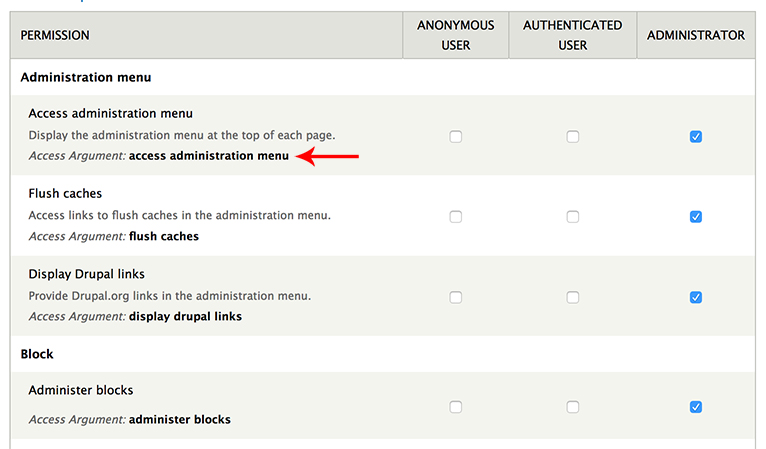
Displays permission machine names in the admin permissions table at /admin/people/permissions, so developers can easily copy and use them in custom modules.
Features
- Shows the machine name below each permission
- Click on any machine name to copy it to clipboard
- Works with Drupal 9.3+, 10, and 11
Usage
1. Enable the module
2. Navigate to People > Permissions
3. Machine names appear below each permission
4. Click any machine name to copy it
Example
Use the copied machine name in your routing.yml:
my_module.example:
  path: '/example'
  defaults:
    _controller: '\Drupal\my_module\Controller\ExampleController::content'
  requirements:
    _permission: 'administer book outlines'
Requirements
- Drupal 9.3+, 10, or 11
Configuration
No configuration needed. Just enable and use.
Supporting organizations:
Project information
- Project categories: Access control, Administration tools, Developer tools
 15 sites report using this module
- Created by bilal.alhallak on , updated
 Stable releases for this project are covered by the security advisory policy.
Look for the shield icon below.


