

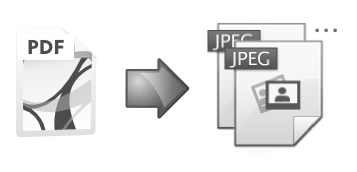
The PDF To ImageField module provides automatic conversion of uploaded PDF files to images.
It can be used either to create a snapshot of the front page to use as a preview thumbnail, or to generate a gallery of images from each page in the document.
The module is implemented as an additional widget for File Field where PDFs are uploaded to. It places generated images into a Image Field on the same content type.
Requirements:
- PHP version >= 8.3
- Recommended Drupal version >= 10.3
Installation (1.0.x)
Just composer install and configure the file widget.
Configuration
- First, add an imagefield on your chosen content type. This is where the generated images wil be stored.
- Set the allowed fields to 1 if you just want a cover page, or 'unlimited' if you want all pages to be generated.
-
Next add a filefield to your chosen content type and choose 'PDF to Image' as the widget.
- D10/D11 - This filefield should be configured to accept PDF file types (required) + you can add the same extensions as for the target field.
- When configuring this field, you will be required to link the uploaded file field with the target image field.
- You can add image style handling to the imagefield rendering as normal to adjust the size of the results and how they display on the page.
Processing
Processing of PDF may take some time.
Larger documents use the 'batch' process to generate each page.
Comparison:
- PDF Preview now offers similar functionality. It only does the first page, and operates as a 'formatter' for the uploaded file rather than treating the generated image as an attached file.
- See also PDF Preview Image to prepare a preview image from PDF
Project information
 Minimally maintained
Maintainers monitor issues, but fast responses are not guaranteed.- Ecosystem: StandWithUkraine 🇺🇦
 788 sites report using this module
- Created by elaman on , updated
 Stable releases for this project are covered by the security advisory policy.
There are currently no supported stable releases.


