

This project is not covered by Drupal’s security advisory policy.
English
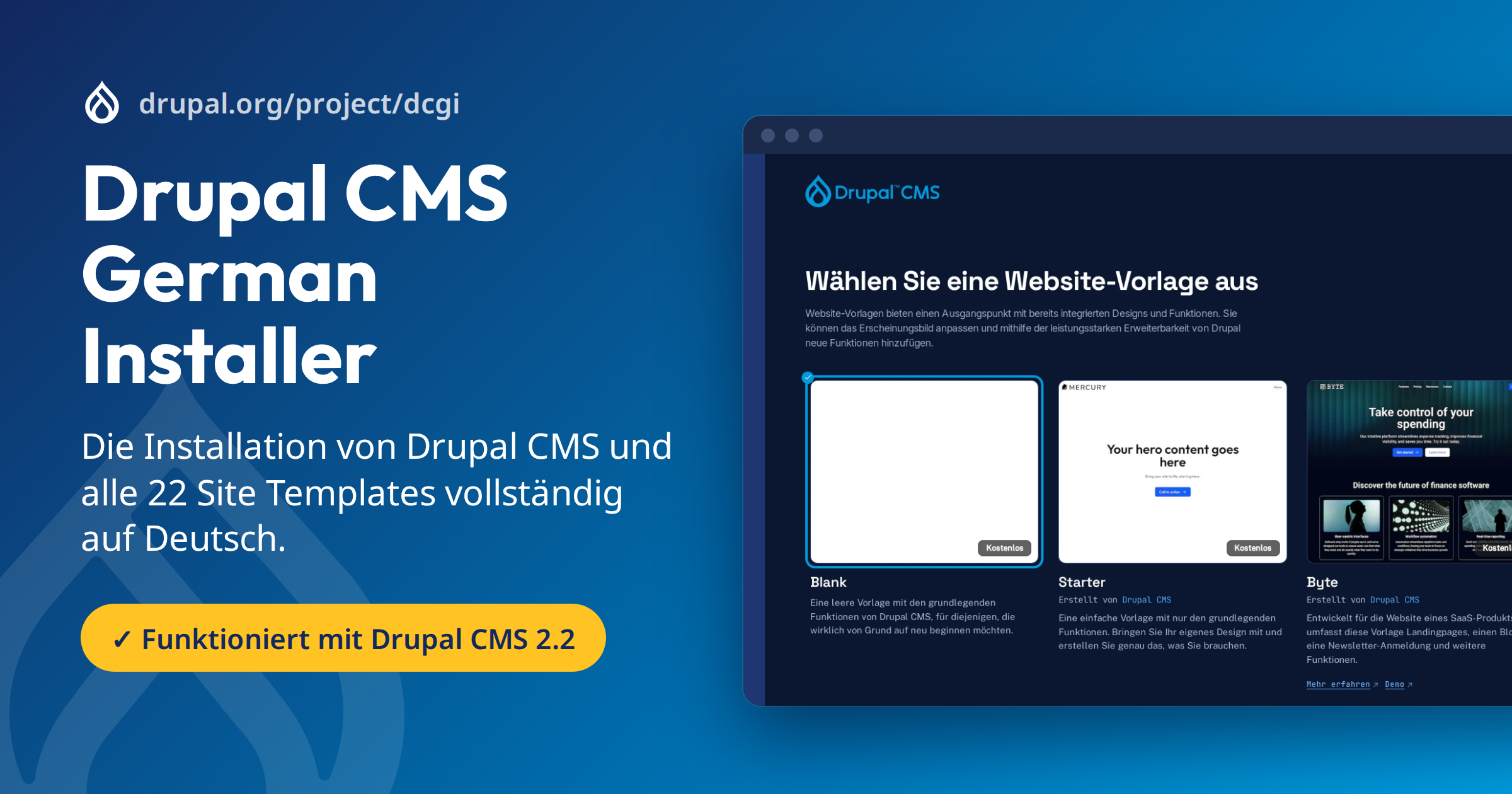
The Drupal CMS German Installer makes the installation of Drupal CMS completely German, from the first screen to the finished site. It extends the official installer instead of replacing it, and removes itself once its job is done.
Why this project exists
The project was created above all to find and report the bugs in Drupal CMS, Canvas, the site templates and their themes that currently stand in the way of a seamless multilingual experience right from the installation. Every workaround in this installer goes with a bug report for the project concerned. Once that project has fixed its bug, the workaround is no longer needed. So far 58 reports have been written; the list of bug reports shows which of them have already been filed.
What it does
- The installation speaks German. The language dialog, the site template descriptions, the status messages and the final page appear in German, even where the official translation still has gaps, and consistently use the formal "Sie".
- The site template is German. Together with Default Content Locale Extended, the content of the chosen template (pages, menus, forms, image descriptions) is translated during installation. All free site templates of Drupal CMS 2.2 are covered.
- Known bugs no longer get in the way. It works around bugs in Drupal CMS, Canvas, the site templates and their themes that make a German installation fail or leave texts in English, for example missing images in the Varbase templates or English dates in the themes. Every fix checks first whether it is still needed.
- Useful add-on modules. It installs a few modules for German-language sites and sets the Gin admin theme to automatic dark mode.
- A face of its own. The installer gets a dark mode in Drupal navy, its own typography and smooth transitions between the steps.
Requirements
For the script
- A bash shell on Linux or in WSL on Windows (tested). macOS has not been tested yet.
- curl, to download the script, and git, which places the installer in the project.
- PHP 8.3 or newer on the command line, with the extensions Drupal needs (e.g. gd, pdo_mysql or pdo_pgsql, xml, mbstring, curl, zip).
- Composer 2, which creates Drupal CMS and adds the add-on modules.
- Internet access to drupal.org, git.drupalcode.org and packagist.org.
- An empty directory for a new project, or the root of an existing Drupal CMS project (where
composer.jsonlives).
For the installation in the browser
- A web server (Apache or nginx) whose document root points to the
web/folder of the project. - A database: MariaDB, MySQL or PostgreSQL, with an empty database and a user for it.
- PHP
memory_limitof at least 512M for the web server. The large site templates stop halfway with 128M. - Write access for the web server user to the project (
composer.json,vendor/,web/): the Drupal CMS installer downloads site templates with Composer while you install. - On Apache with mod_php,
COMPOSER_HOMEmust be set for the web server, otherwise Composer refuses to run (#3591481). PHP-FPM is not affected.
The general Drupal system requirements apply as well.
Installation
Run this in an empty directory:
curl -sSL https://git.drupalcode.org/project/dcgi/-/raw/1.0.x/installer_de_patch.sh | bash
The script creates Drupal CMS in the folder cms/ and prepares the installer. Point your web server to cms/web, open the site, choose German and follow the installer. Run the script a second time in cms/ once the installation is finished; it removes the German installer again.
In an existing Drupal CMS project, run the same command in the project root (where composer.json lives). The installer is not added to composer.json; only the add-on modules are.
Testing
A GitLab CI job installs every free site template through the web installer in German, the way a person would, and checks the pages for server errors, English text and image errors.
Documentation
- Documentation (Deutsch): installation, how it works, changelog
- Bug reports: the bugs found in other projects, and where they have been filed
Status
Development version, tested with Drupal CMS 2.2 and Drupal core 11.4. Nuxt Starter cannot be installed at the moment because of a version constraint in Canvas ExtJS, not in this project.
Deutsch
Der Drupal CMS German Installer macht die Installation von Drupal CMS vollständig deutsch, vom ersten Bildschirm bis zur fertigen Website. Er erweitert den offiziellen Installer, statt ihn zu ersetzen, und entfernt sich wieder, sobald seine Aufgabe erledigt ist.
Warum es dieses Projekt gibt
Das Projekt ist vor allem entstanden, um Fehler aufzudecken und zu melden, die in Drupal CMS, Canvas, den Vorlagen und ihren Themes derzeit noch ein nahtloses mehrsprachiges Erlebnis direkt ab der Installation verhindern. Zu jeder Korrektur in diesem Installer gibt es einen Fehlerbericht für das betroffene Projekt. Sobald dieses den Fehler behoben hat, wird die Korrektur überflüssig. Bisher sind 58 Berichte entstanden; die Liste der Fehlerberichte zeigt, welche davon schon gemeldet sind.
Was er tut
- Die Installation spricht Deutsch. Sprachdialog, Beschreibungen der Website-Vorlagen, Statusmeldungen und Abschlussseite erscheinen auf Deutsch, auch dort, wo die offizielle Übersetzung noch Lücken hat, und durchgehend in der Sie-Form.
- Die Vorlage ist deutsch. Zusammen mit Default Content Locale Extended werden die Inhalte der gewählten Vorlage (Seiten, Menüs, Formulare, Bildbeschreibungen) bei der Installation übersetzt. Abgedeckt sind alle kostenlosen Website-Vorlagen von Drupal CMS 2.2.
- Bekannte Fehler stören nicht mehr. Er umgeht Fehler in Drupal CMS, Canvas, den Vorlagen und ihren Themes, die eine deutsche Installation abbrechen lassen oder Texte englisch lassen, etwa fehlende Bilder in den Varbase-Vorlagen oder englische Datumsangaben in den Themes. Jede Korrektur prüft vorher, ob sie noch nötig ist.
- Nützliche Zusatzmodule. Er installiert einige Module für deutschsprachige Websites und stellt das Admin-Theme Gin auf automatischen Dunkelmodus.
- Ein eigenes Gesicht. Der Installer bekommt einen Dunkelmodus in Drupal-Navy, eine eigene Typografie und weiche Übergänge zwischen den Schritten.
Voraussetzungen
Für das Skript
- Eine bash-Shell unter Linux oder in WSL unter Windows (getestet). macOS ist noch nicht getestet.
- curl, um das Skript zu laden, und git, mit dem der Installer ins Projekt gelegt wird.
- PHP 8.3 oder neuer auf der Kommandozeile, mit den Erweiterungen, die Drupal braucht (z. B. gd, pdo_mysql oder pdo_pgsql, xml, mbstring, curl, zip).
- Composer 2, das Drupal CMS anlegt und die Zusatzmodule hinzufügt.
- Internetzugang zu drupal.org, git.drupalcode.org und packagist.org.
- Ein leeres Verzeichnis für ein neues Projekt oder das Hauptverzeichnis eines bestehenden Drupal-CMS-Projekts (dort, wo
composer.jsonliegt).
Für die Installation im Browser
- Ein Webserver (Apache oder nginx), dessen Dokumentverzeichnis auf den Ordner
web/des Projekts zeigt. - Eine Datenbank: MariaDB, MySQL oder PostgreSQL, mit einer leeren Datenbank und einem Benutzer dafür.
- PHP-
memory_limitvon mindestens 512M für den Webserver. Mit 128M brechen die großen Vorlagen mittendrin ab. - Schreibrechte für den Benutzer des Webservers auf das Projekt (
composer.json,vendor/,web/): Der Drupal-CMS-Installer lädt Vorlagen während der Installation mit Composer herunter. - Unter Apache mit mod_php muss
COMPOSER_HOMEfür den Webserver gesetzt sein, sonst verweigert Composer den Dienst (#3591481). PHP-FPM ist nicht betroffen.
Zusätzlich gelten die allgemeinen Systemanforderungen von Drupal.
Installation
Führen Sie in einem leeren Verzeichnis aus:
curl -sSL https://git.drupalcode.org/project/dcgi/-/raw/1.0.x/installer_de_patch.sh | bash
Das Skript legt Drupal CMS im Ordner cms/ an und bereitet den Installer vor. Richten Sie Ihren Webserver auf cms/web, öffnen Sie die Website, wählen Sie Deutsch und folgen Sie dem Installer. Führen Sie das Skript nach Abschluss der Installation ein zweites Mal in cms/ aus; es entfernt den deutschen Installer wieder.
In einem bestehenden Drupal-CMS-Projekt führen Sie denselben Befehl im Hauptverzeichnis des Projekts aus (dort, wo composer.json liegt). Der Installer wird nicht in composer.json eingetragen, nur die Zusatzmodule.
Tests
Ein GitLab-CI-Job installiert jede kostenlose Vorlage über den Web-Installer auf Deutsch, so wie es ein Mensch tun würde, und prüft die Seiten auf Serverfehler, englischen Text und Bildfehler.
Dokumentation
- Dokumentation (English): Installation, Funktionsweise, Änderungen
- Fehlerberichte: die in anderen Projekten gefundenen Fehler und wo sie gemeldet sind
Stand
Entwicklungsversion, getestet mit Drupal CMS 2.2 und Drupal Core 11.4. Nuxt Starter lässt sich derzeit nicht installieren, weil Canvas ExtJS eine zu enge Versionsangabe hat; der Fehler liegt nicht in diesem Projekt.
Project information
- Ecosystem: Drupal CMS
- Created by joachim namyslo on , updated
 This project is not covered by the security advisory policy.
Use at your own risk! It may have publicly disclosed vulnerabilities.
